

There are quite a few major changes in iOS 9, like split-screen multitasking for the iPad, improvements to search and Siri, under-the-hood performance boosts, and revamped apps, but there are also dozens if not hundreds of lesser-known tweaks and refinements that make the iOS 9 experience better than ever before.
We've had a lot of hands-on time with iOS 9, so we've rounded up a list of the best hidden features in new operating system. These are great little changes you're going to want to know about, so make sure to check out the video and the list below.
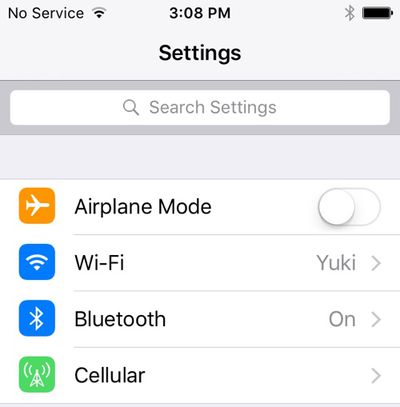
Settings search - There's a new search bar in the Settings app that lets you quickly locate a specific setting by typing in what you're looking for. Want Siri settings? Search for Siri, and all the settings options for Siri will be shown in a list.
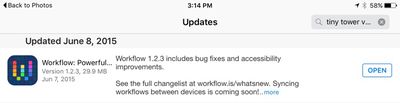
Go Back to App - When you tap on a Notification or a link in Safari or another app and it opens a new app, you can go back to the previous app using a handy new "Go Back" button. The "Go Back" button will stick around for about a minute before disappearing, so you can switch quickly between apps if you just want to glance at something real quick.
Battery settings - To go along with all the new battery features in iOS 9, there's a new dedicated "Battery" section in the Settings app, where Low Power Mode can be turned on. It also displays more detailed battery usage information that can be sorted by apps using the most and the least amount of power. With Low Power Mode, background activity, motion effects, and animated wallpapers are disabled. Battery information is also displayed in the Notification Center, for the Apple Watch, iOS devices, and some other connected devices like wireless headphones.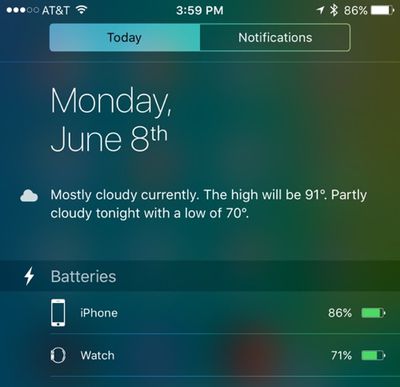
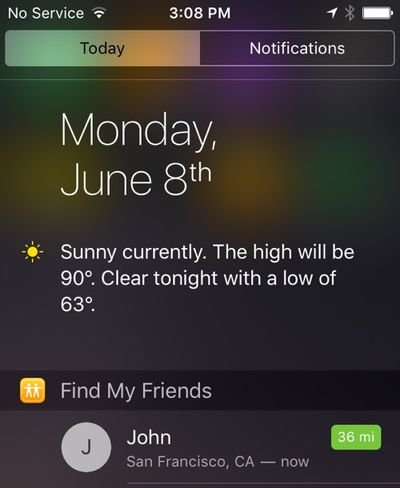
Find My Friends/iPhone - Find My Friends and Find My iPhone are both default apps with iOS 9 and come installed automatically. Before these needed to be downloaded from the App Store. Find My Friends can be added to the Notification Center, where it tracks the location of your friends.
App folders on iPad - App folders on the iPad now display apps in a 4x4 arrangement instead of a 3x3 arrangement, allowing users to see more apps in a folder at a glance. With 15 pages of apps allowed per folder, folders are able to house up to 240 apps instead of 135.
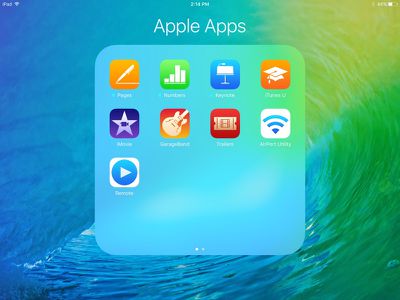
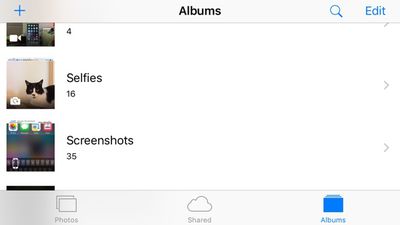
Photo app folders - iOS 9 has new folders for selfies and screenshots in the Photos app. The "Selfies" folder aggregates all photos captured with the front-facing camera, while the "Screenshots" folder houses all screenshots captured by holding down the power button and home button. This small but important change makes it a lot easier to keep track of selfie shots and screenshots.
Home Sharing - Home Sharing for music was removed in iOS 8.4 with the launch of the new music app and the new Apple Music service, but in iOS 9, it's back.
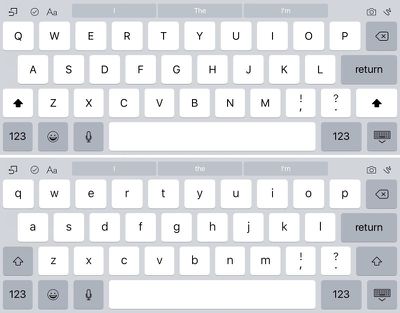
Keyboard changes - The shift function has been altered once again, making it easier to determine when it's activated and when caps lock is turned on. With shift pressed, all letters on the keyboard are now shown in upper case. With shift off, letters on the keyboard are lower case. On iPad, there are also some new edit controls and a two-finger gesture that turns the keyboard into a trackpad.
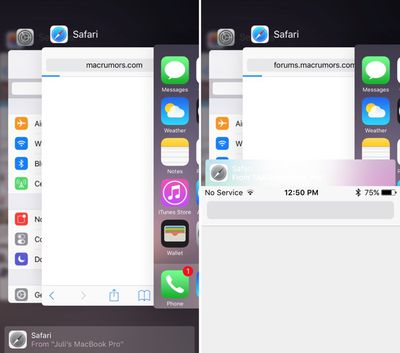
Handoff - The Handoff feature in the App Switcher has been moved to the bottom of the app-switching interface. Pull up on the new Handoff bar to open an app. Previously, Handoff was displayed in the app carousel. The Handoff feature that showed relevant App Store apps on the lock screen in certain locations has been eliminated in iOS 9, but installed apps are still shown based on location.
A full overview of what's new in iOS 9 can be found in our iOS 9 roundup. MacRumors readers are also discussing new iOS 9 features and finding hidden capabilities in our dedicated iOS 9 forum.






















