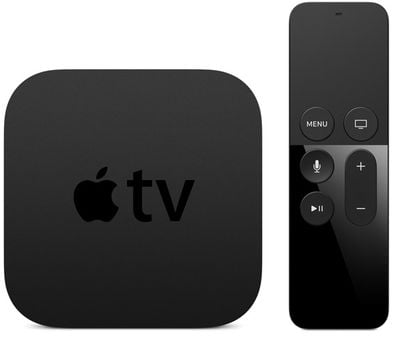
Apple today seeded the third beta of an upcoming update to tvOS, the new operating system that runs on the fourth-generation Apple TV. Today's beta comes just over one week after Apple seeded the second tvOS 9.1 beta and three weeks since the tvOS was released alongside the fourth-generation Apple TV.
The third tvOS beta is available as an over-the-air update to those who have installed the first two betas. Installing an initial tvOS beta is a more involved process than installing a beta update for iOS or OS X. The update requires the Apple TV to be connected to a computer with a USB-C to USB-A cable, with the software downloaded and installed via iTunes.
We don't yet know exactly what is included in the new version of tvOS, as most changes thus far appear to be under-the-hood updates. Apple's release notes for the update include references to networking and scrolling tweaks, and it's likely tvOS 9.1 will include fixes for bugs and issues that have been discovered in the software since the Apple TV's official launch. We will include any other external facing changes below.
tvOS 9.1 will mark the first significant update to tvOS and the second update to the operating system. The first tvOS update, tvOS 9.0.1, was released to the public on November 9.
iOS 26.4 was released today, and it includes a couple of new features for CarPlay: an Ambient Music widget and support for voice-based chatbot apps.
To update your iPhone 11 or newer to iOS 26.4, open the Settings app and tap on General → Software Update. CarPlay will automatically offer the new features so long as the iPhone connected to your vehicle is running iOS 26.4 or later....
Apple today announced Apple Business, a new all-in-one platform that unifies device management, productivity tools, and customer outreach features.
The service is designed to be a consolidated replacement for several of Apple's existing business-focused offerings, including Apple Business Essentials, Apple Business Manager, and Apple Business Connect. It provides organizations with a single...
Tuesday March 24, 2026 12:31 pm PDT by Juli Clover
Apple today released new firmware for the AirPods Pro 2, AirPods Pro 3, and the AirPods 4. The firmware has a version number of 8B39, up from 8B34 on the AirPods Pro 3, 8B28 on the AirPods Pro 2, and 8B21 on the AirPods 4.
There is no word on what's included in the firmware, but Apple has a support document with limited notes. Most updates are limited to bug fixes and performance...
That's a good idea, I might do that as its really annoying me. Very surprised how badly this was designed from a use ability point of view. Looks great though.
Even having the touchpad on both sides would work
My issue with the remote is that the remote will skip around a video if I go to reach for the remote wrong and it's backwards in my hand.
I've been using plex on mine and it's been a great experience.
Two weeks in I've decided to keep it, though not fond of the new remote, in the dark I cannot tell which is the touch pad and which is then back cause the buttons are in the middle, the old remote was a much better design.
If they don't implement continuous scroll for large libraries like I have on my computer then I'm going to bitch slap somebody at Apple, unless my swipe finger falls off first.
I've been using plex on mine and it's been a great experience.
Two weeks in I've decided to keep it, though not fond of the new remote, in the dark I cannot tell which is the touch pad and which is then back cause the buttons are in the middle, the old remote was a much better design.
Put your thumb in the middle - the volume button is the long one and should go on the right.
Two weeks in I've decided to keep it, though not fond of the new remote, in the dark I cannot tell which is the touch pad and which is then back cause the buttons are in the middle, the old remote was a much better design.
I totally agree, the remote is poorly designed. I wished the ATV4 had consistent results using an IR remote. The ATV3 seems like the superior product at the moment.
Hopefully this update will fix the many things plaguing this device.