
Office 2016 for Mac Updated With Full Screen Outlook and More - MacRumors
Skip to Content

Office 2016 for Mac Updated With Full Screen Outlook and More

by

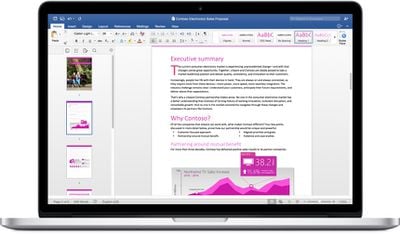
Microsoft has released an update for its Office 2016 for Mac suite that addresses multiple security vulnerabilities, fixes bugs and adds select new features across Word, Excel, PowerPoint, OneNote and Outlook.
Word-2016-Mac
Version 15.8.0 allows Outlook to be used in full-screen mode for viewing multiple messages or invitations side by side. The update also makes it easier to find available Outlook conference rooms at your desired meeting time.

In Word, PDF files can now be saved to flash drives. Meanwhile, Excel and PowerPoint have gained new selection panes to keep track of worksheet objects and slideshow objects respectively, and rearrange their placement and order.

In OneNote, shapes can now be added to notebook pages and now support the built-in shapes gallery. OneNote, Excel and PowerPoint all received general bug fixes.

The free update is available from Microsoft AutoUpdate within Office 2016 for Mac, or the Microsoft Download Center, and requires OS X Yosemite 10.10 or later and a valid Office 365 subscription.


Top Rated Comments

bladerunner2000 Avatar
133 months ago
On my 27 inch iMac? Heavens no. On my 13 inch MacBook Pro? Absolutely I use it, it adds a surprising amount of UI real estate.

If I had an 11 inch MacBook Air? It would be invaluable.
Vast majority of us have no need for it as it hides the dock and menu, ultimately making multitasking a pain in the ass. It really is a redundant feature, one that is actually detrimental to getting things done quickly. Apple should just add an option in system settings to make the green button act as a 'maximize window' without going into fullscreen. It'd satisfy everyone.
Score: 8 Votes (Like | Disagree)
cmChimera Avatar
133 months ago
It's funny because nobody uses fullscreen.
Some people surely do.
Score: 8 Votes (Like | Disagree)
HackerJL Avatar
133 months ago
The best feature of full screen Outlook is when you click new message - promptly crashes the entire program. Its a feature .
Score: 8 Votes (Like | Disagree)
133 months ago
It's funny because nobody uses fullscreen.
Really?

Every application I use is in full-screen. Notification Center keeps me informed but I do all of my work in full screen except when I need to do work in multiple MS Excel windows. MBP Core i7 Retina w/ 24" Dell 4K UltraSharp display.

I'm reading this thread in full-screen. Running these apps all in full-screen:

* Reeder
* Mail
* Slack
* Messages
* Safari
* iCal
* Excel
* Outlook
* Photos


Bbedit and Deliveries and Lync are in Window mode

Photos:


You can make a generalization that "Fullscreen is used by very few people" but saying "nobody users it" is technically incorrect.

there are dozens of us! :)


===============

The more important feature Microsoft Office has yet to adopt is Multi-Core support for more than 2 cores. The average file-size of my MS Excel documents is 50 megabytes. Some of them are 80MB.

The fact that I have a beach-ball w/ only 2 of my 8 cores used(Core i7 Quad-Core and Hyperthreading) and my computer isn't even breaking a sweat yet MS Office is costing me valuable time....it's embarrassing. It sometimes takes 60 seconds to render some operations and the CPU could take on more tasks if Office would adopt Grand Central and Full Cocoa
Score: 7 Votes (Like | Disagree)
decimortis Avatar
133 months ago
Vast majority of us have no need for it as it hides the dock and menu, ultimately making multitasking a pain in the ass. It really is a redundant feature, one that is actually detrimental to getting things done quickly. Apple should just add an option in system settings to make the green button act as a 'maximize window' without going into fullscreen. It'd satisfy everyone.
Holding the option button will allow you to do just that.
Score: 5 Votes (Like | Disagree)
longofest Avatar
133 months ago
I use it, it's great. Hardly makes multitasking a pain, just use CMD Tab or ctrl arrow key.
Personally, I find very little use for full-screen apps on Mac. The only one that I have used with any kind of regularity is iPhoto/Photos, when going through my album, as it cleans up the interface a good bit. But the split-screen multitasking is an absolute kludge of an implementation, and might as well just work with a windowed environment.
Score: 5 Votes (Like | Disagree)

Popular Stories

iOS 26

iOS 26.4 Adds Two New Features to CarPlay

Tuesday March 24, 2026 1:55 pm PDT by
iOS 26.4 was released today, and it includes a couple of new features for CarPlay: an Ambient Music widget and support for voice-based chatbot apps. To update your iPhone 11 or newer to iOS 26.4, open the Settings app and tap on General → Software Update. CarPlay will automatically offer the new features so long as the iPhone connected to your vehicle is running iOS 26.4 or later....
Apple Business hero

Apple Unveils 'Apple Business' All-in-One Platform

Tuesday March 24, 2026 8:53 am PDT by
Apple today announced Apple Business, a new all-in-one platform that unifies device management, productivity tools, and customer outreach features. The service is designed to be a consolidated replacement for several of Apple's existing business-focused offerings, including Apple Business Essentials, Apple Business Manager, and Apple Business Connect. It provides organizations with a single...
AirPods Pro Firmware Feature

Apple Releases New Firmware for AirPods Pro 3, AirPods Pro 2 and AirPods 4

Tuesday March 24, 2026 12:31 pm PDT by
Apple today released new firmware for the AirPods Pro 2, AirPods Pro 3, and the AirPods 4. The firmware has a version number of 8B39, up from 8B34 on the AirPods Pro 3, 8B28 on the AirPods Pro 2, and 8B21 on the AirPods 4. There is no word on what's included in the firmware, but Apple has a support document with limited notes. Most updates are limited to bug fixes and performance...














