

 Apple today released an updated version of iOS 9.2.1, which is designed to prevent the "error 53" device-bricking message that some iOS users received after having their iPhones or iPads repaired by third-party services using components not sourced from the original device.
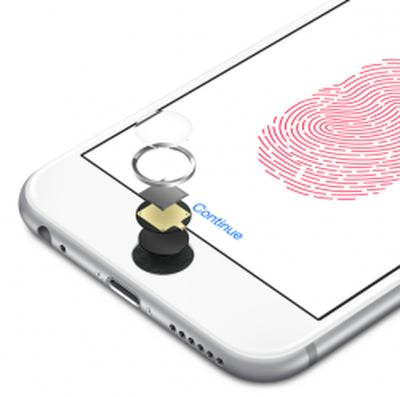
Non-matching repair components that affected the Touch ID fingerprint sensor caused an iOS device to fail a Touch ID validation check because the mismatched parts were unable to properly sync. The validation check occurred during an iOS update or restore, and when failed, Apple disabled the iPhone, effectively "bricking" it in an effort to protect Touch ID and the related Secure Enclave that stores customer fingerprint information.
Apple originally explained that error 53 was intentional, implemented as a way to prevent the use of a malicious Touch ID sensor that could be used to gain access to the Secure Enclave, but customers with bricked devices were not happy with the explanation and Apple found itself facing a class-action lawsuit.
Today's update will restore iPhones and iPads that have been disabled due to "error 53" to full working condition and it will ensure that future iOS devices that have had similar repairs will not be fully disabled. Touch ID will not, however, be accessible until Apple-authorized repairs are made to a device affected by the issue.
Alongside the new version of iOS 9.2.1, Apple has also published a support document outlining how customers can resolve the "error 53" problem, and it has issued an apology, shared by TechCrunch. Apple now says the error 53 bricking issue was meant to be a factory test and was never intended to affect customers.
"Some customers' devices are showing 'Connect to iTunes' after attempting an iOS update or a restore from iTunes on a Mac or PC. This reports as an Error 53 in iTunes and appears when a device fails a security test. This test was designed to check whether Touch ID works properly before the device leaves the factory.
Today, Apple released a software update that allows customers who have encountered this error message to successfully restore their device using iTunes on a Mac or PC.
We apologize for any inconvenience, this was designed to be a factory test and was not intended to affect customers. Customers who paid for an out-of-warranty replacement of their device based on this issue should contact AppleCare about a reimbursement."
The updated version of iOS 9.2.1 is available through iTunes and is not designed for customers who update their devices over the air. It can be downloaded on the iPhone 6, 6s, 6 Plus, 6s Plus, iPad mini 3, iPad mini 4, iPad Air 2, and iPad Pro.






















