
Google Hangouts for iOS Gains Share Extension and Low Power Mode Support - MacRumors
Skip to Content

Google Hangouts for iOS Gains Share Extension and Low Power Mode Support

by

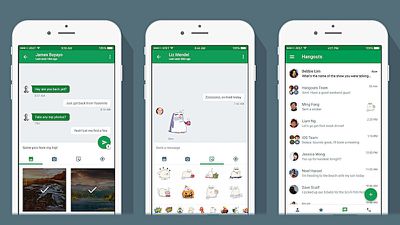
Google has updated its Hangouts app for iPhone and iPad with a native iOS Share Sheet extension and support for Low Power mode.

Google Hangouts for iOS enables users to send and receive instant messages and group messages, share photos, and make video and voice calls using the company's cross-platform communication service. Users can also connect up to Google Voice via the service to link their personal phone numbers, enable SMS and activate voice recognition.
google_hangouts_ios
The Share extension in version 9.0 of Hangouts means users can now share text, links, images, and video from other apps on their device, while the Low Power support essentially means that the app will now automatically turn off video when the device's battery is depleted to 20% or lower.

The Share extension can be activated by tapping the Share button within the app, selecting "More" at the end of the Share Sheet, and toggling the switch next to Hangouts to the ON position.

Google Hangouts is a free download on the App Store for iPhone and iPad. [Direct Link]

Tag: Google

Top Rated Comments

129 months ago
Isn't that supposed to be coming up in iOS v.whatever, shortly?
Well, there's FaceTime video and audio that can be used between Apple devices, but not for basically regular calling, and there's WiFi calling which iOS supports and the more recent iPhones support, but the use of that depends on your cellular provider as far as them actually offering it and how it works for example when you are outside of your home country and the like. Google Voice's calling abilities that use data have been around before WiFi calling and are still there now even when WiFi calling isn't an option.
Score: 1 Votes (Like | Disagree)
vertsix Avatar
129 months ago
I've been waiting for this feature for so long.

All they need to do is incorporate 3D Touch shortcuts and I'll be super happy.
Score: 1 Votes (Like | Disagree)
Keane16 Avatar
129 months ago
I just learnt that apps need to "support" low power mode. That's probably why it never works for me lol
It works at the system level, and the app level.

When enabled system level functionality will be reduced (networking, animations etc.). Additionally apps can detect Low Power Mode is enabled and can limit features, like the Hangouts app turns off video.

So Low Power Mode savings vary (quite a bit) depending on the apps you have and the settings they have enabled. This guy for instance saw substantial improvements:

http://birchtree.me/blog/wqoc7twm9a26g29pbwkvjikqju8tz7/
Score: 1 Votes (Like | Disagree)
Sirious Avatar
129 months ago
I just learnt that apps need to "support" low power mode. That's probably why it never works for me lol
Score: 1 Votes (Like | Disagree)

Popular Stories

iOS 26

iOS 26.4 Adds Two New Features to CarPlay

Tuesday March 24, 2026 1:55 pm PDT by
iOS 26.4 was released today, and it includes a couple of new features for CarPlay: an Ambient Music widget and support for voice-based chatbot apps. To update your iPhone 11 or newer to iOS 26.4, open the Settings app and tap on General → Software Update. CarPlay will automatically offer the new features so long as the iPhone connected to your vehicle is running iOS 26.4 or later....
AirPods Pro Firmware Feature

Apple Releases New Firmware for AirPods Pro 3, AirPods Pro 2 and AirPods 4

Tuesday March 24, 2026 12:31 pm PDT by
Apple today released new firmware for the AirPods Pro 2, AirPods Pro 3, and the AirPods 4. The firmware has a version number of 8B39, up from 8B34 on the AirPods Pro 3, 8B28 on the AirPods Pro 2, and 8B21 on the AirPods 4. There is no word on what's included in the firmware, but Apple has a support document with limited notes. Most updates are limited to bug fixes and performance...
apple tv 4k new orange

tvOS 26.4 Adds These New Features to Your Apple TV

Wednesday March 25, 2026 3:33 pm PDT by
Apple this week released tvOS 26.4, and the software update includes a handful of new features and changes for the Apple TV. tvOS 26.4 is compatible with all Apple TV 4K and Apple TV HD models released since 2015. To update your Apple TV, open the Settings app on the device, navigate to System → Software Updates, and select Update Software. Below, we have recapped what is new in tvOS...
















