
Apple Seeds Fifth Beta of macOS Sierra to Developers [Update: PB4 Now Available for Public Beta Testers] - MacRumors
Skip to Content

Apple Seeds Fifth Beta of macOS Sierra to Developers [Update: PB4 Now Available for Public Beta Testers]

Apple today released the fifth beta of macOS Sierra, the newest operating system designed for the Mac, to developers. macOS Sierra beta 5 comes one week after the release of the fourth beta and approximately two months after the software was first unveiled at Apple's 2016 Worldwide Developers Conference.

Developers can download today's beta update through the Software Update mechanism in the Mac App Store or through the Apple Developer Center.
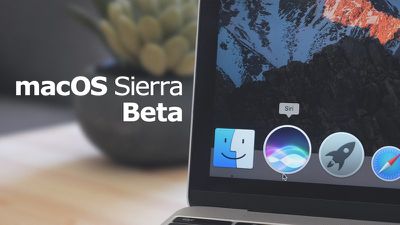
macossierrabeta
macOS Sierra is a major update that brings Siri to the Mac for the first time, allowing users to conduct voice searches to quickly find files, look up information, and more. New Continuity features offer an "Auto Unlock" option for unlocking a Mac with an Apple Watch and a "Universal Clipboard" for copying text on one Apple device and pasting it on another.

Deeper iCloud integration allows files stored on the desktop or the Documents folder of a Mac to be accessed on all of a user's devices, and Photos features deep learning algorithms for improved facial, object, and scene recognition. There's also a Memories feature for displaying photo collections, and Messages has rich links, bigger emoji, and "Tapback" response options.

Apple Pay is coming to the web in macOS Sierra, with payments authenticated through an iPhone or Apple Watch, and new features like multiple tabs, Picture in Picture multitasking, optimized storage, and revamped emoji are also available.
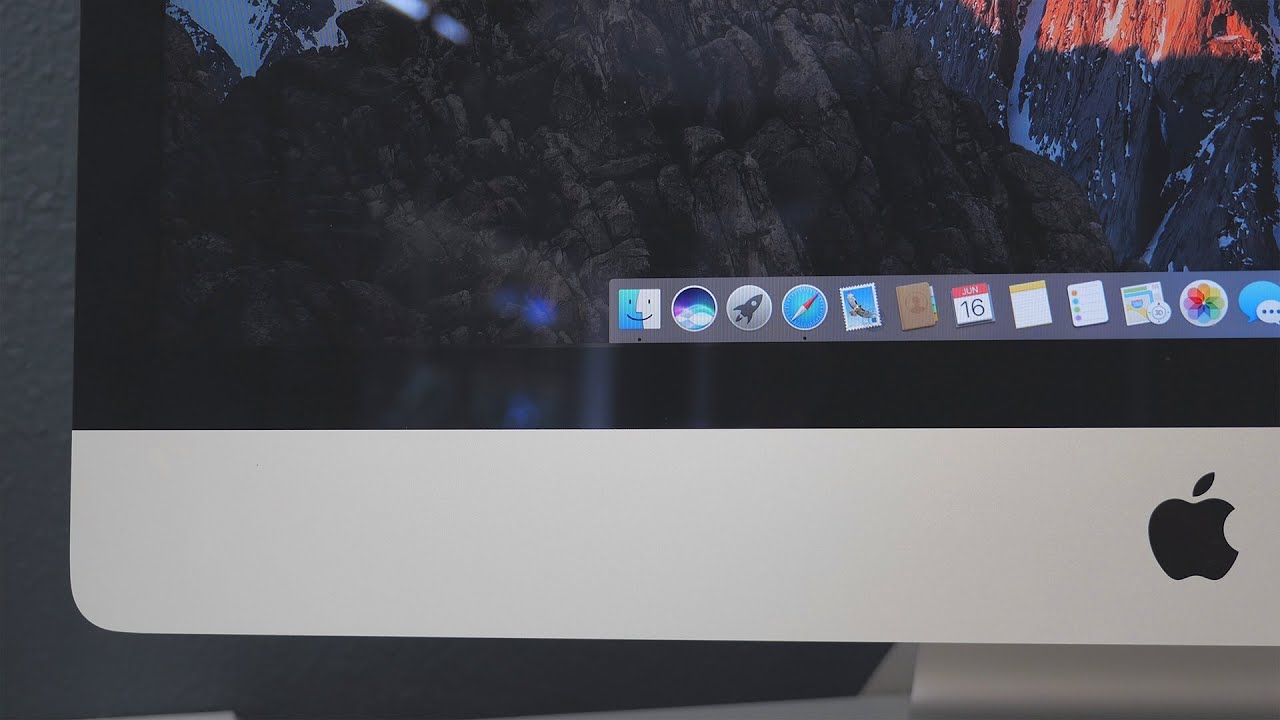

During the beta testing period, Apple tweaks and refine the features introduced in macOS Sierra to prepare it for public release. In macOS Sierra beta 4, Apple introduced new emoji promoting gender equality and introduced a new look for many existing emoji with new textures and design tweaks. Any changes found in the fifth beta will be listed below.

macOS Sierra is currently available to developers and public beta testers, and it will see a wider public release this fall. For full details on all of the new features included in macOS Sierra, make sure to check out our macOS Sierra roundup.

Update: Apple has also seeded macOS Sierra public beta 4 to public beta testers. It is identical to the 5th developer beta.


Related Forum: macOS Sierra

Popular Stories

M5 MacBook Pro

RIP, MacBook Ultra

Monday October 19, 2026 9:37 am PDT by
Apple today sent out invites for an experience in Los Angeles on Wednesday, October 28, and the "Pro and tell" tagline on the invitation likely means that the rumored MacBook models with touch-enabled OLED displays will stick with MacBook Pro branding instead of the once-rumored "MacBook Ultra" name. The long-rumored "iPhone Ultra" ended up being named iPhone Duo, so speculation that Apple...
iPhone Duo Trio

Here's What Apple's Apps Look Like on the iPhone Duo

Tuesday October 20, 2026 11:12 am PDT by
With just three days to go until the iPhone Duo is released, Apple is getting ready for the launch. Behind the scenes, the App Store now has screenshots of Apple's built-in apps running on the Duo. We've seen some apps in marketing materials, but images of the ones we haven't seen give us an idea of what it will be like using the iPhone Duo day to day. Many apps are shown in landscape...
apple pro tell logo

Apple Announcing New Products Next Week: 'Pro and Tell'

Monday October 19, 2026 9:05 am PDT by
Apple's Greg Joswiak today hinted at new product announcements coming next week, sharing a social media post that says "Can't wait to pro and tell next week." Rumors suggest Apple is planning to debut the new MacBook Pro with an OLED touchscreen display, an M6 entry-level MacBook Pro, an M6 iMac, an iPad mini with an OLED display. Can't wait to pro and tell next week....

Top Rated Comments

bladerunner2000 Avatar
133 months ago
Have they finally given the option to change the default behaviour of the green button to expand to maximum instead of going fullscreen? I have 100 people in my office building and nobody uses fullscreen on a laptop or desktop, they all hate it. There's NO point in fullscreen on a large screen.

And what about a proper cut/paste command (ctl+x / ctrl+v) in Finder? Is System Integrity Protection still screwing over developers like TotalFinder?
Score: 14 Votes (Like | Disagree)
keysofanxiety Avatar
133 months ago
I have 100 people in my office building and nobody uses fullscreen on a laptop or desktop, they all hate it. There's NO point in fullscreen on a large screen.
Couldn't disagree more. Logic Pro full screen. Safari on another. iTunes on another. Guitar Pro on the next. 4-finger swipe and I'm immediately on the other one I want. Smooth as silk.

I think full screen is perfect if you're working with multiple desktops. Especially when you're using content-rich creative applications like FCPX and Photoshop, you really need all the space you can get.
Score: 12 Votes (Like | Disagree)
Sandstorm Avatar
133 months ago
Couldn't disagree more. Logic Pro full screen. Safari on another. iTunes on another. Guitar Pro on the next. 4-finger swipe and I'm immediately on the other one I want. Smooth as silk.

I think full screen is perfect if you're working with multiple desktops. Especially when you're using content-rich creative applications like FCPX and Photoshop, you really need all the space you can get.
I like fullscreen, but I have another issue with it - I hate that the menu bar disappears. I'd love an option for the menu bar to be "always on". For crying out loud - many of us have have enormous size monitors, hiding the menu bar gives negligible vertical pixels, but so much annoyance when you just want to glance the time, change some setting fast etc.
Score: 10 Votes (Like | Disagree)
133 months ago
I still don't understand their icon design... an icon should be symbolic, easy to identify in black-and-white. The Siri icon is not that. Why not a simple microphone? Do they think that people will confuse it with something else?
Because Siri is not a microphone
Score: 9 Votes (Like | Disagree)
JDHiro Avatar
133 months ago
Have they finally given the option to change the default behaviour of the green button to expand to maximum instead of going fullscreen? I have 100 people in my office building and nobody uses fullscreen on a laptop or desktop, they all hate it. There's NO point in fullscreen on a large screen.
While I'd be all for an option to change the default behavior, I have to disagree with you that there is no point in full screen. I have a 27" 4K monitor, and I run 3-5 full screens always. My code editor runs in one screen, I'm running full screen browsers w/ debugging tools in 1-3 other screens, and I'll often have tools like Sketch using another full screen.

I'm not sure what your line of work is, but just looking around the office right now here I see several people using their Macs in full-screen.
Score: 9 Votes (Like | Disagree)
133 months ago
Look, I don't use it and neither do the 100 people in my office use it and many other people on this forum. Nobody needs nor wants it. I'm asking to simply add the OPTION of changing the green button behaviour to make windows maximize without hiding the dock and file menu up top because they are NEEDED.
Sounds to me like Windows or Linux might be better operating system for you? They have the Maximize button that you are looking for.

It's always been considered that power users find keyboard interaction more efficient than mouse and trackpad, and yet you stated in your other thread that you don't want to have to touch the keyboard when pressing the green button. So where is your left (or right) hand while the other one is on the mouse? I'm genuinely curious because maybe that's some good feedback for Apple?

Let me ask you these:

* Do you use the Application Switcher? (Cmd-Tab)

* Do you know that the Dock appears when you move your mouse to the edge of the screen in Full-Screen mode?
* Do you believe that no keyboard interaction should be needed to navigate around the operating system?
* Do you ever press the Esc key? I ask this because it's an immensely useful key to "cancel" your last action. It's been this way for 30+ years, but many non-power users don't even know what it does. So knowing if you use it in your day-to-day computing will go a long way to helping us understand your interactions with the computer, and why you find the mouse pointer to be so important.

[doublepost=1470768903][/doublepost]
Which is why said there needs to be an OPTION.

I don't understand why I keep have to repeat myself, are you guys even reading the full post? Just add an OPTION to change the behaviour in system preferences... maybe like this:

We hear you, but but we also see the strong bias AGAINST something so simple as holding down the Option key. For those of us used to this very simple action (because our hands are always on the keyboard already), we are puzzled about your passion.

Have you sent this feedback to Apple? www.apple.com/feedback/ (http://www.apple.com/feedback/) or via the Feedback Assistant app?

Score: 7 Votes (Like | Disagree)
Latest Stories
Giant iPhone Duo Displays Coming to Four Apple Stores
27 minutes ago
Apple Pulls Keynote, Pages and Numbers From App Store
1 hour ago
Apple Updates More Apps With iPhone Duo Support
2 hours ago
Apple Will Label Apps 'Made for iPhone Duo' in App Store
5 hours ago
Amazon Takes $49 Off iPad With Prices Starting at $399.99
5 hours ago
F1 on Apple TV Now Available in Dolby Atmos
6 hours ago
Apple Reveals More Than 50 Apps That Will Be Updated for iPhone Duo
6 hours ago
Apple Blocks Certificates That Could Help Attackers Fake Websites
8 hours ago
Giant iPhone Duo Installations Spotted at Apple Fifth Avenue
8 hours ago
iPhone Duo 2 Prototypes Include Under-Display Face ID
9 hours ago
Tesla App Gains iPad and iPhone Duo Support
13 hours ago
Apple Reportedly Boosts iPhone Duo Orders by 44%
13 hours ago
Fortnite Returning to Australian App Store After Court Ruling
13 hours ago
Apple Ordered to Open iPhone to Rival App Stores in Australia
14 hours ago
Apple Suppliers Face Hurdles Cutting Circuit Board Emissions
14 hours ago
Things Updated for iPhone Duo With Adaptive Layout
14 hours ago
Simplicity and Siri AI Are HomeView's Killer Features, Apple Says
15 hours ago
iPhone Duo Reviewers Really Miss Face ID
20 hours ago
Does the iPhone Duo Run Hot? Here's What Reviews Found
21 hours ago
Apple Music's New Look is Now Live on Apple's Website
22 hours ago
Anthropic Launches Claude Duet, a Proactive AI Agent
22 hours ago
What 32,000 Folds Did to the iPhone Duo's Hinge
23 hours ago
iPhone Duo's Hidden FaceTime Camera Takes 'Trash' Photos
1 day ago
iPhone Duo Has 'Edge Light' Feature That Debuted on Macs Last Year
1 day ago
Apple Support App Updated for iPhone Duo's Larger Display
1 day ago
Amazon Sweetens the Deal on Entry-Level 16-Inch MacBook Pro With $570 Off
1 day ago
iPhone Duo Tips Over on MagSafe Stands When Unfolded
1 day ago
Apple Music's New Look Officially Announced
1 day ago
iPhone Duo Supports Apple Pencil Starting With iOS 27.2
1 day ago
iPhone Duo Accessories Roundup: Cases and Screen Protectors From OtterBox, ZAGG, and More
1 day ago









































