

As discovered by Myke Hurley (via Daring Fireball), some iPhone 7 and 7 Plus users are going to have a tough time unlocking their devices during wintertime. As it turns out, the new "solid-state" Home button on the iPhone 7 and iPhone 7 Plus requires skin contact or the right kind of capacitive gloves to function.
If you put on a pair of gloves or cover your finger with the sleeve of a shirt and attempt to open the iPhone 7, access the Home screen, exit out of an app, or activate multitasking, the Home button will not respond to a press unless it's touching skin. And because the iPhone 7 uses the redesigned Lock screen in iOS 10, there's no quick and easy way to bring up the passcode entry screen to unlock the phone manually (the quickest way sans Home button is to swipe to the widgets screen and tap one).
We tested with a pair of gloves that are designed for touch screens and while we could unlock the iPhone 6s Plus with the gloves and use the touch screen, that wasn't possible with the iPhone 7 Plus -- the Home button wouldn't activate. There are mixed reports on Twitter from people with capacitive gloves, and while some work, others do not appear to. It may vary based on the material and construction of the gloves. Latex gloves also do not activate the Home button, but will activate the display.
So here's a thing. Cover your iPhone 7 home button with material (like from a t-shirt) and try to click it. 😑 — Myke Hurley (@imyke) September 16, 2016
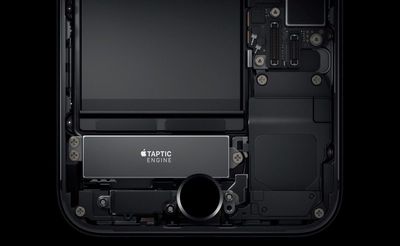
The redesigned Home button in the iPhone 7 is no longer a physical button -- it's flush with the iPhone and uses haptic feedback to give the sensation of button presses. Because it's requiring capacitive contact to unlock the device, it's likely the iPhone 7 is using the Touch ID fingerprint sensor to register touch.
While capacitive contact is required to unlock the phone, the new "Raise to Wake" functionality still allows the Lock screen to be viewed without a touch, so it continues to be possible to view incoming notifications. Fully unlocking the phone will require a free finger that's unobscured by fabric or one of the brands of capacitive gloves that are functional.
Update: As MacRumors forum members point out, there is the option of turning on AssistiveTouch in Accessibility, which offers a way to bypass the home button with screen-only control options.




















Top Rated Comments