
Thunderbolt 3 Ports on Right Side of 13-Inch MacBook Pro Have Reduced PCI Express Bandwidth - MacRumors
Skip to Content

Thunderbolt 3 Ports on Right Side of 13-Inch MacBook Pro Have Reduced PCI Express Bandwidth

Apple has published a detailed support document highlighting the capabilities of the Thunderbolt 3 USB-C ports on the new MacBook Pro, unveiling some previously unknown details and outlining the different adapters that are needed to connect various accessories.

According to the document, while all of the ports on the 15-inch MacBook Pro and the 13-inch MacBook Pro without a Touch Bar offer full Thunderbolt 3 performance, only two of the four ports on the 13-inch MacBook Pro with a Touch Bar support Thunderbolt 3 at full performance.
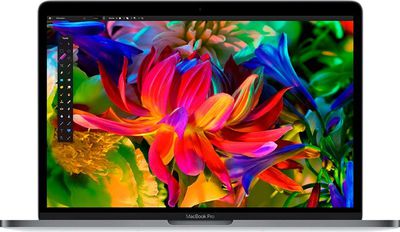
macbookpro
The two ports on the right side of the machine have Thunderbolt 3 functionality but with reduced PCI Express bandwidth. For that reason, Apple recommends plugging higher-performance devices into the left-hand ports on that machine.

Late-2016 MacBook Pro models vary slightly in the data speeds they provide to each Thunderbolt 3 port.

MacBook Pro (15-inch, Late 2016) delivers full Thunderbolt 3 performance on all four ports.

MacBook Pro (13-inch, Late 2016, Four Thunderbolt 3 Ports) supports Thunderbolt 3 at full performance using the two left-hand ports. The two right-hand ports deliver Thunderbolt 3 functionality, but have reduced PCI Express bandwidth.

MacBook Pro (13-inch, Late 2016, Two Thunderbolt 3 Ports) delivers full Thunderbolt 3 performance on both ports.

As for USB, all of the USB-C ports on all MacBook Pro models offer USB 3.1 Gen 2 (10Gb/s) transfer speeds when connected to a USB accessory.

Other interesting tidbits in the document include the fact that six devices can be daisy-chained to each Thunderbolt 3 port on the MacBook Pro, and only one power supply can be used to charge the machine. You can attach multiple power supplies, but it's only going to draw power from the one that provides the most power.

Power supplies that exceed 100W have the potential to damage the Macbook Pro, and accessories like the USB-C VGA Multiport Adapter or the USB-C Digital AV Multiport Adapter can only provide up to 60W of power, which will offer slow or delayed charging in the 15-inch MacBook Pro. Apple recommends charging the 15-inch model with the power supply it ships with.

Apple also outlines powering attached devices with Thunderbolt 3 ports. The 15-inch MacBook Pro and the 13-inch MacBook Pro with Touch Bar can power two devices that use up to 15 watts and two additional devices that use up to 7.5 watts. The 13-inch MacBook Pro with no Touch Bar and two Thunderbolt 3 ports can power one device that uses up to 15 watts and one device that uses up to 7.5 watts.

If you're planning to purchase a new MacBook Pro and are confused about which adapters you're going to need so it will work with your existing equipment and accessories, Apple's support document is a good reference to check out.


Related Forum: MacBook Pro

Popular Stories

iOS 26

iOS 26.4 Adds Two New Features to CarPlay

Tuesday March 24, 2026 1:55 pm PDT by
iOS 26.4 was released today, and it includes a couple of new features for CarPlay: an Ambient Music widget and support for voice-based chatbot apps. To update your iPhone 11 or newer to iOS 26.4, open the Settings app and tap on General → Software Update. CarPlay will automatically offer the new features so long as the iPhone connected to your vehicle is running iOS 26.4 or later....
Apple Business hero

Apple Unveils 'Apple Business' All-in-One Platform

Tuesday March 24, 2026 8:53 am PDT by
Apple today announced Apple Business, a new all-in-one platform that unifies device management, productivity tools, and customer outreach features. The service is designed to be a consolidated replacement for several of Apple's existing business-focused offerings, including Apple Business Essentials, Apple Business Manager, and Apple Business Connect. It provides organizations with a single...
AirPods Pro Firmware Feature

Apple Releases New Firmware for AirPods Pro 3, AirPods Pro 2 and AirPods 4

Tuesday March 24, 2026 12:31 pm PDT by
Apple today released new firmware for the AirPods Pro 2, AirPods Pro 3, and the AirPods 4. The firmware has a version number of 8B39, up from 8B34 on the AirPods Pro 3, 8B28 on the AirPods Pro 2, and 8B21 on the AirPods 4. There is no word on what's included in the firmware, but Apple has a support document with limited notes. Most updates are limited to bug fixes and performance...

Top Rated Comments

Kobayagi Avatar
123 months ago
- New MacBook Pro Has Better Keyboard Than 12-Inch MacBook, But It's Expensive and Lacking Ports
- New MacBook Pros Max Out at 16GB RAM Due to Battery Life Concerns
- Apple Says It's Out of the Standalone Display Business
- New MacBook Pros Don't Include Backlit Apple Logo or Power Extension Cable
- Thunderbolt 3 Ports on Right Side of 13-Inch MacBook Pro Have Reduced PCI Express Bandwidth
- Apple Continues to Sell Base Model 2015 MacBook Pros at Same Price Points (ty @Pentium)

When will the bad news stop? :eek:
Score: 223 Votes (Like | Disagree)
DanGoh Avatar
123 months ago
Every article brings me bad news.
Score: 149 Votes (Like | Disagree)
123 months ago
Wow this is very unlike Apple. I remember when they came out with USB 3 they boasted how they didn't have to label them blue because all ports had the same speed!

Just one more inclination this is Cooks Apple and not Jobs' Apple
Score: 136 Votes (Like | Disagree)
jayducharme Avatar
123 months ago
Apple is becoming a company I barely recognize. What happened to their practice of delighting us with "magical" technology. It's now getting to a point where I'm thinking, "I wonder in how many ways this new product is going to disappoint me?"
Score: 125 Votes (Like | Disagree)
nagromme Avatar
123 months ago
How many actually need that bandwidth on even ONE port much less 3 to 4? And are actually in the market for the 13" Pro right now? How many were truly planning to get the 13" and hook up 4 TB3 devices that need that bandwidth? How many pay zero attention to far more significant positives, from screen quality to giant trackpad?
Score: 93 Votes (Like | Disagree)
garirry Avatar
123 months ago
Why are you convinced this is related to saving money instead of saving space and efficiency?
Because for $2300, I'll be expecting a computer that is capable to distribute bandwidth equally to all four ports.
Score: 92 Votes (Like | Disagree)















