

Duet Display, the app that turns an iPad into a second display for a Mac, was today updated with a handy new feature that gives you iPad Touch Bar access, even when you don't have a Mac with a Touch Bar.
The Duet Display app is able to tap into the MacBook Pro's Touch Bar software, displaying a virtual Touch Bar on your iPad's screen. The iPad Touch Bar mirrors the MacBook Pro's Touch Bar on a model with a Touch Bar, and when used with a MacBook Pro that doesn't have a Touch Bar, it lets you tap into functionality that would otherwise be unavailable.
When used with Photoshop on the Mac, for example, the iPad serving as a second display will include a Touch Bar at the bottom of the screen, with the same exact controls you would see on the MacBook Pro Touch Bar.
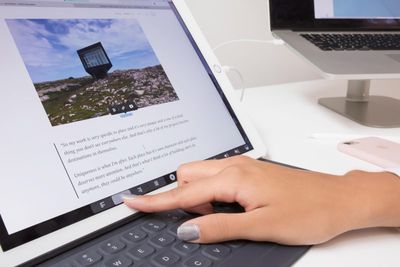
Like the Touch Bar on the MacBook Pro, the virtual iPad Touch Bar will change contextually based on the app because it is tapping into actual MacBook Pro Touch Bar functionality.
It's a bit more cumbersome to use a Touch Bar on the iPad than it is on the Mac because it requires reaching over to tap on another screen, but it does unlock Touch Bar specific commands that are not accessible to those without a new MacBook Pro.
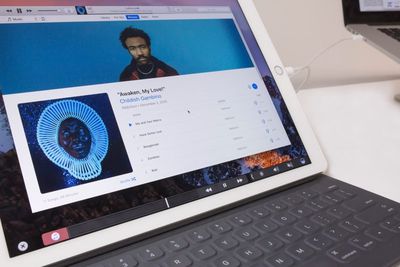
In some cases, when the Touch Bar option built into an app contains options that are normally hidden behind several screens, the iPad Touch Bar will be immensely useful. Many apps are still being updated with Touch Bar support, but in apps like Final Cut Pro and Photoshop, the Touch Bar is a highly valuable tool.
To use this feature, you will need macOS 10.12.2 and the updated versions of Duet Display for both the Mac and iOS, both of which are available today.
Also new in today's update is iPad keyboard support, so when Duet Display is used with an iPad Pro Smart Keyboard, it will work regardless of whether you're using it alongside a Mac or a PC.
Duet Display's Touch Bar support will be available for free to existing users. New users can download Duet Display for $9.99 for a limited time. [Direct Link]





















Top Rated Comments
Seems to work wonderfully. It's updating text on the touchbar as I type now to complete words.
Now, I'll see if this touchbar thing is actually useful at all...
For those saying Apple will block this, it might be tricky for them to do so. First of all, what is displayed on the iPad display is whatever the Mac is sending to it. The Duet Display companion app on the Mac is not from the Mac App Store. So the "Touch Bar" is actually a little software window open at the bottom of the "external display" that Duet Display creates and sends to the iPad over USB. So unless Apple takes down the iOS app entirely—even though it's just displaying what is on the Mac and not using any private APIs itself—then it should be fine. If I remember correctly, I think Apple has a good relationship with this company and has promoted the app before. Duet Display was developed by former Apple engineers who started their own software company, which is why it works so freaking well. I love it!
I haven't tried it lately, has apple/duet developers figured out a solution or work around yet? I would love to try using duet display again, but not at the expense of losing airplay.
You can touch it with your thumb
When you finally have a touch Bar
You will think you have won