

Photography app VSCO has announced a handful of new features for its users, centering around the addition of its separate GIF creating DSCO app [Direct Link] directly into the main VSCO app. Thanks to the inclusion, users can now create looping images and post them to their VSCO feeds.
Similar to the camera wheel options on Instagram and in the iOS Camera, users can tap DSCO at the bottom of the camera in VSCO to switch over to the video format, record a moment, and upload it to VSCO. The company has shared a collection of DSCO examples on its website for users to check out.
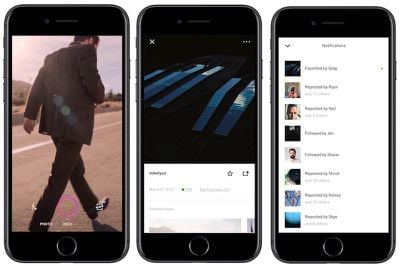
In addition to DSCO, a few new community-side features have been added into the VSCO iOS app, including the ability to block unwanted users from interacting with your content. VSCO images are public so blocked users can still view any image they want, but they can no longer follow users who have blocked them, repost, or favorite their images or DSCO videos.
To further facilitate an environment of positive feedback, VSCO has added the ability to favorite posts between users without the public at large being able to see favorites. VSCO said that this makes favorites "a private acknowledgement between two people," and lets its users take bolder creative risks without the worry of like counts that other platforms have.
VSCO is a place to take creative risks and share what you love, not what you think others will love. This is why VSCO does not publicly show your follower count or how many people reposted your image — it’s where you can be you.
The company said that the newly announced features will be rolling out over the next couple of weeks. In December, VSCO added RAW image capturing and editing on iOS 10 devices.
VSCO is available to download for free on the iOS App Store. [Direct Link]




















