
Tenor for Mac App Introduces First Touch Bar Support for GIFs Amid Rebranding - MacRumors
Skip to Content

Tenor for Mac App Introduces First Touch Bar Support for GIFs Amid Rebranding

by

GIF creation and sharing company Tenor is today introducing the first app that puts GIFs directly into the Touch Bar of the 2016 MacBook Pro, which is debuting amid a rebranding of the company's Mac app as well. Previously known as "GIF Keyboard" the app will now be called "Tenor for Mac," and when it's launched on the desktop Tenor will display emojis on the Touch Bar and allow users to tap one to see a list of GIFs representing certain feelings, such as "Happy," "Tired," "Excited," and so on.

Touch Bar support is also coming to search results in the Tenor Mac app, so when users query the service for a specific GIF they will receive a horizontal list of GIFs related to their search input. Users can then use the Touch Bar to scrub through the search results, and when the right GIF is found a simple tap will copy it to the Mac's clipboard, allowing it to be shared in the usual places, like in Messages.
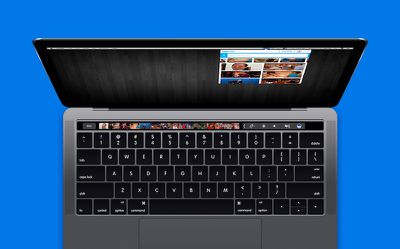
Tenor mac app update

The right GIF makes all the difference. As the mobile GIF-sharing leader, we at Tenor know that people often struggle to get their point across quickly. So we deliver just the right GIF that says it better -- fast.

Today we’re extending that lightning-fast experience to the laptop with the launch of our Tenor Mac App. Now available for free in the Mac App Store, Tenor makes it easy to search, discover and share GIFs across apps, browsers and messages. Tenor for Mac is the first app to put GIFs directly into the Macbook Pro’s Touch Bar.

Tenor's Mac app will otherwise remain unchanged with the new rebranding and Touch Bar update. Users can still browse through GIFs using the service's dropdown toolbar menu, as well as create their own collections of GIFs -- called "packs" -- themed around specific emotions, TV shows, movies, or whatever they choose.

If a GIF is missing from the service, users can also simply drag and drop the one they want into Tenor, after first saving it to their computer from another source. Word on a similar rebranding update for the GIF Keyboard iOS app was not given.
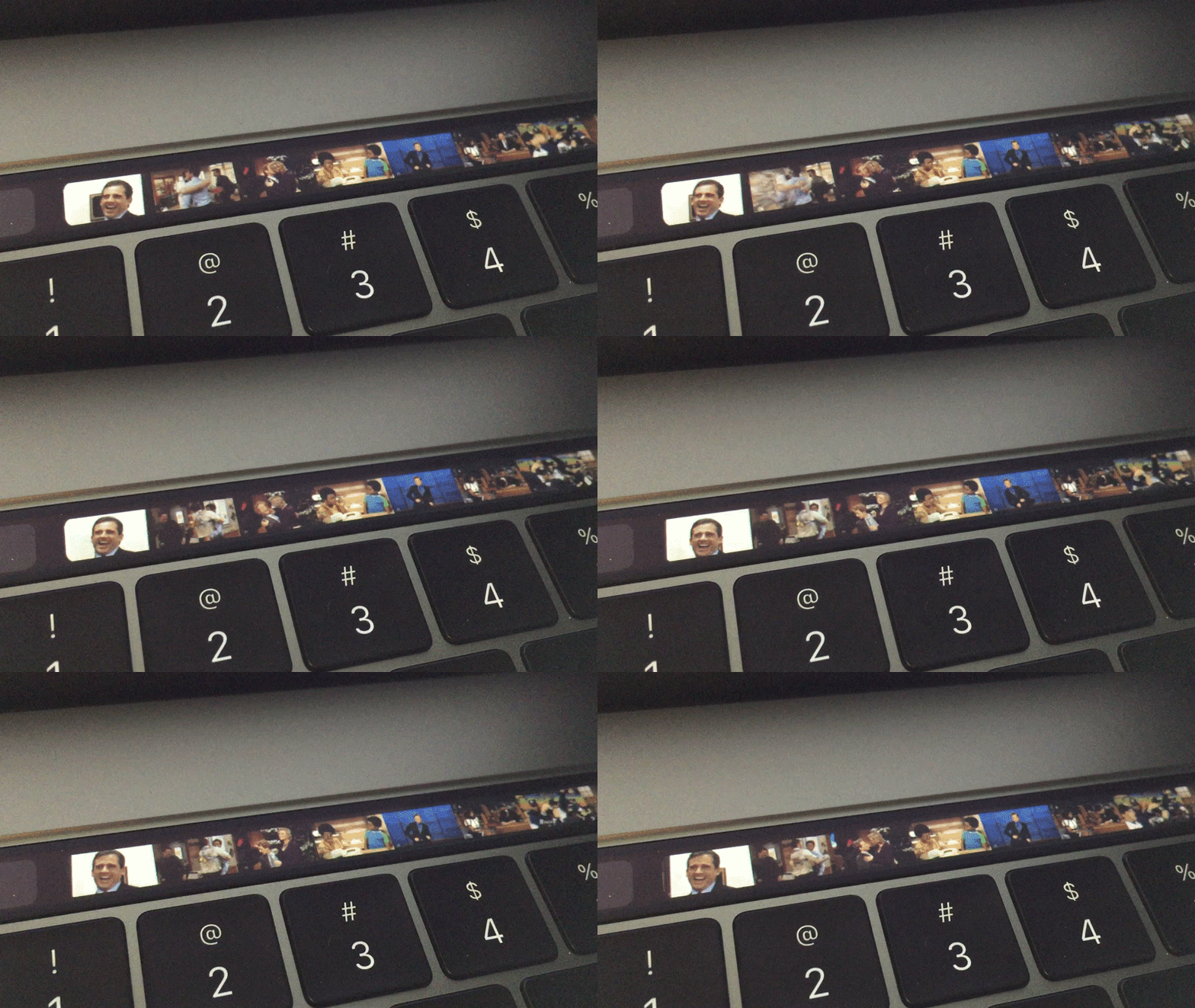
Tenor Mac App Touch Bar
Tenor for Mac is powered by the company's "Emotional Graph," which aggregates more than 200 million GIF searches that are executed every day as a means to map the most popular GIFs people use to express themselves. Using this information, Tenor then displays the most-used GIFs at the top of its search results so users can find what they want at a quicker pace.

Tenor for Mac will begin replacing GIF Keyboard in the Mac App Store today, and will be available to download for free. [Direct Link]


Related Roundup: MacBook Pro
Tag: Tenor
Buyer's Guide: MacBook Pro (Buy Now)
Related Forum: MacBook Pro

Top Rated Comments

Frederik on MacRumors Avatar
116 months ago
What has it come to...
Score: 5 Votes (Like | Disagree)
keysofanxiety Avatar
116 months ago
But does the touch bar play Doom yet?
Yep.

Score: 4 Votes (Like | Disagree)
trainwrecka Avatar
116 months ago
I love a good GIF, but that would drive me batty.
Score: 3 Votes (Like | Disagree)
4jasontv Avatar
116 months ago
Meh, people will use it, if they can find it. Keep an eye out for the copy cat apps that will push this out of the app store rankings, followed by content lawyers foaming at the mouth, and finally (years later) by a half hearted Disney branded app that isn't half as good.
Score: 2 Votes (Like | Disagree)
bobdobalina Avatar
116 months ago
Just when I was warming up to the touch bar. Now I hate it again.
Score: 1 Votes (Like | Disagree)
116 months ago
<cue the "can't innovate, my ass" GIF>
Score: 1 Votes (Like | Disagree)

Popular Stories

iOS 26

iOS 26.4 Adds Two New Features to CarPlay

Tuesday March 24, 2026 1:55 pm PDT by
iOS 26.4 was released today, and it includes a couple of new features for CarPlay: an Ambient Music widget and support for voice-based chatbot apps. To update your iPhone 11 or newer to iOS 26.4, open the Settings app and tap on General → Software Update. CarPlay will automatically offer the new features so long as the iPhone connected to your vehicle is running iOS 26.4 or later....
Apple Business hero

Apple Unveils 'Apple Business' All-in-One Platform

Tuesday March 24, 2026 8:53 am PDT by
Apple today announced Apple Business, a new all-in-one platform that unifies device management, productivity tools, and customer outreach features. The service is designed to be a consolidated replacement for several of Apple's existing business-focused offerings, including Apple Business Essentials, Apple Business Manager, and Apple Business Connect. It provides organizations with a single...
AirPods Pro Firmware Feature

Apple Releases New Firmware for AirPods Pro 3, AirPods Pro 2 and AirPods 4

Tuesday March 24, 2026 12:31 pm PDT by
Apple today released new firmware for the AirPods Pro 2, AirPods Pro 3, and the AirPods 4. The firmware has a version number of 8B39, up from 8B34 on the AirPods Pro 3, 8B28 on the AirPods Pro 2, and 8B21 on the AirPods 4. There is no word on what's included in the firmware, but Apple has a support document with limited notes. Most updates are limited to bug fixes and performance...















