Apple Provides Third Beta of tvOS 11 to Developers
Apple today seeded the third beta of an upcoming tvOS 11 update designed for the fourth-generation TV, nearly three weeks after seeding the second beta and more than a month after releasing the first beta during the 2017 Worldwide Developers Conference.
Registered developers can download tvOS 11 by connecting the Apple TV to a computer with a USB-C cable and installing the beta software using iTunes.
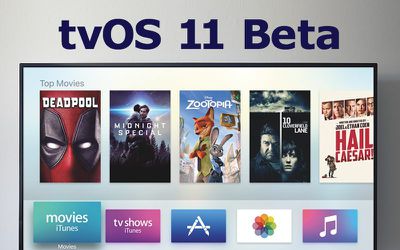
tvOS 11 received little attention at the Worldwide Developers Conference, but according to Apple's release notes, it introduces a few new features to the operating system, and the third beta likely focuses on bug fixes, as the second beta did.
tvOS 11 introduces automatic switching between light/dark mode based on local time, Home screen syncing options that keep multiple Apple TVs in a household in sync, new background modes and notification support, Focus API improvements, custom sound support, network-based pairing and development support, improvements to Mobile Device Management, and more.
The new tvOS 11 update is available for registered developers and for the first time, public beta testers. A new tvOS 11 beta for public beta testers is likely to come out later this week.
Popular Stories
iOS 26.4 was released today, and it includes a couple of new features for CarPlay: an Ambient Music widget and support for voice-based chatbot apps.
To update your iPhone 11 or newer to iOS 26.4, open the Settings app and tap on General → Software Update. CarPlay will automatically offer the new features so long as the iPhone connected to your vehicle is running iOS 26.4 or later....
Apple today announced Apple Business, a new all-in-one platform that unifies device management, productivity tools, and customer outreach features.
The service is designed to be a consolidated replacement for several of Apple's existing business-focused offerings, including Apple Business Essentials, Apple Business Manager, and Apple Business Connect. It provides organizations with a single...
Apple today released new firmware for the AirPods Pro 2, AirPods Pro 3, and the AirPods 4. The firmware has a version number of 8B39, up from 8B34 on the AirPods Pro 3, 8B28 on the AirPods Pro 2, and 8B21 on the AirPods 4.
There is no word on what's included in the firmware, but Apple has a support document with limited notes. Most updates are limited to bug fixes and performance...
























