Apple Seeds Ninth Beta of Upcoming tvOS 11 Update to Developers [Update: Public Beta Available] - MacRumors
Skip to Content

Apple Seeds Ninth Beta of Upcoming tvOS 11 Update to Developers [Update: Public Beta Available]

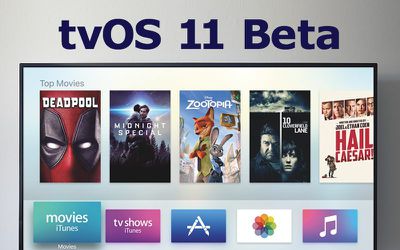
Apple today seeded the ninth beta of an upcoming tvOS 11 update designed for the fourth-generation TV, just a few days after seeding the eighth beta and more than two months after releasing the first beta during the 2017 Worldwide Developers Conference.

Registered developers can download the tvOS 11 update by connecting the Apple TV to a computer with a USB-C cable and installing the beta software using iTunes.
tvos 11 beta
tvOS 11 didn't receive a lot of attention at the Worldwide Developers Conference because it's a modest update, but according to Apple's release notes, it does introduce a few new features to the operating system.

tvOS 11 brings automatic switching between light/dark mode based on local time, Home screen syncing options that keep multiple Apple TVs in a household in sync, new background modes and notification support, Focus API improvements, custom sound support, network-based pairing and development support, improvements to Mobile Device Management, and more.

The ninth beta of tvOS 11 most likely focuses primarily on bug fixes and other small refinements, as the first eight betas did. Apple's new tvOS 11 update is available for both registered developers and public beta testers and will see a public release this fall.

Update: Apple has also made a new public beta of tvOS 11 available for public beta testers.

Related Roundup: Apple TV
Buyer's Guide: Apple TV (Don't Buy)

Popular Stories

iOS 26

iOS 26.4 Adds Two New Features to CarPlay

Tuesday March 24, 2026 1:55 pm PDT by
iOS 26.4 was released today, and it includes a couple of new features for CarPlay: an Ambient Music widget and support for voice-based chatbot apps. To update your iPhone 11 or newer to iOS 26.4, open the Settings app and tap on General → Software Update. CarPlay will automatically offer the new features so long as the iPhone connected to your vehicle is running iOS 26.4 or later....
Apple Business hero

Apple Unveils 'Apple Business' All-in-One Platform

Tuesday March 24, 2026 8:53 am PDT by
Apple today announced Apple Business, a new all-in-one platform that unifies device management, productivity tools, and customer outreach features. The service is designed to be a consolidated replacement for several of Apple's existing business-focused offerings, including Apple Business Essentials, Apple Business Manager, and Apple Business Connect. It provides organizations with a single...
AirPods Pro Firmware Feature

Apple Releases New Firmware for AirPods Pro 3, AirPods Pro 2 and AirPods 4

Tuesday March 24, 2026 12:31 pm PDT by
Apple today released new firmware for the AirPods Pro 2, AirPods Pro 3, and the AirPods 4. The firmware has a version number of 8B39, up from 8B34 on the AirPods Pro 3, 8B28 on the AirPods Pro 2, and 8B21 on the AirPods 4. There is no word on what's included in the firmware, but Apple has a support document with limited notes. Most updates are limited to bug fixes and performance...

Top Rated Comments

TimUSCA Avatar
112 months ago
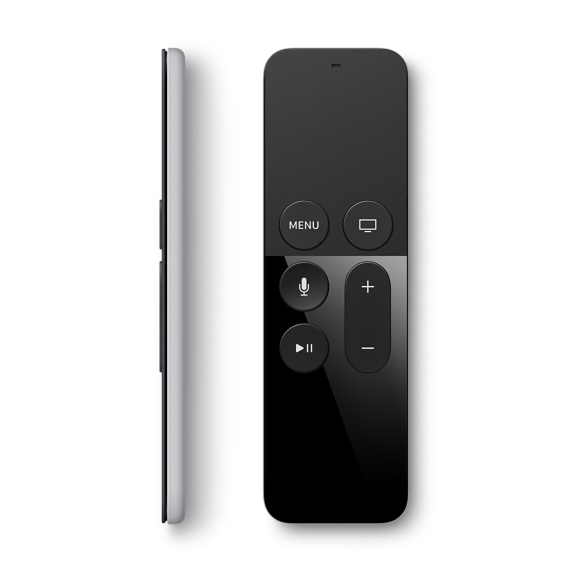
You think the Apply TV 3 had a bad remote!? Wait until you try the 4K remote (which I assume they'll cheap out and use the same remote as the current one). It's terrible. Probably one of the worst remotes I've ever used. It looks nice, but functionality wise(the most important thing), it's bad.

[doublepost=1504201748][/doublepost]Hopefully AirPlay works reliably finally. In iOS 10 as soon as my phone screen locks my AirPlay content cuts off.
Couldn't disagree more. I love this remote. Battery lasts forever, perfect size, and it's a damn trackpad for your TV. I understand it's irritating to pick it up upside down, but I don't care.
Score: 3 Votes (Like | Disagree)
Juicy Box Avatar
112 months ago
My kids lost the remote. Don't know where it went. Yikes.
Yea, I wish it had a lost mode on it.
Score: 2 Votes (Like | Disagree)
tallscot Avatar
112 months ago
The current remote is utterly terrible and is one of the worst reviewed products in Apple's history. It currently has 1.5 stars on Apple's own site.
Agreed. It's horrible. You inadvertently swipe the pad all the time and it skims playback of what you're watching forward or backward, so you have to find where you were.

It's symmetrical and difficult to tell what is the front and back so you press a button thinking it's pause when it's actually MENU so you go to the menu instead of pausing.

Controlling the selection up/down/left/right is like trying to use a mouse when you're really drunk. I like tactile buttons for this.

But the UI for the Apple TV and the most popular apps is really bad. Like Hulu on Apple TV 4 is a joke. It's so much better on my PS3! It makes no sense. And HBO? Please just give me the ability to put a show on a list, not individual episodes.

And the TV app doesn't work with Netflix.
Score: 1 Votes (Like | Disagree)
112 months ago
Come on Apple TV4K I'm most excited about that. I can't wait to upgrade from 3rd gen. It's getting frustrating to use.
Also does anyone else think the Apple TV remote prior to the current release is the most horrible remote ever? I don't like the feel. My thumb slips and press select instead of direction. It's too seemlessly close to each other. I hope the current remote solves this problem.
The current remote is utterly terrible and is one of the worst reviewed products in Apple's history. It currently has 1.5 stars on Apple's own site.
Score: 1 Votes (Like | Disagree)
dugbug Avatar
112 months ago
Couldn't disagree more. I love this remote. Battery lasts forever, perfect size, and it's a damn trackpad for your TV. I understand it's irritating to pick it up upside down, but I don't care.
agree... I fixed this by adding the wriststrap accessory!

also go tigers
Score: 1 Votes (Like | Disagree)
CarlJ Avatar
112 months ago
I just wish it had a mute button.
Mute would be nice. Pause suffices most of the time.
[doublepost=1504211239][/doublepost]
My kids lost the remote. Don't know where it went. Yikes.
Tell them no TV until they find the remote.
Score: 1 Votes (Like | Disagree)