
PSA: There's No iOS 11.2 Beta for iPhone X, so Beta Testers Can't Restore From Backup [Updated] - MacRumors
Skip to Content

PSA: There's No iOS 11.2 Beta for iPhone X, so Beta Testers Can't Restore From Backup [Updated]

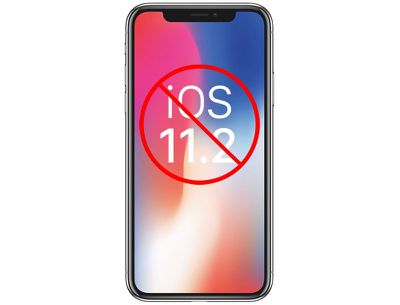
Developers and public beta testers who installed the iOS 11.2 beta on their devices earlier this week will be disappointed to learn that there's no iOS 11.2 beta for the iPhone X as of yet, and therefore no way to restore from an existing iOS 11.2 backup on a new iPhone X.

If you're running iOS 11.2 on your existing iPhone and create an iCloud backup, that backup is not going to be compatible with the iPhone X.
iphonexios112
New iPhone X owners who want to restore from a backup will need to wait for Apple to release a version of iOS 11.2 for the iPhone X or downgrade back down to iOS 11.1.

It's not entirely clear when Apple plans to release a beta of iOS 11.2 for the iPhone X.

It could happen today now that the iPhone X is out in the wild and there are customers who can't restore, but Apple could also choose to wait until it's time for the second beta to be released, which means public beta testers and developers will be left over the weekend without a restore option.

The other alternative to restoring is to set a device up as new, but that requires re-downloading all apps and re-entering a lot of information, which is a time consuming process.

Out of the box, iPhone X models appear to have iOS 11.0.1 installed, so the iOS 11.1 update will need to be installed over-the-air or via iTunes after opening it up. When restoring from an iOS 11.1 backup onto an iPhone X, it appears the iOS 11.1 update will be installed on the device automatically.

Update: Apple has released a new beta of iOS 11.2 for the iPhone X.

Related Forum: iPhone

Popular Stories

iOS 26

iOS 26.4 Adds Two New Features to CarPlay

Tuesday March 24, 2026 1:55 pm PDT by
iOS 26.4 was released today, and it includes a couple of new features for CarPlay: an Ambient Music widget and support for voice-based chatbot apps. To update your iPhone 11 or newer to iOS 26.4, open the Settings app and tap on General → Software Update. CarPlay will automatically offer the new features so long as the iPhone connected to your vehicle is running iOS 26.4 or later....
Apple Business hero

Apple Unveils 'Apple Business' All-in-One Platform

Tuesday March 24, 2026 8:53 am PDT by
Apple today announced Apple Business, a new all-in-one platform that unifies device management, productivity tools, and customer outreach features. The service is designed to be a consolidated replacement for several of Apple's existing business-focused offerings, including Apple Business Essentials, Apple Business Manager, and Apple Business Connect. It provides organizations with a single...
AirPods Pro Firmware Feature

Apple Releases New Firmware for AirPods Pro 3, AirPods Pro 2 and AirPods 4

Tuesday March 24, 2026 12:31 pm PDT by
Apple today released new firmware for the AirPods Pro 2, AirPods Pro 3, and the AirPods 4. The firmware has a version number of 8B39, up from 8B34 on the AirPods Pro 3, 8B28 on the AirPods Pro 2, and 8B21 on the AirPods 4. There is no word on what's included in the firmware, but Apple has a support document with limited notes. Most updates are limited to bug fixes and performance...

Top Rated Comments

mitchfin Avatar
110 months ago
I just successfully downgraded to 11.1 from 11.2 by connecting to iTunes and manually selecting the 11.1 ISPW with option + click on check for updates, didn't lose any data. Now can reback up for my new iPhone. Took 2 minutes
Score: 4 Votes (Like | Disagree)
dumastudetto Avatar
110 months ago
Yes, I'm very surprised Apple didn't release an external iOS beta for a phone nobody had received yet.
Score: 4 Votes (Like | Disagree)
whyamihere Avatar
110 months ago
When restoring from an iOS 11.1 backup onto an iPhone X, it appears the iOS 11.1 update will be installed on the device automatically.
Not for me. Restored from an encrypted backup in iTunes (not iCloud) and I first had to set up the X as new, then update to 11.1, then I was able to restore.
Score: 4 Votes (Like | Disagree)
vdgroodt Avatar
110 months ago
Honestly, i was already planning for a fresh instal. Never hurts for the storage nor performance + it has never been so easy with pictures, music and all the rest being sincronised via iCloud..
Score: 4 Votes (Like | Disagree)
Return Zero Avatar
110 months ago
I must say I was surprised that the X had 11.0.x out of the box and not 11.1. However, they did make a nice change that allows for software updates as part of the setup/restoration process, so I didn't have to set up manually, then update, then wipe, then setup again. All in all this is becoming a much more seamless process with each year. Transferring the Apple Watch to the new phone was especially easy this time.
Score: 4 Votes (Like | Disagree)
jaw3net Avatar
110 months ago
Come some one walk us through how to download and install OS11.1 ? Where do I find the info ?
You can download the iOS 11.1 IPSW at https://ipsw.me/. Once you have it downloaded, connect your current phone to your computer. Open itunes, select your iphone in itunes. Hold the option key on your keyboard while clicking "check for update". Select the 11.1 ipsw you downloaded and it will install. Nothing will be lost on your phone.

Once it's installed, make sure everything is as it should be. Then perform an icloud backup. You will likely receive an error message stating that the icloud backup can't be completed because icloud has a newer backup. Go to Settings > tap your name > icloud > manage storage > backup > choose your iphone > delete backup. That will delete the 11.2 beta backup that is in icloud. Then go back to perform a full 11.1 icloud backup which you can then restore from on your iphone x.
Score: 3 Votes (Like | Disagree)
















