

Popular pro-grade photo editing software Darkroom reached version 3.3 on Saturday, bringing improved image format handling to the app and smoothing out a handful of new features that were introduced in November's iPhone X focused redesign.
Last month, Darkroom v3.2 embraced Apple's latest dual-lens camera smartphone with a brand new 5.8-inch user interface and support for Wide Gamut Color, which makes the most of the OLED screen's full-color depth and contrast. It also received a 20 percent boost in performance thanks to its implementation of Metal 2 rendering.
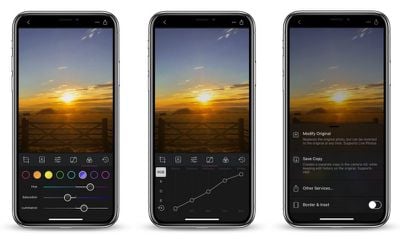
The big news in today's v3.3 update is added support for RAW+JPEG images. Now, when Darkroom detects that a photo is a RAW+JPG composite image, it will default to treating it as a RAW image.
The feature is designed to appeal to DSLR users who prefer shooting in RAW, as well as bring Darkroom into a greater level of harmony with the Halide camera app, which is often included in user workflows. The only caveat is that Darkroom users won't have access to the JPEG variant of the composite image, although the developers aim to add support for the file type in the future.
Moving on, Darkroom now has an in improved Modify Original export option which aims to make workflows that rely on multiple apps more seamless. Users can now continue editing on top of previous edits made either by Apple's native Photos app or other third-party apps.
Previously, Darkroom had an issue where image edits would be double applied when the image was edited in another app, after being exported from Darkroom using Modify Original. That's now been fixed. This update also fixes an issue where depth information captured using Portrait Mode would be lost upon export.
Elsewhere, an option has been added to the recently introduced Auto Align setting that allows users to turn it off or back on at will. A bug has also been fixed that caused the app icon to show incorrectly on iPad.
Darkroom is a free download from the App Store and includes in-app purchases for some tools. [Direct Link]. The developers are currently promoting a weeklong holiday giveaway: users are encouraged to share their Darkroom-edited holiday photos with the #darkroomapp hashtag on Instagram, to be in for a chance to win one of 50 promo codes to unlock absolutely everything in the app.





















Top Rated Comments