
Office for Mac today received a major update, with Microsoft updating the software to version 16 and introducing new features for Word, Excel, PowerPoint, and Outlook.

In Word, Excel, and PowerPoint, Microsoft is introducing real-time collaborative editing, allowing multiple people to work on the same document at the same time. In Word and PowerPoint, flag icons will let you know what others are working on and what's been changed.

Changes to documents, worksheets, and presentations stored in the cloud will be saved automatically, and updates will be synced in seconds. A version history will let you roll back to earlier versions of a document if necessary.
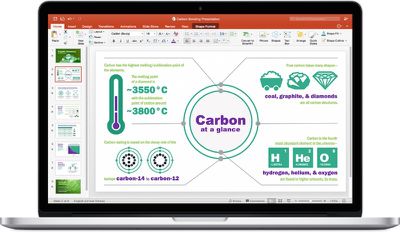
Office 2016 Mac
Quick access to sites and groups has also been included, with presentations, documents, and worksheets stored in the frequently used sites and groups section in the Open menu.

In addition to collaborative editing, Excel is gaining new chart types, additional functions, improved support for PivotTable charts, and multi-threaded calculation for faster formula updating when values are changed.

PowerPoint includes a QuickStarter function that lets you create an outline complete with suggested talking points and designs, while a new Trim Media tool will let you quickly edit audio and video clips. The mouse can also be used as a laser pointer in Slide Show for highlighting slide content.

Outlook, Microsoft's email app, is gaining a new feature that will let you archive or delete emails with a swipe across the touchpad, and support for Google Calendar and Contacts has been added.

Along with these feature changes, version 16 of Office 2016 for Mac includes an overhaul of the underlying code for Office, PowerPoint, and Excel, introducing more common code between platforms to ensure better feature parity.

Full details on what's new in Office for Mac can be found in the release notes shared on Microsoft's Office 2016 for Mac support site.


Top Rated Comments

EatinPonies Avatar
105 months ago
...but do these changes include multi-CPU/multi-threaded processing? Because taking 45 minutes to calculate some of my Excel documents is absurd, especially when I have other CPUs sitting there idle.

EDIT: YAY!! It does!!! "Multi-threaded calculation Formulas are updated faster when values are changed, because Excel uses multiple processing threads."

EDIT2: Well... I just did a test. It's now using 2 threads, which is obviously better than 1, but still not using the whole of my MacBook Pro's potential.

Attachment Image
Score: 11 Votes (Like | Disagree)
Avieshek Avatar
105 months ago
iWork is collecting dusts.. and spider webs
Score: 5 Votes (Like | Disagree)
eatrains Avatar
105 months ago
Most Mac software from Apple is doing that unfortunately.
I guess you missed the huge update Final Cut Pro and the other pro video apps just got, plus the other iWork updates from 2017. :rolleyes:
Score: 3 Votes (Like | Disagree)
the_color_orange Avatar
105 months ago
Office 2016 is powerful. I use it for almost everything. I feel bad that iWork hasn’t received any love. Looks like Apple gave up with their productivity applications.
Score: 3 Votes (Like | Disagree)
T'hain Esh Kelch Avatar
105 months ago
iWork is collecting dusts.. and spider webs
Most Mac software from Apple is doing that unfortunately.
Score: 3 Votes (Like | Disagree)
mrzz Avatar
105 months ago
In Excel it enables cell selection "glide" animation in default which slows down your work. It still can be disabled (Excel > Preferences > Edit and uncheck the "Provide feedback with animation" checkbox).
Score: 2 Votes (Like | Disagree)

Popular Stories

Apple Logo Zoomed

Tim Cook Teases Plans for Apple's Upcoming 50th Anniversary

Thursday February 5, 2026 12:54 pm PST by
Apple turns 50 this year, and its CEO Tim Cook has promised to celebrate the milestone. The big day falls on April 1, 2026. "I've been unusually reflective lately about Apple because we have been working on what do we do to mark this moment," Cook told employees today, according to Bloomberg's Mark Gurman. "When you really stop and pause and think about the last 50 years, it makes your heart ...
wwdc sans text feature

Apple Rumored to Announce New Product on February 19

Thursday February 5, 2026 12:22 pm PST by
Apple plans to announce the iPhone 17e on Thursday, February 19, according to Macwelt, the German equivalent of Macworld. The report, citing industry sources, is available in English on Macworld. Apple announced the iPhone 16e on Wednesday, February 19 last year, so the iPhone 17e would be unveiled exactly one year later if this rumor is accurate. It is quite uncommon for Apple to unveil...
Finder Siri Feature

Why Apple's iOS 26.4 Siri Upgrade Will Be Bigger Than Originally Promised

Friday February 6, 2026 3:06 pm PST by
In the iOS 26.4 update that's coming this spring, Apple will introduce a new version of Siri that's going to overhaul how we interact with the personal assistant and what it's able to do. The iOS 26.4 version of Siri won't work like ChatGPT or Claude, but it will rely on large language models (LLMs) and has been updated from the ground up. Upgraded Architecture The next-generation...
maxresdefault

Apple Shows Off a Key Reason to Upgrade to the iPhone 17

Saturday February 7, 2026 9:26 am PST by
Apple today shared an ad that shows how the upgraded Center Stage front camera on the latest iPhones improves the process of taking a group selfie. "Watch how the new front facing camera on iPhone 17 Pro takes group selfies that automatically expand and rotate as more people come into frame," says Apple. While the ad is focused on the iPhone 17 Pro and iPhone 17 Pro Max, the regular iPhone...
iOS 26

iOS 26.3 and iOS 26.4 Will Add These New Features to Your iPhone

Tuesday February 3, 2026 7:47 am PST by
While the iOS 26.3 Release Candidate is now available ahead of a public release, the first iOS 26.4 beta is likely still at least a week away. Following beta testing, iOS 26.4 will likely be released to the general public in March or April. Below, we have recapped known or rumored iOS 26.3 and iOS 26.4 features so far. iOS 26.3 iPhone to Android Transfer Tool iOS 26.3 makes it easier...















