
Apple Shares Official HomePod User Guide

Now that the HomePod is available in Australia, where it is Friday, February 9, Apple has shared its official HomePod User Guide, providing an overview of all the features for new HomePod owners.

The guide offers a detailed walkthrough on getting the HomePod ready to use out of the box, with information on HomePod controls, HomePod settings, and using AirPlay.
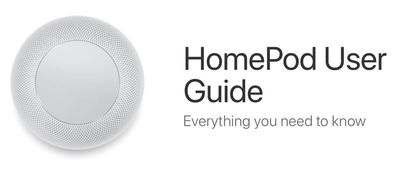
homepoduserguide
There are also dedicated sections for Apple Music, Apple Podcasts, and News, which outline all of the Siri commands you can use with the HomePod, such as "Hey Siri, play some party music," or "Hey Siri, add this song to my library."

A "Control your home" section of the guide walks users through using Siri commands to control HomeKit devices and it includes details on using HomePod as a home hub, an automatic function, while an "Assistant" section includes even more Siri options.

On HomePod, Siri can send messages, read messages, and create notes and reminders for the person who owns the HomePod, and there are tools included to turn off these kinds of personal requests if someone else also uses the HomePod.

Siri can also offer up general knowledge, provide traffic information, set alarms and timers, share the weather, provide details on sports games, do unit and math conversions, and translate English into French, German, Italian, Mandarin Chinese, and Spanish.

Many of the Siri commands outlined in the HomePod User Guide will be familiar to you if you already use Siri on iOS devices, but the guide is still worth looking through while you await your HomePod delivery just to get familiar with the setup and the controls.

HomePod is already available in Australia and is set to launch in the UK and the United States soon.


Related Roundup: HomePod
Buyer's Guide: HomePod (Neutral)

Popular Stories

Apple Logo Zoomed

Tim Cook Teases Plans for Apple's Upcoming 50th Anniversary

Thursday February 5, 2026 12:54 pm PST by
Apple turns 50 this year, and its CEO Tim Cook has promised to celebrate the milestone. The big day falls on April 1, 2026. "I've been unusually reflective lately about Apple because we have been working on what do we do to mark this moment," Cook told employees today, according to Bloomberg's Mark Gurman. "When you really stop and pause and think about the last 50 years, it makes your heart ...
wwdc sans text feature

Apple Rumored to Announce New Product on February 19

Thursday February 5, 2026 12:22 pm PST by
Apple plans to announce the iPhone 17e on Thursday, February 19, according to Macwelt, the German equivalent of Macworld. The report, citing industry sources, is available in English on Macworld. Apple announced the iPhone 16e on Wednesday, February 19 last year, so the iPhone 17e would be unveiled exactly one year later if this rumor is accurate. It is quite uncommon for Apple to unveil...
Finder Siri Feature

Why Apple's iOS 26.4 Siri Upgrade Will Be Bigger Than Originally Promised

Friday February 6, 2026 3:06 pm PST by
In the iOS 26.4 update that's coming this spring, Apple will introduce a new version of Siri that's going to overhaul how we interact with the personal assistant and what it's able to do. The iOS 26.4 version of Siri won't work like ChatGPT or Claude, but it will rely on large language models (LLMs) and has been updated from the ground up. Upgraded Architecture The next-generation...
iOS 26

iOS 26.3 and iOS 26.4 Will Add These New Features to Your iPhone

Tuesday February 3, 2026 7:47 am PST by
While the iOS 26.3 Release Candidate is now available ahead of a public release, the first iOS 26.4 beta is likely still at least a week away. Following beta testing, iOS 26.4 will likely be released to the general public in March or April. Below, we have recapped known or rumored iOS 26.3 and iOS 26.4 features so far. iOS 26.3 iPhone to Android Transfer Tool iOS 26.3 makes it easier...
iphone 17 pro dark blue 1

iPhone 18 Pro Max Rumored to Deliver Next-Level Battery Life

Friday February 6, 2026 5:14 am PST by
The iPhone 18 Pro Max will feature a bigger battery for continued best-in-class battery life, according to a known Weibo leaker. Citing supply chain information, the Weibo user known as "Digital Chat Station" said that the iPhone 18 Pro Max will have a battery capacity of 5,100 to 5,200 mAh. Combined with the efficiency improvements of the A20 Pro chip, made with TSMC's 2nm process, the...

Top Rated Comments

diddl14 Avatar
104 months ago
they're really emphasizing the "Hey Siri" aspect in the doc. I'm already surprised Hey Siri isn't constantly going to the wrong device with various iPads, iPhones, Apple Watches, etc... around here. With a bunch of these speakers now too I wonder how well it will intuit which Siri I'm intending to speak to.
According to The Loop ('http://www.loopinsight.com/2018/02/06/review-apple-homepod/'):
"Siri polls all of your devices over Bluetooth to figure out which device should handle your request. Everything being equal, HomePod will respond. However, the system is smart enough to know if HomePod or another device should answer.

For instance, if you raise your wrist and say, “Hey Siri,” the combined devices will assume you want Siri on your Apple Watch. If you’re using your iPhone, then you probably want that device to respond. If you’re just sitting, not touching any device, then HomePod will take over."
Score: 5 Votes (Like | Disagree)
neomanic Avatar
104 months ago
Anyone just trying to use a Mac to use one of these? I guess time will tell how that goes.
Can confirm it works as an AirPlay destination from iTunes, and also shows up in the Sound system settings as an output device.
Score: 1 Votes (Like | Disagree)
jicon Avatar
104 months ago
So, confirmation you need iOS with bluetooth enabled to set up. Airplay section only mentions iOS devices can play audio to it.

Anyone just trying to use a Mac to use one of these? I guess time will tell how that goes.
Score: 1 Votes (Like | Disagree)
displayblock Avatar
104 months ago
I'm glad they illustrated how to change the settings for your $350 Hallway HomePod. I assume the process is the same for your Walk-in Closet HomePod, Mudroom HomePod, Attic HomePod, Dog House HomePod, Shed HomePod and Back Staircase HomePod?

What if I want stereo HomePods in my Mudroom? Do I have to change the settings for each one individually?

On an unrelated note, where would you recommend I find a quality payday loan?
Score: 1 Votes (Like | Disagree)














