
Apple Releases tvOS 11.3 for 4th and 5th Generation Apple TV Models - MacRumors
Skip to Content

Apple Releases tvOS 11.3 for 4th and 5th Generation Apple TV Models

Apple today released tvOS 11.3, the second major update to the tvOS operating system designed for the fourth and fifth-generation Apple TV models. tvOS 11.3 comes more than three months after the release of tvOS 11.2, and a month after the release of a minor tvOS 11.2.6 update.

tvOS 11.3 can be downloaded over the air through the Settings app on the Apple TV by going to System --> Software Update. Apple TV owners who have automatic software updates turned on will be upgraded to tvOS 11.3 automatically.
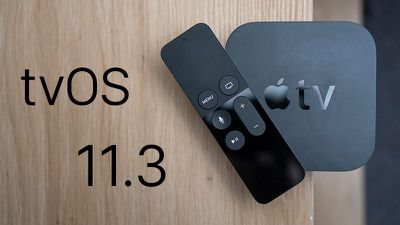
tvos113
tvOS 11.3 introduces performance improvements and bug fixes for issues discovered following the release of tvOS 11.2.6.

The update introduces enhancements to Match Content support, automatic frame rate switching on the fourth-generation Apple TV (a feature that was added to Apple TV 4K in a past update), and automatic mode switching for AirPlay video sessions.

The TV app, designed to let users find and watch television shows and movies aggregated from entertainment apps, is expanding to Brazil and Mexico. Brazil is also gaining Siri support on Apple TV 4K and the fourth-generation Apple TV.

Early beta versions of tvOS 11.3 included support for AirPlay 2, allowing the Apple TV to be added to the Home app as part of a HomeKit setup and enabling multi-room audio across multiple Apple TVs.

AirPlay 2 functionality was, however, removed in the third beta of tvOS 11.3, eliminating these features. AirPlay 2 was not re-added during the beta testing period, so it's likely Apple is saving the feature for a future update.


Related Roundup: Apple TV
Buyer's Guide: Apple TV (Don't Buy)

Popular Stories

iOS 26

iOS 26.4 Adds Two New Features to CarPlay

Tuesday March 24, 2026 1:55 pm PDT by
iOS 26.4 was released today, and it includes a couple of new features for CarPlay: an Ambient Music widget and support for voice-based chatbot apps. To update your iPhone 11 or newer to iOS 26.4, open the Settings app and tap on General → Software Update. CarPlay will automatically offer the new features so long as the iPhone connected to your vehicle is running iOS 26.4 or later....
Apple Business hero

Apple Unveils 'Apple Business' All-in-One Platform

Tuesday March 24, 2026 8:53 am PDT by
Apple today announced Apple Business, a new all-in-one platform that unifies device management, productivity tools, and customer outreach features. The service is designed to be a consolidated replacement for several of Apple's existing business-focused offerings, including Apple Business Essentials, Apple Business Manager, and Apple Business Connect. It provides organizations with a single...
AirPods Pro Firmware Feature

Apple Releases New Firmware for AirPods Pro 3, AirPods Pro 2 and AirPods 4

Tuesday March 24, 2026 12:31 pm PDT by
Apple today released new firmware for the AirPods Pro 2, AirPods Pro 3, and the AirPods 4. The firmware has a version number of 8B39, up from 8B34 on the AirPods Pro 3, 8B28 on the AirPods Pro 2, and 8B21 on the AirPods 4. There is no word on what's included in the firmware, but Apple has a support document with limited notes. Most updates are limited to bug fixes and performance...

Top Rated Comments

maestrokev Avatar
104 months ago
finally 24Hz frame rate!
Score: 4 Votes (Like | Disagree)
104 months ago
Only thing I need from the Apple TV at the moment is a quicker way to connect my airpods. I hate going out and into settings. Perhaps there is an easier way I am not aware of
Score: 2 Votes (Like | Disagree)
104 months ago
tvOS 11.3 also added Dolby Vision support to Sony TV's that were updated to support Dolby Vision. The Dolby Vision profile that the Sony TVs use was incompatible with the Apple TV 4K until tvOS 11.3.
Score: 2 Votes (Like | Disagree)
Totalkharnage Avatar
104 months ago
Only thing I need from the Apple TV at the moment is a quicker way to connect my airpods. I hate going out and into settings. Perhaps there is an easier way I am not aware of
From the home screen, hold down the play button, this brings up a menu when you can select Airpods.

Wish there was an even quicker way or even then automatically syncing but his is easier than digging into Settings menu.
Score: 1 Votes (Like | Disagree)
104 months ago
Only thing I need from the Apple TV at the moment is a quicker way to connect my airpods. I hate going out and into settings. Perhaps there is an easier way I am not aware of
Hold down the Play/Pause button from the home screen for three seconds and then choose the AirPods from audio device list. I didn’t know about this until fairly recently either.
Score: 1 Votes (Like | Disagree)
104 months ago
Only thing I need from the Apple TV at the moment is a quicker way to connect my airpods. I hate going out and into settings. Perhaps there is an easier way I am not aware of
Just hold down the play/pause button while on the home screen. This will give the option to connect to your AirPods.
Score: 1 Votes (Like | Disagree)















