Apple Alerting Customers to Upcoming Discontinuation of Back to My Mac in macOS Mojave - MacRumors
Skip to Content

Apple Alerting Customers to Upcoming Discontinuation of Back to My Mac in macOS Mojave

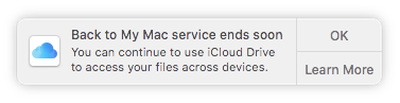
Apple today began sending out notifications to customers letting them know that support for Back to My Mac is ending in macOS Mojave.

Back to My Mac was not present in the first developer beta of macOS Mojave and it has not been available in any subsequent beta, but many customers may have missed the news of its imminent sunsetting, which has now been confirmed by Apple.
backtomymacending
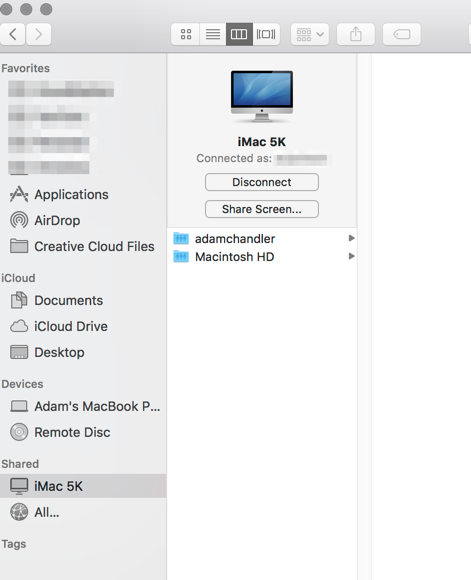
Back to My Mac is a feature that is designed to allow Mac owners to connect to one Mac from another Mac for file transfers and screen sharing purposes. It lets users set up a network of Mac computers with two or more Macs, but it can be complicated to set up and use, which may be why Apple has decided to discontinue it in favor of simpler measures.

Apple is directing customers to a support document that outlines the changes coming to Back to My Mac, instructing them on how to transition to iCloud Drive, screen sharing, and Apple Remote Desktop.

Back to My Mac will not be available on macOS Mojave. You can get ready now by learning about alternatives for file access, screen sharing, and remote desktop access.

Apple's support document suggests customers can access all of their files across devices with iCloud Drive, operate other Macs with screen sharing, and manage Macs remotely with Apple Remote Desktop, software available from the Mac App Store for $80.

Many Back to My Mac users are likely to be unhappy with Apple's suggestion to transition to Apple Remote Desktop for remote management given its high price and the fact that it sees few updates, but there are other options like TeamViewer and LogMeIn.


Related Forum: macOS Mojave

Popular Stories

iOS 26

iOS 26.4 Adds Two New Features to CarPlay

Tuesday March 24, 2026 1:55 pm PDT by
iOS 26.4 was released today, and it includes a couple of new features for CarPlay: an Ambient Music widget and support for voice-based chatbot apps. To update your iPhone 11 or newer to iOS 26.4, open the Settings app and tap on General → Software Update. CarPlay will automatically offer the new features so long as the iPhone connected to your vehicle is running iOS 26.4 or later....
Apple Business hero

Apple Unveils 'Apple Business' All-in-One Platform

Tuesday March 24, 2026 8:53 am PDT by
Apple today announced Apple Business, a new all-in-one platform that unifies device management, productivity tools, and customer outreach features. The service is designed to be a consolidated replacement for several of Apple's existing business-focused offerings, including Apple Business Essentials, Apple Business Manager, and Apple Business Connect. It provides organizations with a single...
AirPods Pro Firmware Feature

Apple Releases New Firmware for AirPods Pro 3, AirPods Pro 2 and AirPods 4

Tuesday March 24, 2026 12:31 pm PDT by
Apple today released new firmware for the AirPods Pro 2, AirPods Pro 3, and the AirPods 4. The firmware has a version number of 8B39, up from 8B34 on the AirPods Pro 3, 8B28 on the AirPods Pro 2, and 8B21 on the AirPods 4. There is no word on what's included in the firmware, but Apple has a support document with limited notes. Most updates are limited to bug fixes and performance...

Top Rated Comments

99 months ago
The fact they think ARD is a viable alternative at $80 is absurd.
Score: 48 Votes (Like | Disagree)
99 months ago
Back to My Mac = Free. Apple Remote Desktop = $79.99. Thanks Apple.
Score: 21 Votes (Like | Disagree)
v1597psh Avatar
99 months ago
What about accessing Time Capsule and Airport Extreme remotely?
Score: 18 Votes (Like | Disagree)
99 months ago
cue anger from 90% of users who have never used back to my mac once in their lives.
Score: 13 Votes (Like | Disagree)
99 months ago
Just received the notification from Apple about Back to My Mac going away. The only way I use this feature today is opening finder and in the sidebar is my home iMac and I click that and click "share screen" to take care of remote tasks like exporting FCP videos or uploading videos to YouTube via screen sharing.

I see "screen sharing" will be an option but I won't be able to access my iMac via Screen sharing remotely without setting some sort of NAT pass through on my router, right? Back to my mac was so easy to use because it required no tech-ery to get it working.

Score: 12 Votes (Like | Disagree)
Mydel Avatar
99 months ago
I'm surprised no one is using the free Google Remote Desktop. Works seamlessly without needing to set up anything complicated.
I really have to have NO choice to use anything google. Sharing my computer access would be the last thing ever...
Score: 10 Votes (Like | Disagree)