

Apple today released the newest version of its operating system for Macs, macOS Mojave, to the public. macOS Mojave is a free download that's available today for anyone who has a compatible Mac, and it comes after 11 rounds of betas.
macOS Mojave can be downloaded from the Mac App Store, with a direct link to the download available here.
macOS Mojave is a significant update to macOS, introducing a new systemwide Dark Mode, with Mojave users able to choose between a light theme or the new dark theme, which changes the color of the dock, menu bar, apps, and other elements.
Dark Mode is accompanied by Dynamic Desktops, aka wallpapers that subtly change throughout the day to mimic the progress of the sun across the sky outside.
In the afternoon, for example, the lighting of the Mojave Desert wallpaper is at its peak brightness and the image of the desert is depicted as it would be if you visited it in the daytime with well-lit sand dunes and a bright blue sky.
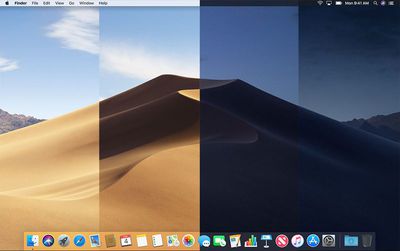
At night, the sky in the wallpaper shifts to darker blue to reflect that it's now evening. The shift between daytime and nighttime happens gradually over the course of the day, so you'll see subtle changes each time you look at your Mac's display. It's a neat new feature that can be enabled in the Desktop & Screensaver section of preferences.
macOS Mojave also includes Stacks, a new desktop organization system that keeps desktop files neat and organized to cut down on clutter. The Finder window has been enhanced with a new Gallery View for previewing larger versions of photos and documents, a Sidebar for easier navigation, a revamped Quick Look option for quick document editing, and Quick Actions, so you can do more in the Finder window than ever before.
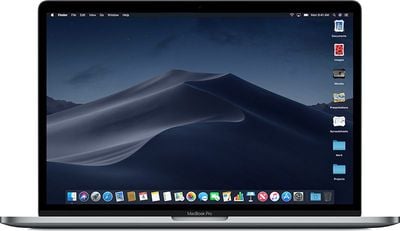
Screenshots that you take on the Mac can now be edited using built-in Markup tools and a new management options that also allow for easy screen recording. Continuity camera, a useful new feature, allows you to import photos and document scans directly from an iPhone or iPad to the Mac.
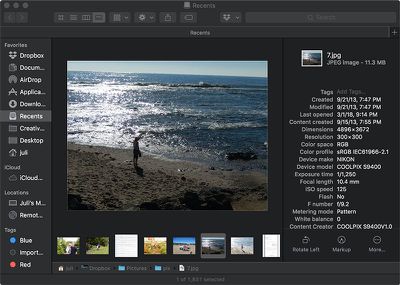
The Apple News, Stocks, Home, and Voice Memos apps have been ported from iOS to macOS as part of a multiyear project Apple is working on to make it easier to bring iOS apps to Macs, and Apple has introduced several new privacy protections to keep your data safer than ever.
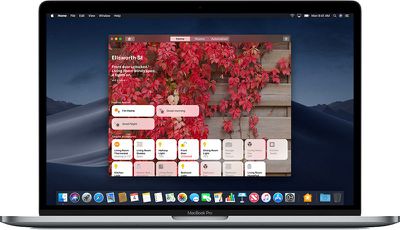
Apple is also making it harder for websites to track you with a range of new Safari tools, and it's also easier to make and store secure, hard-to-guess passwords for each and every website.
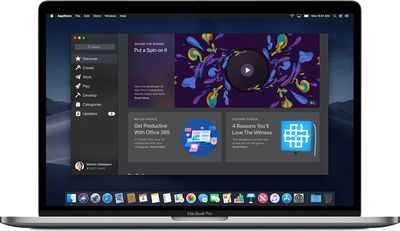
Apple has added an entirely revamped Mac App Store to macOS Mojave that makes it easier to discover apps with a featured section and specific categories for games, creative apps, productivity apps, apps for developers, and more.
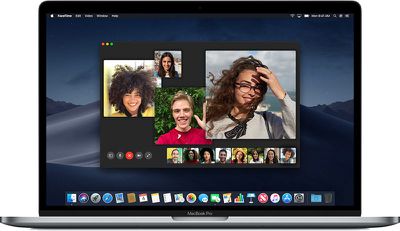
macOS Mojave was initially supposed to include a Group FaceTime feature that includes support for chatting with up to 32 people at one time, but it was removed in the macOS Mojave beta and will be introduced in a future Mojave update.
macOS Mojave drops support for many older Macs compared to macOS High Sierra and it is compatible primarily with machines manufactured in 2012 or later. A full list of Macs that can run Mojave is below:
- MacBook (Early 2015 or newer)
- MacBook Air (Mid 2012 or newer)
- MacBook Pro (Mid 2012 or newer)
- Mac mini (Late 2012 or newer)
- iMac (Late 2012 or newer)
- iMac Pro (2017)
- Mac Pro (Late 2013, plus mid 2010 and mid 2012 models with recommended Metal-capable GPU)
For more details on all of the features included in macOS Mojave, make sure to check out our macOS Mojave roundup.






















