
Boot Camp Won’t Work With macOS Mojave on 2012 27-Inch iMac With 3TB Hard Drive - MacRumors
Skip to Content

Boot Camp Won’t Work With macOS Mojave on 2012 27-Inch iMac With 3TB Hard Drive

by

Apple today shared a support document that will be of interest to customers who own a late 2012 27-inch iMac with a 3TB hard drive and are attempting to upgrade to the macOS Mojave update.

There is an issue on this iMac model that results in the following alert when attempting to install macOS Mojave: "Installation cannot proceed with Boot Camp configured."
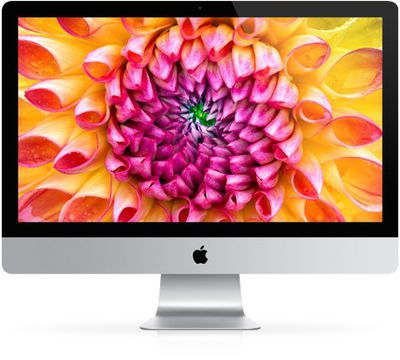
imac 2013 color
To fix this problem, Apple says that customers with the 2012 27-inch iMac with 3TB hard drive will need to completely remove the Boot Camp partition using Boot Camp Assistant before macOS Mojave can be installed.

After upgrading to macOS Mojave, Boot Camp will not be able to be used to install Windows on these machines. No other iMac models appear to be affected by this issue.

Related Forum: macOS Mojave

Top Rated Comments

macduke Avatar
98 months ago
Good thing Apple designs their own hardware. The software only has to run on a limited subset of hardware so it's easier for them to test and focus on making a good user experience. /s
Score: 25 Votes (Like | Disagree)
techguy9 Avatar
98 months ago
That’s oddly specific. Hopefully it can be resolved soon.
Score: 8 Votes (Like | Disagree)
98 months ago
What???

How does this make any sense? Is Apple really listing the 2012 iMac as supporting Mojave then?

This seems like a serious oversight.
Score: 8 Votes (Like | Disagree)
98 months ago
Not the only model affected. I have a 2013 iMac with Bootcamp on a Fusion drive and Mojave happily installed... it just broke my Bootcamp in the process.

https://forums.macrumors.com/threads/mojave-breaks-bootcamp-on-fusion-drive.2142473/
[doublepost=1537822253][/doublepost]
I seem to remember that BIOS emulation on EFI tends to not support drives over 2TB. Maybe that's the root cause? In that case, I wouldn't expect it to get resolved.

It's odd that Boot Camp would still be using BIOS emulation, I'm sure Windows 10 prefers EFI.
Boot Camp on 3 TB Fusion drives had to do a lot of voodoo. The start of the Windows partition had to be within the first 2 TB of the disk. High Sierra did some Core Storage tricks and put the Windows volume in the middle and had HFS+ partitions around it.

This is how my partition looked (when it worked):

Attachment Image
Score: 6 Votes (Like | Disagree)
Shoju Avatar
98 months ago
No other iMac models appear to be affected by this issue.
I wish. I ran into the same message trying to install Mojave on my late 2014 iMac (27", Retina 5K, 3TB Fusion Drive). What's going on?! Don't tell me I won't be able to use Boot Camp again after updating to Mojave!?

Attachment Image
Score: 4 Votes (Like | Disagree)
computersteve Avatar
98 months ago
Now if I owned this model i'd be pissed... I love bootcamp.
Score: 4 Votes (Like | Disagree)

Popular Stories

iOS 26

iOS 26.4 Adds Two New Features to CarPlay

Tuesday March 24, 2026 1:55 pm PDT by
iOS 26.4 was released today, and it includes a couple of new features for CarPlay: an Ambient Music widget and support for voice-based chatbot apps. To update your iPhone 11 or newer to iOS 26.4, open the Settings app and tap on General → Software Update. CarPlay will automatically offer the new features so long as the iPhone connected to your vehicle is running iOS 26.4 or later....
Apple Business hero

Apple Unveils 'Apple Business' All-in-One Platform

Tuesday March 24, 2026 8:53 am PDT by
Apple today announced Apple Business, a new all-in-one platform that unifies device management, productivity tools, and customer outreach features. The service is designed to be a consolidated replacement for several of Apple's existing business-focused offerings, including Apple Business Essentials, Apple Business Manager, and Apple Business Connect. It provides organizations with a single...
AirPods Pro Firmware Feature

Apple Releases New Firmware for AirPods Pro 3, AirPods Pro 2 and AirPods 4

Tuesday March 24, 2026 12:31 pm PDT by
Apple today released new firmware for the AirPods Pro 2, AirPods Pro 3, and the AirPods 4. The firmware has a version number of 8B39, up from 8B34 on the AirPods Pro 3, 8B28 on the AirPods Pro 2, and 8B21 on the AirPods 4. There is no word on what's included in the firmware, but Apple has a support document with limited notes. Most updates are limited to bug fixes and performance...
















