Tips and Tricks for the New 11 and 12.9-Inch iPad Pro Models - GeekWebGuides
Skip to Content

Tips and Tricks for the New 11 and 12.9-Inch iPad Pro Models

by

Apple in October released completely redesigned 11 and 12.9-inch iPad Pro models with edge-to-edge displays, no Home button, Face ID for authentication purposes, super fast processors, and slimmer, smaller bodies.

For people who are new to iPad or who are upgrading from an older model, we've compiled a list of some of the best iPad-related tips and tricks that are well worth checking out if you want to get the most out of your tablet. While some of these tips are specific to the iPad Pro, many are relevant to customers who own other iPad models as well.
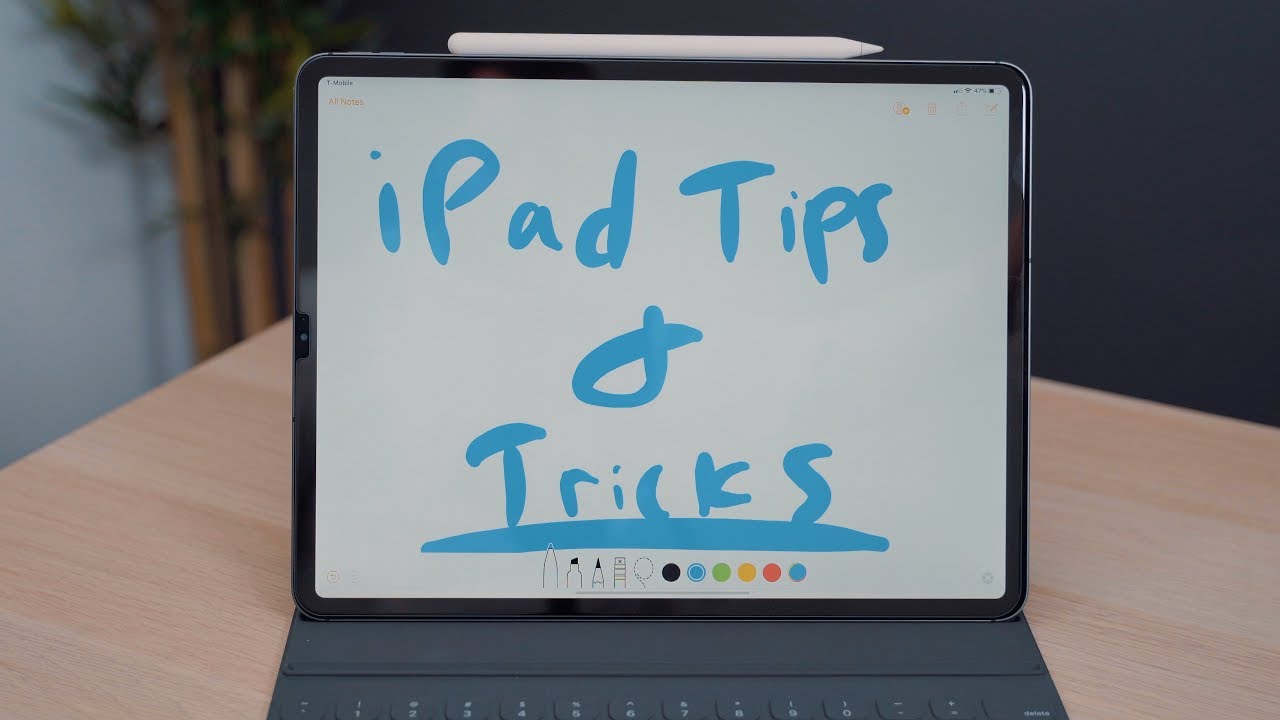
  • Keyboard Flicking - As of iOS 11, Apple has offered a special keyboard feature on the iPad that's designed to let you use a flick gesture to quickly type letters and numbers without having to lift your fingers from the keys. A "flick" is a downward swiping gesture that brings up an alternate keyboard view.
  • Text Selection - To quickly select text on an iPad, tap the screen with two fingers and then swipe upwards or downwards to select several paragraphs of text at one time. You can also hold your two fingers on the screen to be more selective with the amount of text that you're highlighting.
  • Cursor Adjustment - If you want to change the location of your cursor, you can hold two fingers on the display of the iPad and move them around to adjust where your cursor is located, useful for making quick edits in a document. You can achieve the same effect by holding a finger down on the spacebar.
  • External Keyboard Shortcuts - When you're using an external keyboard with the iPad, such as the new Smart Keyboard Folio, there are a number of keyboard shortcuts that are worth knowing. You can use Command + Tab, for example, to switch between open applications, Command + Space to bring up Spotlight search, and you can use the spacebar to scroll through long webpages in Safari. You can see all of the available keyboard commands by holding down the Command key on an external keyboard.
  • Spacebar Wake Up - On the 2018 iPad Pro models, if you have an external keyboard attached, you can double tap on the spacebar to wake the iPad up and activate Face ID. This gives you a way to get into the iPad without having to touch the screen.
  • Animoji and Memoji - New 11 and 12.9-inch iPad Pro models have Face ID, which means you can use Animoji and Memoji in the Messages and FaceTime apps.
  • Apple Pencil 2 Customization - If you want to customize the double tap gesture on your Apple Pencil 2, you can go into the Settings app under Apple Pencil to adjust it.
  • Instant Notes - With either the Apple Pencil or the Apple Pencil 2, you can tap the device on the screen of an iPad to wake it up and launch right into the Notes app, which is handy for starting a note right away. You don't even need to unlock the iPad first. Instant Notes can be customized in the Settings app under "Notes."
  • USB-C - Apple's new iPad Pro models are the first to use USB-C, which means you can do new things that you couldn't do before. The iPad Pro models can be plugged into a 4K monitor and connected directly to some cameras, drones, and other devices. You can't connect external storage, though, and you can't use the USB-C cable that ships with the iPad to connect to a 4K monitor. You'll need Apple's Thunderbolt 3 cable for that or USB-C to USB-C cable like this one from Belkin.
  • Charging Your iPhone - With a USB-C to Lightning cable, which Apple sells for $19, you can plug your iPhone into your iPad Pro, which will allow the tablet to charge the iPhone.

Do you know some other super useful iPad tips and tricks? Share them in the comments below.

Related Roundup: iPad Pro
Buyer's Guide: iPad Pro (Caution)
Top Rated Comments

103 months ago
Text Selection: But then I just tried to select the static text above, which doesn’t seem to work. When I can double-tap to select a word of text above, but then when I try using 2 fingers, I get zoom in/out or move around. So I guess the above tip is only in editable text fields, unlike a Mac, where double-clicking editable or static text is basically the same (as long as it’s not a label).

I’ve seen some video where a guy demonstrates this, but all he does is tap and then swipe up & down quickly, to show highlighting, not actually doing anything.

Fine. But try it for real. It’s like paying Twister with your fingers.

Spacebar Wake up: But then you have to touch the screen to start doing anything, so all you’ve really done is avoid the inevitable for a second or two.


Overall, I find dealing with text on an iPad inelegant & inconsistent at best. I just hope & wish they make it better someday soon.
Score: 5 Votes (Like | Disagree)
George Dawes Avatar
103 months ago
Text selection really needs sorting out , it’s really hit and miss
Score: 1 Votes (Like | Disagree)
gsmornot Avatar
103 months ago
The best trick I found was returning it after a week because writing on it is really uncomfortable.
Really? To me it feels no different than writing any other place. The pencil moves a bit too easy compared with paper maybe but otherwise how was it uncomfortable. Real question, I'm curious to know.
Score: 1 Votes (Like | Disagree)
103 months ago
Still annoyed that when entering username on the web, the first letter is always capitalized. Royal pain in some instances... wish they would fix this.
Score: 1 Votes (Like | Disagree)
pete2106 Avatar
103 months ago
The best trick I found was returning it after a week because writing on it is really uncomfortable.
Score: 1 Votes (Like | Disagree)

Popular Stories

new ipad cyber

New Entry-Level iPad Not Expected Until Early 2027

Sunday October 11, 2026 8:57 am PDT by
Apple's next entry-level iPad models, codenamed J581 and J582, will not arrive until early 2027, according to Bloomberg's Mark Gurman. He added that Apple plans a major iPad Air refresh to add an OLED display and a new iPad Pro in 2027. The latter could gain a vapor chamber to improve thermals and performance. A new iPad mini is still expected to arrive at the end of October this...
ipad 10th gen blue

iPad Could Get Significantly Thinner Bezels, Leaker Says

Monday October 5, 2026 8:39 am PDT by
The iPad is set to gain significantly narrower borders around its display, according to the leaker known as "Instant Digital" on Weibo. The post gives no model or timeline; it could refer to the entry-level iPad or to Apple's tablet lineup in general. Refreshes of the entry-level iPad, iPad mini, iPad Air, and iPad Pro are in the pipeline. The next iPad mini is already rumored to gain OLED and ...
iPhone Duo Trio

Here's What Apple's Apps Look Like on the iPhone Duo

Tuesday October 20, 2026 11:12 am PDT by
With just three days to go until the iPhone Duo is released, Apple is getting ready for the launch. Behind the scenes, the App Store now has screenshots of Apple's built-in apps running on the Duo. We've seen some apps in marketing materials, but images of the ones we haven't seen give us an idea of what it will be like using the iPhone Duo day to day. Many apps are shown in landscape...
Latest Stories
iPhone Duo Demand Reportedly Exceeds Apple's Expectations
1 hour ago
iPhone Duo Launch Begins as First Orders Reach Customers
8 hours ago
1Password for Agents Keeps Your Passwords Hidden From AI
8 hours ago
iPhone Duo 24 Hours Later: Your Questions Answered
9 hours ago
Apple's iWork Apps Get 'Intelligent Assistant' and iPhone Duo Support
10 hours ago
Apple is Apparently Considering a Slightly Larger iPhone Duo
10 hours ago
Giant iPhone Duo Displays Coming to Four Apple Stores
11 hours ago
Apple Pulls Keynote, Pages and Numbers From App Store [Update: Back]
12 hours ago
Apple Updates More Apps With iPhone Duo Support
12 hours ago
Apple Will Label Apps 'Made for iPhone Duo' in App Store
15 hours ago
Amazon Takes $49 Off iPad With Prices Starting at $399.99
16 hours ago
F1 on Apple TV Now Available in Dolby Atmos
16 hours ago
Apple Reveals More Than 50 Apps That Will Be Updated for iPhone Duo
17 hours ago
Apple Blocks Certificates That Could Help Attackers Fake Websites
18 hours ago
Giant iPhone Duo Installations Spotted at Apple Fifth Avenue
19 hours ago
iPhone Duo 2 Prototypes Include Under-Display Face ID
19 hours ago
Tesla App Gains iPad and iPhone Duo Support
23 hours ago
Apple Reportedly Boosts iPhone Duo Orders by 44%
23 hours ago
Fortnite Returning to Australian App Store After Court Ruling
1 day ago
Apple Ordered to Open iPhone to Rival App Stores in Australia
1 day ago
Apple Suppliers Face Hurdles Cutting Circuit Board Emissions
1 day ago
Things Updated for iPhone Duo With Adaptive Layout
1 day ago
Simplicity and Siri AI Are HomeView's Killer Features, Apple Says
1 day ago
iPhone Duo Reviewers Really Miss Face ID
1 day ago
Does the iPhone Duo Run Hot? Here's What Reviews Found
1 day ago
Apple Music's New Look is Now Live on Apple's Website
1 day ago
Anthropic Launches Claude Duet, a Proactive AI Agent
1 day ago
What 32,000 Folds Did to the iPhone Duo's Hinge
1 day ago
iPhone Duo's Hidden FaceTime Camera Takes 'Trash' Photos
1 day ago
iPhone Duo Has 'Edge Light' Feature That Debuted on Macs Last Year
2 days ago