Apple Releases tvOS 12.1.1 for Fourth and Fifth-Generation Apple TV
Apple today released tvOS 12.1.1, the third update to the tvOS 12 operating system designed for the fourth and fifth-generation Apple TV models. tvOS 12.1.1 comes three weeks after the launch of tvOS 12.1 and two months after the September launch of tvOS 12.
tvOS 12.1.1 can be downloaded over the air through the Settings app on the Apple TV by going to System -> Software Update. Apple TV owners who have automatic software updates turned on will be upgraded to tvOS 12.1.1 automatically.
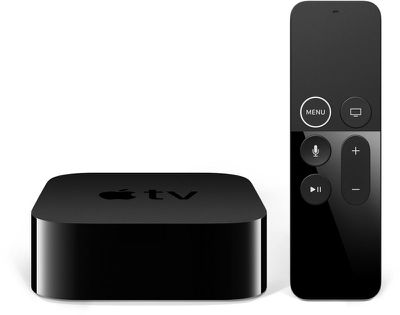
As a minor 12.x.x update, tvOS 12.1.1 focuses on bug fixes and under-the-hood performance improvements. No major features were found during the tvOS 12.1.1 beta testing period, and Apple does not provide release notes for tvOS updates, so it's not known what specific bug fixes and improvements are included in the new software.
If any additional information on the content of the tvOS 12.1.1 update becomes available, we'll update this post.
tvOS 12.1.1 follows the tvOS 12 update, which introduced support for higher-quality Dolby Atmos sound, zero sign-on, and new aerial screensavers created in collaboration with the International Space Station.
Popular Stories
iOS 26.4 was released today, and it includes a couple of new features for CarPlay: an Ambient Music widget and support for voice-based chatbot apps.
To update your iPhone 11 or newer to iOS 26.4, open the Settings app and tap on General → Software Update. CarPlay will automatically offer the new features so long as the iPhone connected to your vehicle is running iOS 26.4 or later....
Apple today announced Apple Business, a new all-in-one platform that unifies device management, productivity tools, and customer outreach features.
The service is designed to be a consolidated replacement for several of Apple's existing business-focused offerings, including Apple Business Essentials, Apple Business Manager, and Apple Business Connect. It provides organizations with a single...
Apple today released new firmware for the AirPods Pro 2, AirPods Pro 3, and the AirPods 4. The firmware has a version number of 8B39, up from 8B34 on the AirPods Pro 3, 8B28 on the AirPods Pro 2, and 8B21 on the AirPods 4.
There is no word on what's included in the firmware, but Apple has a support document with limited notes. Most updates are limited to bug fixes and performance...























