
Adobe Issues Premiere Pro Fix for Bug That Caused Blown-Out MacBook Pro Speakers - MacRumors
Skip to Content

Adobe Issues Premiere Pro Fix for Bug That Caused Blown-Out MacBook Pro Speakers

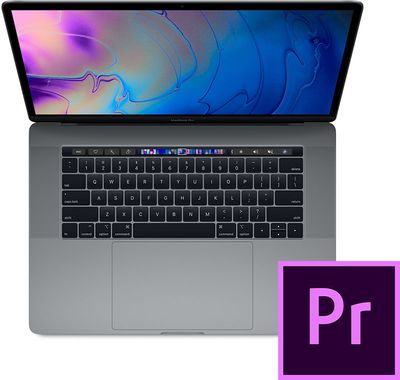
Adobe has released an update for Adobe Premiere Pro via the Creative Cloud app to resolve an audio issue that left some users with blown-out MacBook Pro speakers.
premiere pro macbook pro
Earlier this month, we reported on an issue affecting a significant number of Premiere Pro users whereby the software suddenly caused loud, distorted audio to play through their ‌MacBook Pro‌ speakers, resulting in permanent damage. In many cases, the issue arose when users were editing the audio settings of video clips.

Adobe initially advised at least one customer to try disabling the ‌MacBook Pro‌'s microphone in Premiere Pro by selecting No Input under Preferences > Audio Hardware > Default Input, but the issue persisted for some users.

On February 19 Adobe told users on its community support forum that it was "aware of the issue" and "was working on a solution that will help users mitigate risk." This issue has now apparently been resolved in a version 13.0.3 update pushed to Premiere Pro users today via the Creative Cloud app. From the release notes:

Fixed issues with Premiere Pro that reduce noise interaction and help minimize possible impact.

While Adobe is urging all users to update their software, there's still no word on how affected users might be recompensed following damage to their Macs.

As a result of the bug, one user took his ‌MacBook Pro‌ to the Genius Bar at an Apple Store in Canada and was given $600-plus repair quote for his 2018 15-inch ‌MacBook Pro‌. The price is so high because Apple has to replace the entire top case assembly containing the speakers, keyboard, trackpad, and battery.

We reached out to both Adobe and Apple for comment on the issue earlier this month but have yet to hear back. We'll update this article if we hear more.


Popular Stories

iOS 26

iOS 26.4 Adds Two New Features to CarPlay

Tuesday March 24, 2026 1:55 pm PDT by
iOS 26.4 was released today, and it includes a couple of new features for CarPlay: an Ambient Music widget and support for voice-based chatbot apps. To update your iPhone 11 or newer to iOS 26.4, open the Settings app and tap on General → Software Update. CarPlay will automatically offer the new features so long as the iPhone connected to your vehicle is running iOS 26.4 or later....
Apple Business hero

Apple Unveils 'Apple Business' All-in-One Platform

Tuesday March 24, 2026 8:53 am PDT by
Apple today announced Apple Business, a new all-in-one platform that unifies device management, productivity tools, and customer outreach features. The service is designed to be a consolidated replacement for several of Apple's existing business-focused offerings, including Apple Business Essentials, Apple Business Manager, and Apple Business Connect. It provides organizations with a single...
AirPods Pro Firmware Feature

Apple Releases New Firmware for AirPods Pro 3, AirPods Pro 2 and AirPods 4

Tuesday March 24, 2026 12:31 pm PDT by
Apple today released new firmware for the AirPods Pro 2, AirPods Pro 3, and the AirPods 4. The firmware has a version number of 8B39, up from 8B34 on the AirPods Pro 3, 8B28 on the AirPods Pro 2, and 8B21 on the AirPods 4. There is no word on what's included in the firmware, but Apple has a support document with limited notes. Most updates are limited to bug fixes and performance...

Top Rated Comments

93 months ago
Finally! Maybe Adobe can issue fixes for the million other bugs? Premiere Pro will never dethrone Avid unless its stable and backwards compatible.
How can anyone even think that this is Adobe's fault. Sure, there might be bugs in terms of accidental 100% volume output from the speakers, but there should be hardware safeguards in place to prevent speaker damage.


It's like a game would task the graphics card to the max, causing a fire from overheating. Who is to blame? Game software?
Score: 49 Votes (Like | Disagree)
93 months ago
I don't think anything you do that involves the computer processing 1s and 0s should lead to hardware breaking. Obviously this was a Premiere problem, but Mac OS should not have allowed a software process to destroy the hardware. I think it revealed a Mac OS problem, or maybe a MacBook speaker problem.

(I hereby refuse to write out macOS anymore. Mac is already short for Macintosh. It doesn't deserve to be in subscript. I wrote Mac OS for years. I got on board with Mac OS X. I got on board with OS X. I can see the "i" in iOS because it's one letter, and it doesn't mean much of anything [except possibly Internet]. I don't care about tvOS because no one cares about tvOS, and this sentence is probably the only two times I've written that word. I care about Mac OS. And if we're going back to Mac OS I'm going to spell it the way I did for a very long time before they made me change it multiple times.)
Score: 17 Votes (Like | Disagree)
93 months ago
Adobe could blow my living room apart in a hail of automatic weapon fire, and it would still irritate me less than their 'update Flash' reminder.
Score: 14 Votes (Like | Disagree)
93 months ago
Articles like this remind me why I made a conscious decision to never allow Adobe software anywhere near my Apple devices.

Wasn't there another nasty Adobe bug not so long ago that was trashing Backblaze online backups?
My speakers got blown out running windows 10 with official bootcamp drivers. You can google it, happened to quite a few people. This isn't adobes fault, should be locked at hardware and driver level to never be possible to blow out your speakers.
Score: 13 Votes (Like | Disagree)
Ma2k5 Avatar
93 months ago
Articles like this remind me why I made a conscious decision to never allow Adobe software anywhere near my Apple devices.

Wasn't there another nasty Adobe bug not so long ago that was trashing Backblaze online backups?
I would question why it is possible to blow out speakers due to software - surely that is on Apple’s head.

I mean if the software set your MacBook on fire, would you still really blame the software and not Apple for having allowed such an event to even be possible which renders hardware obsolete?
Score: 13 Votes (Like | Disagree)
93 months ago
How can anyone even think that this is Adobe's fault. Sure, there might be bugs in terms of accidental 100% volume output from the speakers, but there should be hardware safeguards in place to prevent speaker damage.


It's like a game would task the graphics card to the max, causing a fire from overheating. Who is to blame? Game software?
I never said the speaker bug was Adobe's fault. Maybe try reading...
(I hereby refuse to write out macOS anymore. Mac is already short for Macintosh. It doesn't deserve to be in subscript. I wrote Mac OS for years. I got on board with Mac OS X. I got on board with OS X. I can see the "i" in iOS because it's one letter, and it doesn't mean much of anything [except possibly Internet]. I don't care about tvOS because no one cares about tvOS, and this sentence is probably the only two times I've written that word. I care about Mac OS. And if we're going back to Mac OS I'm going to spell it the way I did for a very long time before they made me change it multiple times.)
So you write out 603 letters justifying why 5 letters is too much for you.
Score: 12 Votes (Like | Disagree)















