Apple Offering 10% Bonus iTunes Credit When Adding Funds to Your Apple ID
Apple has begun offering users the chance to add 10 percent extra credit to their App Store and iTunes accounts this week, similar to past offers from the company. For this deal, you'll have to add money to your Apple ID account from a credit or debit card connected to your account.
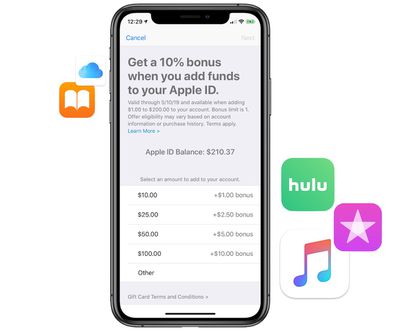
To add the funds on your iPhone, visit the App Store, tap your profile picture, and then tap "Add Funds to Apple ID." Here you can choose from $1.00 to $200.00 to add to your account in order to get the 10 percent bonus credit. This means that the most you can get out of the offer is $20 in free iTunes credit when adding $200 to your account.
The promotion will last through Friday, May 10 and is available in the United States as well as other regions, including Japan. With the credit in your iTunes account, you can rent or purchase iTunes movies and TV shows, buy books in Apple Books, pay for your Apple Music or iCloud subscriptions, and much more.
Popular Stories
Apple removed scam app Freecash from the App Store this week after the app spent months harvesting data from iPhone users, reports TechCrunch.
Freecash reached the number two spot on the U.S. App Store charts in January after being heavily marketed on TikTok. It promised users up to $35 per hour for watching TikTok content, but it was collecting swaths of user data. Back in January, Wired...
Apple privately warned Elon Musk's xAI company in January that it would remove the Grok app from the App Store unless the company put a stop to the chatbot's nude and sexualized deepfakes, according to a letter Apple sent to U.S. senators and obtained by NBC News ($).
Earlier this year, Grok's AI capabilities came under scrutiny after X users shared nonconsensual sexualized images of women...
No, you aren't going crazy – Apple has quietly made a backend change to the App Store app in iOS that switches the location of the Updates tab and renames it to make it more prominent.
In the App Store app, you can see the change by tapping your profile picture in the top-right corner. The "Apps & Purchase History" tab used to be at the top the list, but it has switched places with...