

iMovie for iOS was today updated to version 2.2.7, adding a long list of new features to the video editing app for the iPhone and the iPad.
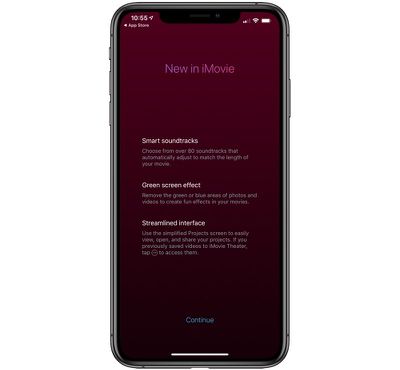
The update brings a new green screen effect that lets you remove the background of clips shot in front of a green or blue screen, a neat new feature for quickly swapping in a new background.
Still images with transparent backgrounds, such as logos or graphics, can be inserted on top of your video, and photos can be used as overlays to create picture-in-picture and split-screen effects.
Apple has added 80 new soundtracks across genres that include pop, chill, sentimental, and more, all of which automatically adjust to match the length of your video.
Apple has removed the ability to share to iMovie Theater, and all movies and trailers are now saved to iCloud Photos to watch them on other devices.
There are also a few other minor tweaks and bug fixes, with Apple's full release notes below:
- Transform your video with the new green screen effect that lets you instantly remove the background of clips shot in front of a green or blue screen
- Adjust the green screen effect with a 4-point mask and strength slider
- Choose from 80 new soundtracks in genres including pop, chill, and sentimental that automatically adjust to match the length of your movie
- Drop in still images with transparent backgrounds to use as logos or custom graphics on top of your video
- Add photos as overlays to create picture-in-picture and split-screen effects
- Choose to hide the border that surrounds picture-in-picture and split-screen effects
- Instantly return to the edit screen of your project when switching back to iMovie from other applications
- ClassKit support lets students deliver video assignments to teachers using the Schoolwork app
- For users with videos in iMovie Theater, the Theater window is now accessible from the ••• menu at the bottom of the Projects screen
- Sharing to iMovie Theater is no longer supported; save your movies and trailers to iCloud Photos to watch them on other devices including Apple TV
- Resolves an issue that could lead to a black viewer when previewing your video fullscreen on an external display
The iMovie for iOS app is a free download from the App Store. [Direct Link]





















Top Rated Comments