

Apple today released the sixth beta of iOS 13 to developers, introducing new bug fixes and adding and refining various iOS 13 and iPadOS features.
In the sixth beta, changes and updates are getting more minor than changes made in earlier betas, but beta 6 still has some notable additions that are worth highlighting.
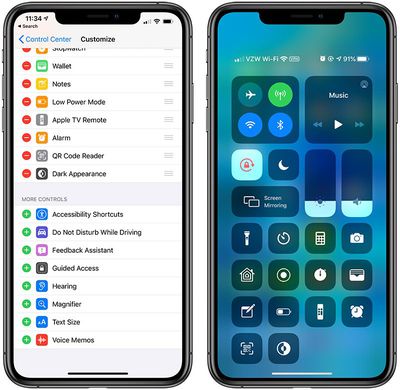
- Dark Mode Control Center Toggle - There's a new Control Center toggle that lets you enable and disable Dark Mode with a tap.
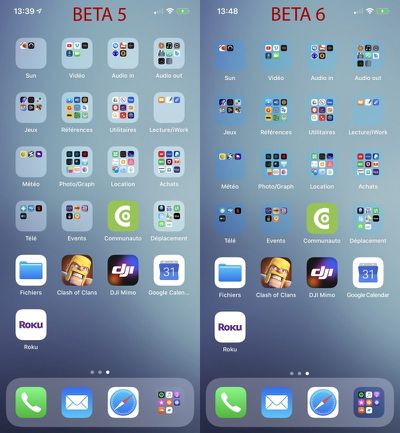
- Folder Transparency - Apple has changed folder transparency in iOS 13 beta 6, making folder backgrounds better match the color of your background. Comparison image via the MR forums.
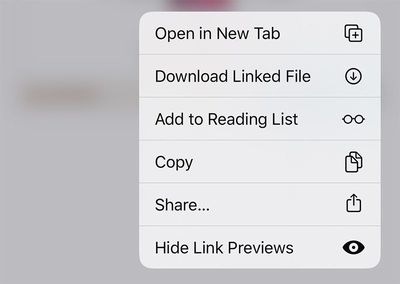
- Hide Link Previews - There's a new option when 3D Touching on a link on a webpage to Hide Link Previews, which disables link previews on a per site basis.
- Announce Messages - The Setting for allowing Siri to announce incoming text messages when connected to second-generation AirPods and some Beats headphones has been removed in iOS 13 beta 6.
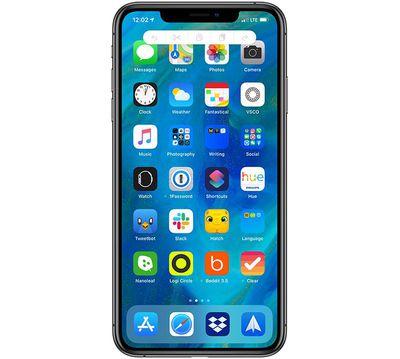
- Three Finger Tap - You're now able to three finger tap anywhere in iOS to bring up undo, redo, cut, copy and paste icons, which may be a bug.
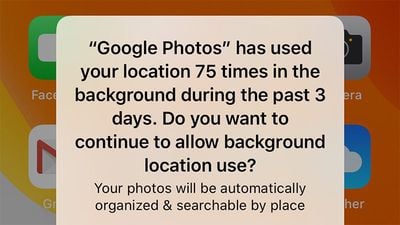
- Background Location Warnings - Apple warns iOS 13 users when apps are using their location in the background. In beta 6, the warning text has been tweaked slightly, and now reads "Do you want to continue to allow background location use?" instead of "Do you want to continue to allow this?"
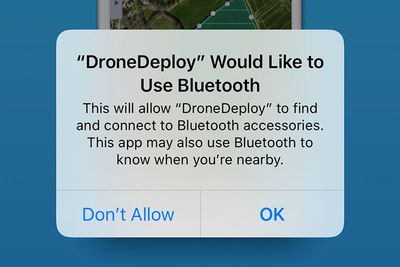
- Bluetooth Permission Updates - When installing an and syncing a device over Bluetooth, Apple will warn that the app "may also use Bluetooth to know when you're nearby."
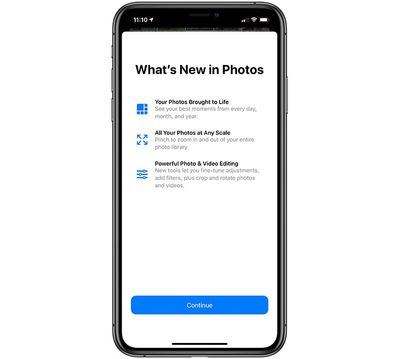
- Photos Splash Screen - There's now a splash screen highlighting the new features available in the Photos app in iOS 13.
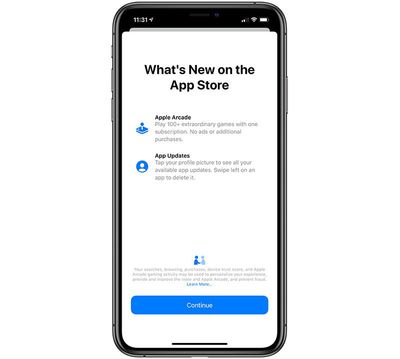
- App Store Splash Screen - There's a new splash screen in the App Store app detailing Apple Arcade and the App Update changes in iOS 13.
- Analytics Privacy Policy - There's a new paragraph in Apple's analytics privacy policy: "If you agree to send Analytics information to Apple from multiple devices that use the same iCloud account, we may correlate some usage data about Apple apps across those devices by syncing using end-to-end encryption. We do this in a manner that does not identify you to Apple.
- Apple Pay Privacy Policy - Apple has slightly tweaked its Apple Pay privacy policy to mention location data collection for Apple Card: "Apple Pay Merchant Identification: Your iPhone will use your current location to help provide more accurate merchant names when you use your physical Apple Card."
- Location Privacy Policy - There's also a new addition to the location privacy policy: "System Customization: Your iPhone will customize system appearance, behaviors, and settings using your current location, for example by automatically enabling Smart Charging when you are at home. This customization data does not leave your device."
- Volume Tweaks - There are once again 16 volume increments instead of the 34 from the previous beta.
- LTE Icon - The LTE/4G icon is back to its regular size and is no longer larger to match the height of the LTE bars.
Know of a feature that's new in iOS 13 beta 6 that we left out? Make sure to let us know in the comments and we'll update this article. For more on what's new in iOS 13, make sure to check out our iOS 13 roundup.






















