
Parallels Desktop 15 Switches to Apple's Metal Graphics API, Gains Sidecar, Keychain, and Drag and Drop Support - MacRumors
Skip to Content

Parallels Desktop 15 Switches to Apple's Metal Graphics API, Gains Sidecar, Keychain, and Drag and Drop Support

Parallels today announced version 15 of its desktop virtualization software for Mac, offering DirectX 11 support via Apple Metal, native support for Sidecar in macOS Catalina, and several other enhancements.

Parallels Desktop 15 is the first iteration of the cross-platform software to support DirectX 11 using Apple's hardware accelerated Metal graphics API.
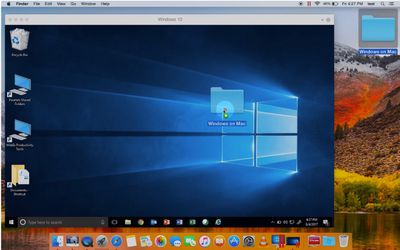
parallels desktop 15
The switch to Metal should bring a noticeable performance boost – Parallels claims 3D graphics rendering is up to 15 percent faster, while Microsoft Office apps should launch up to 80 percent faster.

The enhanced graphics support also expands the number of Windows apps that users can run on their Mac, such as Autodesk 3ds Max 2020, Lumion, ArcGIS Pro, and Master Series.

Gamers meanwhile can look forward to running their favorite titles at faster speeds, with the likes of FIFA 19, Age of Empires Definitive Edition, Fallout 4, Madden NFL 19, Crysis 3, and Mark of the Ninja: Remastered all receiving special mention.

Once macOS Catalina launches in the fall, Parallels' ‌Sidecar‌ support will mean users can wirelessly connect their iPad to their Mac to use as a second display in Windows. There's also new Touch Bar options for Apple Pencil, including Toggle between Pen, Eraser and Mouse modes. Parallels says support for additional Catalina features is currently in development and will be introduced around the release of macOS 10.15.

Notably, the virtualization software is offering better integration with macOS more generally, such as the ability to use screenshot previews in Windows applications and the ability to drag images from Safari, Photos, and other stock Mac apps.

Additionally, Parallels Desktop 15 supports a new category of Bluetooth devices, enabling users to connect an Xbox One Controller, Logitech Craft keyboard, IRISPen, some IoT devices (such as smart home appliances and smart bands) and more. There's also support for Bluetooth Low Energy, making it possible to run an Xbox game in a Windows 10 virtual machine.


Elsewhere, there's now support for the Share menu in Finder, so it's possible to send files from macOS using a Windows email application, and there's now Keychain support, offering quicker login to websites and apps within Windows. A more comprehensive list of changes and improvements in Parallels Desktop 15 is available here.

Parallels Desktop 15 requires macOS Mojave or later to run, and can be purchased for a one-off fee of $99.99, with the more feature-laden Pro and Business editions available at $99 per year.

Users with older versions of Parallels Desktop (including Pro and Business Editions) can upgrade for $49.99, while college students in the United States, Canada, Germany and UK have access to the reduced price Student Edition. A 14-day trial of the virtualization suite is also available.


Popular Stories

iOS 26

iOS 26.4 Adds Two New Features to CarPlay

Tuesday March 24, 2026 1:55 pm PDT by
iOS 26.4 was released today, and it includes a couple of new features for CarPlay: an Ambient Music widget and support for voice-based chatbot apps. To update your iPhone 11 or newer to iOS 26.4, open the Settings app and tap on General → Software Update. CarPlay will automatically offer the new features so long as the iPhone connected to your vehicle is running iOS 26.4 or later....
Apple Business hero

Apple Unveils 'Apple Business' All-in-One Platform

Tuesday March 24, 2026 8:53 am PDT by
Apple today announced Apple Business, a new all-in-one platform that unifies device management, productivity tools, and customer outreach features. The service is designed to be a consolidated replacement for several of Apple's existing business-focused offerings, including Apple Business Essentials, Apple Business Manager, and Apple Business Connect. It provides organizations with a single...
AirPods Pro Firmware Feature

Apple Releases New Firmware for AirPods Pro 3, AirPods Pro 2 and AirPods 4

Tuesday March 24, 2026 12:31 pm PDT by
Apple today released new firmware for the AirPods Pro 2, AirPods Pro 3, and the AirPods 4. The firmware has a version number of 8B39, up from 8B34 on the AirPods Pro 3, 8B28 on the AirPods Pro 2, and 8B21 on the AirPods 4. There is no word on what's included in the firmware, but Apple has a support document with limited notes. Most updates are limited to bug fixes and performance...

Top Rated Comments

86 months ago
New year... new Parallels version.
Score: 19 Votes (Like | Disagree)
86 months ago
New year... new Parallels version.
Yeah, after a few years this really started to annoy me. They’d release a new version but fail to fix critical bugs in the existing version (which was otherwise fine)... and then force you to upgrade.

After the upgrade you then discover that the same bug hasn’t been fixed, rendering the entire VM unbootable and unfixable... again.

Just use Bootcamp and avoid this third party, second rate rubbish. Better yet, find ways to ditch Windows entirely.
Score: 17 Votes (Like | Disagree)
Kabeyun Avatar
86 months ago
I had Paralles subscription.
It’s nice but for personL use is overpriced.
Support is terrible especially if u plan to use linux.

Most of the features are Windows only oriented and this os where it lags behind others.
Agreed. VMWare ftw.
Score: 12 Votes (Like | Disagree)
satcomer Avatar
86 months ago
I will hold my praise until I see it tested! Silicon Valley lies are really get on my nerves!
Score: 12 Votes (Like | Disagree)
MrGimper Avatar
86 months ago
Agreed. VMWare ftw.
Unfortunately, GFX-wise, Parallels wipes the floor with VMware Fusion. I use ESXI, vSphere, Workstation etc, but Fusion is just slower than Parallels.
Score: 11 Votes (Like | Disagree)
86 months ago
DX 11. Finally.
Score: 8 Votes (Like | Disagree)















