
New Under the Sea Themed Screen Savers Now Available on Apple TV in tvOS 13

Fourth and fifth-generation Apple TV owners who have upgraded to tvOS 13 now have access to a series of under the sea themed screen savers on the device, which are a new addition in the latest update.

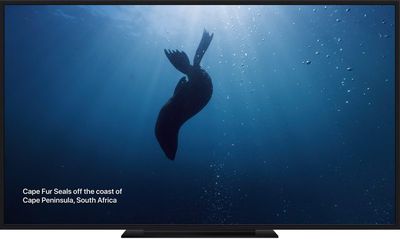
The screen savers were created in partnership with the BBC Natural History unit, the team behind "Blue Planet," showing off the deep ocean around the world with under the sea creatures and scenes that include fish, coral, kelp, jellyfish, and more.
applescreensaversocean
There is no way to download all of the screen savers at once, as the ‌Apple TV‌ only supports Daily, Weekly, or Monthly downloads. You can adjust how often screen savers download by opening up the Settings app on the ‌Apple TV‌, going to General, and selecting the "Screen Savers" option.

While there's no way to see all of the screen savers from Apple until they've been downloaded over a series of days, 9to5Mac's Benjamin Mayo maintains a website that showcases all of Apple's screen saver options.
kelpscreensaver
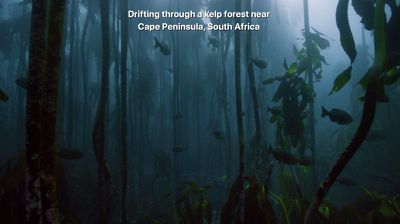
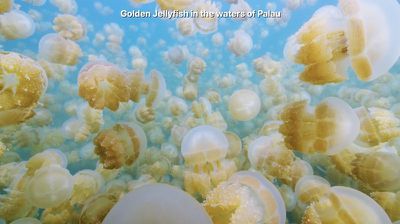
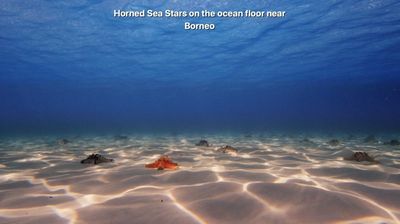
There are 10 new screen savers in total featuring these ocean creatures and scenes: barracuda, bumpheads, jacks, kelp, Palau coral, three Palau jellyfish options, sea stars, and seals.
jellyfishscreensaver
Screen savers are high resolution and are somewhere around 950MB in size. Apple has been offering its Aerial screen savers for years and has been adding to its collection with each tvOS update. Last year's tvOS 12 update brought screen savers created in collaboration with the International Space Station and NASA.
seastarscreensaver
Screen savers come on after a set period of time of idleness on the ‌Apple TV‌, but pressing the Menu button while on the Home screen of the ‌Apple TV‌ will cause a screen saver to start playing automatically.

A tap on the remote provides information on where a screen saver was filmed, while a swipe left or right will change the screen saver that's displayed if multiples are downloaded. Apple's support document on screen savers has further instructions on how they work.


Related Roundup: Apple TV
Buyer's Guide: Apple TV (Don't Buy)

Popular Stories

Apple Logo Zoomed

Tim Cook Teases Plans for Apple's Upcoming 50th Anniversary

Thursday February 5, 2026 12:54 pm PST by
Apple turns 50 this year, and its CEO Tim Cook has promised to celebrate the milestone. The big day falls on April 1, 2026. "I've been unusually reflective lately about Apple because we have been working on what do we do to mark this moment," Cook told employees today, according to Bloomberg's Mark Gurman. "When you really stop and pause and think about the last 50 years, it makes your heart ...
wwdc sans text feature

Apple Rumored to Announce New Product on February 19

Thursday February 5, 2026 12:22 pm PST by
Apple plans to announce the iPhone 17e on Thursday, February 19, according to Macwelt, the German equivalent of Macworld. The report, citing industry sources, is available in English on Macworld. Apple announced the iPhone 16e on Wednesday, February 19 last year, so the iPhone 17e would be unveiled exactly one year later if this rumor is accurate. It is quite uncommon for Apple to unveil...
Finder Siri Feature

Why Apple's iOS 26.4 Siri Upgrade Will Be Bigger Than Originally Promised

Friday February 6, 2026 3:06 pm PST by
In the iOS 26.4 update that's coming this spring, Apple will introduce a new version of Siri that's going to overhaul how we interact with the personal assistant and what it's able to do. The iOS 26.4 version of Siri won't work like ChatGPT or Claude, but it will rely on large language models (LLMs) and has been updated from the ground up. Upgraded Architecture The next-generation...
maxresdefault

Apple Shows Off a Key Reason to Upgrade to the iPhone 17

Saturday February 7, 2026 9:26 am PST by
Apple today shared an ad that shows how the upgraded Center Stage front camera on the latest iPhones improves the process of taking a group selfie. "Watch how the new front facing camera on iPhone 17 Pro takes group selfies that automatically expand and rotate as more people come into frame," says Apple. While the ad is focused on the iPhone 17 Pro and iPhone 17 Pro Max, the regular iPhone...
iOS 26

iOS 26.3 and iOS 26.4 Will Add These New Features to Your iPhone

Tuesday February 3, 2026 7:47 am PST by
While the iOS 26.3 Release Candidate is now available ahead of a public release, the first iOS 26.4 beta is likely still at least a week away. Following beta testing, iOS 26.4 will likely be released to the general public in March or April. Below, we have recapped known or rumored iOS 26.3 and iOS 26.4 features so far. iOS 26.3 iPhone to Android Transfer Tool iOS 26.3 makes it easier...

Top Rated Comments

Braderunner Avatar
83 months ago

Wish Apple gave you the ability to just show these.
And to download the ones you want...when you want, instead of waiting for them to download.
Score: 10 Votes (Like | Disagree)
badatusernames Avatar
83 months ago
Wish Apple gave you the ability to just show these.
Score: 9 Votes (Like | Disagree)
Moonjumper Avatar
83 months ago
I wish it was possible to chose screensavers. There are some I really like, but disappeared, and some poor ones that appear all the time. It just needs allowing a user to select exclude or keep, perhaps with extra options such as prioritise download.
Score: 5 Votes (Like | Disagree)
TrenttonY Avatar
83 months ago
I wish we could pick the category.
Plus we need some Great White Shark footage!

I think the next category for tvOS 14 should be amusement parks. Now that would be cool.
Maybe tvOS 15 can have firework shows.
Score: 4 Votes (Like | Disagree)
Joniz Avatar
83 months ago

Yeah you fell for fake news. The Great Pacific Garbage Patch is around 5 mg/square meter of plastic, and about 90 micrograms per cubic meter. They filter millions of gallons of water, and then they have to use microscopes to identify the plastic from all the other stuff that naturally occurs in the ocean like wood, sand and dead organic matter.

Any pictures that you see of bags floating as a garbage patch is fake news.
Based on the news you watch, which, I know you will find hard to believe, may be somewhat unreliable. (Sorry, but I’m not an idiot who says something is “fake news” just because I don’t agree with it.)

I’ve seen the actual garbage, not just a photo, because I actually get out in the world, not just watch it on TV.

You see, the sea is like the land, in that population is not evenly distributed, even when it comes to garbage. Most of the sea is empty, if you consider the depth as well as the surface area. It’s sparsely populated when you consider only the depths where most life thrives. But life tends to congregate where it’s best suited, as does trash. So, yes, if you take the total amount of trash people see (which is only the trash on the surface, not the stuff piled up at some pretty great depths) and divide it over the total surface area, it doesn’t seem like much. But when you consider that it congregates along currents & collects along eddies, it gets pretty crowded.

The Earth is sparsely populated. But go to Manila or Mumbai and try to believe that.

Besides, in the end, garbage is garbage and who wants that stuff around? No one. That’s why it’s called garbage.
Score: 2 Votes (Like | Disagree)
chrismac2 Avatar
83 months ago

I'm pretty sure that the person realizes aerial does not mean under water. The article says that Apple has been adding new screen savers to the Aerial selection, and will now be including these underwater scenes in it. The help link in the article for further screen saver info confirms that the Aerial selection includes "locations shot from all over the world, underwater, and even space". The screen shot they chose to use is underwater too.
https://support.apple.com/en-us/HT208992
It was not my intention to imply the poster does not know the meaning of aerial. My intention was to convey incredulity that meticulous Apple would put categorize underwater screensavers as "aerial". Thanks for the URL pointing to Apple's support document. Indeed they are saying the underwater screensavers will be under Aerial.

Oh well!
Score: 2 Votes (Like | Disagree)















