
Apple today seeded the third betas of upcoming iOS and iPadOS 13.3 updates to developers, one week after seeding second betas and three weeks after the release of iOS 13.2 and iPadOS 13.2 with new emoji, Siri privacy controls, Deep Fusion, and more.
iOS and iPadOS 13.3 can be downloaded through the Apple Developer Center or over the air after the proper developer profile has been installed.
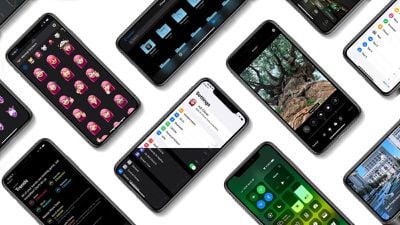
iOS 13.3 introduces Communication Limits for Screen Time, a feature that Apple promised would be coming in an iOS 13 update. Communication Limits allow parents to control who their children are able to contact both during downtime and during Screen Time.
Communication Limits include FaceTime, Phone, and Messages, along with iCloud contacts. Calls to emergency numbers are always allowed and will turn off communication limits for 24 hours when placed.
The update includes support for NFC, USB, and Lightning FIDO2-compliant security keys in Safari. That means physical security keys like the Lightning-equipped YubiKey can be used for more secure two-factor authentication in place of a software-based two-factor authentication option.
In the Keyboards section of the Settings app (under General), there's a new toggle that prevents Animoji and Memoji stickers from being displayed as an option on the Emoji Keyboard, and when editing a video, there's an option to save the edited version as a new clip rather than saving over the original.
Apple has also tweaked the Apple Watch app icon, changing the color of the Digital Crown from black to gray.

Thursday February 5, 2026 12:54 pm PST by Joe Rossignol
Apple turns 50 this year, and its CEO Tim Cook has promised to celebrate the milestone. The big day falls on April 1, 2026.
"I've been unusually reflective lately about Apple because we have been working on what do we do to mark this moment," Cook told employees today, according to Bloomberg's Mark Gurman. "When you really stop and pause and think about the last 50 years, it makes your heart ...
Thursday February 5, 2026 12:22 pm PST by Joe Rossignol
Apple plans to announce the iPhone 17e on Thursday, February 19, according to Macwelt, the German equivalent of Macworld.
The report, citing industry sources, is available in English on Macworld.
Apple announced the iPhone 16e on Wednesday, February 19 last year, so the iPhone 17e would be unveiled exactly one year later if this rumor is accurate. It is quite uncommon for Apple to unveil...
Friday February 6, 2026 3:06 pm PST by Juli Clover
In the iOS 26.4 update that's coming this spring, Apple will introduce a new version of Siri that's going to overhaul how we interact with the personal assistant and what it's able to do.
The iOS 26.4 version of Siri won't work like ChatGPT or Claude, but it will rely on large language models (LLMs) and has been updated from the ground up.
Upgraded Architecture
The next-generation...
Tuesday February 3, 2026 7:47 am PST by Joe Rossignol
While the iOS 26.3 Release Candidate is now available ahead of a public release, the first iOS 26.4 beta is likely still at least a week away. Following beta testing, iOS 26.4 will likely be released to the general public in March or April.
Below, we have recapped known or rumored iOS 26.3 and iOS 26.4 features so far.
iOS 26.3
iPhone to Android Transfer Tool
iOS 26.3 makes it easier...
The iPhone 18 Pro Max will feature a bigger battery for continued best-in-class battery life, according to a known Weibo leaker.
Citing supply chain information, the Weibo user known as "Digital Chat Station" said that the iPhone 18 Pro Max will have a battery capacity of 5,100 to 5,200 mAh. Combined with the efficiency improvements of the A20 Pro chip, made with TSMC's 2nm process, the...
Why do you have to type in your iPhone password when starting the software update? I mean, isn't FaceID secure enough???
Apple explains this in their security white paper:
In the case of an Over-The-Air (OTA) software update, the user is prompted for their passcode when initiating the update. This is used to securely create a one-time Unlock Token, which unlocks the user keybag after the update. This token can’t be generated without entering the user’s passcode, and any previously generated token is invalidated if the user’s passcode changed.
There's more details there, if you're curious. Look for Escrow keybag. I pulled the text from the iOS 12.3 white paper. If there's one for 13 I haven't seen it yet.
so after all the fuss about animoji & memoji and emojis, someone came to their senses over there and now we can turn the whole bloody show off via a keyboard toggle. Thank goodness. Granted a couple of the emoji are useful (red dot, green check etc) but it has become so overwhelming that I never wanted to open up that Pandora's box anymore.
Why do you have to type in your iPhone password when starting the software update? I mean, isn't FaceID secure enough???
FaceID can handle 2 faces. Let's say I decide to give my child one of those slots so they can play on my phone. Do I really want a 5 year old deciding to install an update? Probably not. Or the other face belongs to my wife. Again, I wouldn't want her to install an update on my phone without my knowledge.
My boys are actually 17 and 22 and have their own devices and I don't let ANYONE else into my phone. But it's a possibility that ought to be considered. Especially with the older TouchID system where you could in theory have 4 other people who could unlock your phone.
The other explanation I've heard is that your passcode is your security. FaceID is a quick and easy way to bypass that security. It's a biometric convenience, not the actual security itself. Which is why you need to enter your passcode after a reboot or when doing something as important as updating the entire OS.
There's some (possibly) lame excuses that may or may not satisfy your curiosity. Honestly, it's a question I've asked myself and I all I could come up with was "extra security". Like asking "Are you sure?" before deleting a file.
















