

Apple today previewed the latest version of macOS, called "Big Sur," and Apple is referring to this update as the biggest update since macOS X. Big Sur introduces a new redesign, new features for Safari, updates to Messages, and more.
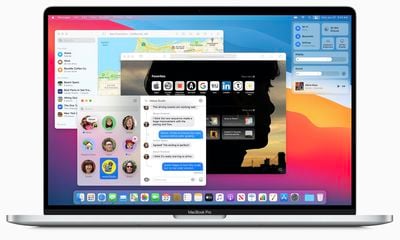
Apple describes the new design as "spacious," that encourages easier navigation while putting more controls at the user's fingertips. Apple has refined everything from the curvature of window corners to the palette of colors and materials.
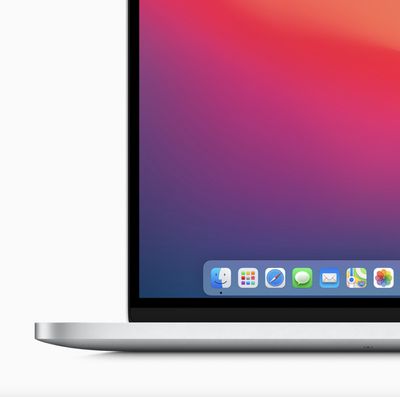
Dock icons were redesigned to be more consistent with icons across Apple's ecosystem, "while retaining their Mac personality." Overall, Apple says the new design reduces visual complexity and brings users' content front and center.
New to macOS is Control Center, which delivers quick access to controls right from the desktop. Notification Center has been updated with more interactive notifications and redesigned widgets in different sizes, matching the design of iOS 14.
For Safari, Apple is launching "the biggest update to Safari since its original launch in 2003." Tabs have been redesigned to make navigating Safari faster, with favicons displayed by default so it's easier to see where to click at a glance.
When opening Safari, users will browse a new start page. They can customize this area with a background image and sections like a Reading List and iCloud Tabs. While browsing Safari, foreign languages can be translated with built-in translation tools covering seven languages.
In terms of privacy, Safari now supports a new Privacy Report that delivers added visiblity into how Safari protects browsing activity across the web. Users will be able to choose when and which websites a Safari extension can work with.
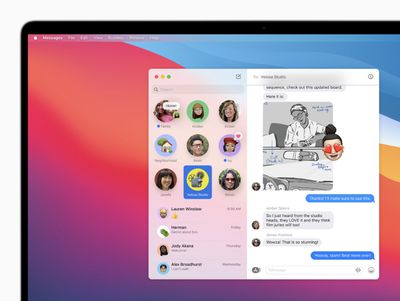
In Messages, Apple has introduced pinned conversations and a refined search function. Screen effects are finally supported on macOS, and users will be able to create and customize their Memoji on a Mac. In conversations, there will be a new photo picker and #images support, making it possible to share GIFs on the macOS Messages app without a third-party app.
Group messaging features streamline conversations with inline replies and @mentions, making it easy to directly address someone, or a specific text, amid a large group. They can also set a photo or an emoji for their group conversation that's shared with all members of the group.
macOS Big Sur will be available this fall as a free software update. Ahead of that date, it's available to Apple Developer Program members today and a public beta will launch in July.






















