
VMware Fusion 12 Now Available With macOS Big Sur Support and More - MacRumors
Skip to Content

VMware Fusion 12 Now Available With macOS Big Sur Support and More

Last month, VMware announced the next major version of its virtualization software for Mac, Fusion 12, and as of today, the update is now available.
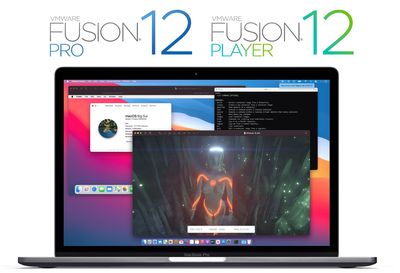
vmware fusion 12 pro player
As we noted last month, Fusion 12 includes a number of updates and improvements, such as eGPU compatibility, support for container-based applications built with Kubernetes, DirectX 11 and OpenGL 4.1 support, improved security for the sandbox rendering engine, improved accessibility controls, and more.

Fusion 12 has also been optimized for macOS Big Sur, with both host and guest support for Apple's upcoming release. On systems running macOS Catalina, Fusion 12 will continue to run with kernel extensions as it has in the past, but on macOS Big Sur, Fusion will take advantage of Apple's APIs to run virtual machines and containers.

With the launch of Fusion 12, VMware is also restructuring its licensing to bring it in line with Workstation 16, Fusion's sister software for Windows and Linux. The basic level of Fusion is now known as Fusion 12 Player and is free for personal use for the first time. A commercial license is priced at $149, with a $79 upgrade license available. Discounted education pricing will also be available, although many of those users will qualify for free personal licensing.

Fusion 12 Pro, aimed at developers and IT professionals rather than typical consumer and business users, offers some additional features and a license to run on up to three machines. Notably, this is a cross-platform license that allows for any combination of three machines using Fusion 12 or Workstation 16 across Mac, Windows, and Linux. Fusion 12 Pro is priced at $199, or $99 as an upgrade.

In order to keep up with Apple's advancing technologies, Fusion 12 requires macOS Catalina or Big Sur. For users with systems still on macOS Mojave, a Fusion 12 license key will be valid to activate Fusion 11.5.6 on those machines.

Note: MacRumors is an affiliate partner with VMware. When you click a link and make a purchase, we may receive a small payment, which helps us keep the site running.


Tag: VMware

Popular Stories

iOS 26

iOS 26.4 Adds Two New Features to CarPlay

Tuesday March 24, 2026 1:55 pm PDT by
iOS 26.4 was released today, and it includes a couple of new features for CarPlay: an Ambient Music widget and support for voice-based chatbot apps. To update your iPhone 11 or newer to iOS 26.4, open the Settings app and tap on General → Software Update. CarPlay will automatically offer the new features so long as the iPhone connected to your vehicle is running iOS 26.4 or later....
Apple Business hero

Apple Unveils 'Apple Business' All-in-One Platform

Tuesday March 24, 2026 8:53 am PDT by
Apple today announced Apple Business, a new all-in-one platform that unifies device management, productivity tools, and customer outreach features. The service is designed to be a consolidated replacement for several of Apple's existing business-focused offerings, including Apple Business Essentials, Apple Business Manager, and Apple Business Connect. It provides organizations with a single...
AirPods Pro Firmware Feature

Apple Releases New Firmware for AirPods Pro 3, AirPods Pro 2 and AirPods 4

Tuesday March 24, 2026 12:31 pm PDT by
Apple today released new firmware for the AirPods Pro 2, AirPods Pro 3, and the AirPods 4. The firmware has a version number of 8B39, up from 8B34 on the AirPods Pro 3, 8B28 on the AirPods Pro 2, and 8B21 on the AirPods 4. There is no word on what's included in the firmware, but Apple has a support document with limited notes. Most updates are limited to bug fixes and performance...

Top Rated Comments

mikeroySoft Avatar
72 months ago

I can't see a free perpetual licence at all when I attempt to register, only a 90 day evaluation...? I've clicked on all the links people have provided - what am I doing wrong?


Yah, that's a typo... I'm working with the backend... some of the standard boilerplate stuff snuck through in a late edit... it is 100% a perpetual license (the product itself reflects that).

Source: I'm the product manager
Score: 14 Votes (Like | Disagree)
72 months ago

Roadmap: No Windows on Apple Silicon Macs.
May run ARM Linux if VMWare release an Apple Silicon version.

We can speculate all day, but if you NEED Windows on a Mac, I recommend y'all to wait this out until at least one AS Mac is released and people have TESTED the bejesus out of it.
I don't know how many times we have to go over this. Apple Silicon Macs will NOT RUN WINDOWS as you know it. They will probably (no guarantees) be able to run the ARM version of windows, which is NOT COMPATIBLE with most Windows software aside from Office, in one form or another (likely virtualization), but this will NOT be like running x86 Windows in a VM today (and won't hold a candle to Bootcamp).

If running Windows in one form or another is a requirement for you, you need to buy an Intel Mac, a Windows PC, or a hackintosh. Period.
Score: 14 Votes (Like | Disagree)
nylon Avatar
72 months ago

The link only says free for 30 days. It’s a trial.
Bottom left of the webpage 'Fusion 12 Player'. Register for a free personal use license. The license key you receive is perpetual, not trial. Not for 30 days. I have it up and running.


Attachment Image
Score: 11 Votes (Like | Disagree)
chrfr Avatar
72 months ago

I installed the Fusion Player today, installed a Windows 10 Pro VM -> Everything works fine but I assigned 8GB RAM but Windows tells me it has 3GB of RAM (no matter what I do, it doesn't increase).
Maybe this is a Player limitation?
It's a 32-bit Windows limitation. Switch to a 64-bit version of Windows.
Score: 8 Votes (Like | Disagree)
72 months ago
For users with systems still on macOS Mojave, a Fusion 12 license key will be valid to activate Fusion 11.5.6 on those machines.
Actually, fun fact, VMWare also lets you straight up downgrade license keys if you need to use an earlier version of Fusion. It’s great. I did it this last November, turning a VMWare Fusion 11 key into a VMWare Fusion 8 key, which I use with OS X Mavericks.

Edit: ...but it doesn't look like you can do it with the new free license keys. Maybe the paid keys still allow it, but those are almost twice what they used to cost. This actually kind of sucks...
Score: 8 Votes (Like | Disagree)
72 months ago

I don't know how many times we have to go over this. Apple Silicon Macs will NOT RUN WINDOWS as you know it. They will probably (no guarantees) be able to run the ARM version of windows, which is NOT COMPATIBLE with most Windows software aside from Office, in one form or another (likely virtualization), but this will NOT be like running x86 Windows in a VM today (and won't hold a candle to Bootcamp).

If running Windows in one form or another is a requirement for you, you need to buy an Intel Mac, a Windows PC, or a hackintosh. Period.
This is not true anymore. They have full Windows 10, including x86 software support, on ARM now. The limited ARM version of Windows was discontinued.
Score: 5 Votes (Like | Disagree)















