
M1 Macs Able to Run Up to Six External Displays Using DisplayLink - MacRumors
Skip to Content

M1 Macs Able to Run Up to Six External Displays Using DisplayLink

It is possible to run up to six external displays from the M1 Mac mini, and five external displays from the M1 MacBook Air and MacBook Pro, with the aid of DisplayPort adapters, according to YouTuber Ruslan Tulupov. This far exceeds Apple's specified limits on external displays with the M1 Macs.
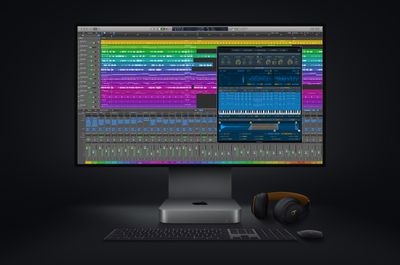
new mac mini logicpro screen

Apple's host of new M1 Macs are not capable of supporting as many external displays as their Intel-based predecessors by default. The previous Intel-based MacBook Air could run one external 6K or 5K display or up to two external 4K displays, and the previous Intel-based MacBook Pro could run one external 5K display or up to two external 4K displays. The 2018 Intel-based Mac mini could run up to three 4K displays, or one 5K and one 4K display.

Apple says that the M1 MacBook Air and M1 MacBook Pro can run one external display with up to 6K resolution at 60Hz. The M1 Mac mini can run one display with up to 6K resolution at 60Hz connected via Thunderbolt and one display with up to 4K resolution at 60Hz connected via HDMI 2.0. This means that each new M1 Mac can run one less display than the model it replaced.

However, Tulupov has discovered that it is possible to run as many as six external displays from the M1 Mac mini, and five external displays from the MacBook Air and MacBook Pro, using a workaround. This is achieved using DisplayPort adapters and DisplayLink software to drive the additional displays. When the M1 Mac's ports have been filled, DisplayPort adapters have to be connected via an external dock to provide more ports.

Tulupov used a mix of external displays, ranging from 4K to 1080p, as the Mac's Thunderbolt ports do not have the bandwidth to simultaneously run six 4K displays at full resolution. Users would therefore still have to be selective about their external display setup when it comes to resolutions.

In testing, running full-resolution videos across the various displays at the same time as rendering in Final Cut Pro, Tulupov found performance to be "awesome," with very few frames being dropped. When closing and opening the MacBook Air, the displays behaved as expected, and the setup seems to be more than adequate for daily use.

Tulupov noted that he did not test this setup with Sidecar for the iPad, but it may still be possible to run Sidecar in addition to the external displays for even more screen space.

In a separate video, Tulupov explained how to go about connecting additional external displays to an M1 Mac using a DisplayPort adapter. The process simply involves installing DisplayLink drivers, which are already Big Sur-compatible, and connecting the adapter via USB-C.

The workaround solution may offer a lifeline to users who were disappointed at the M1 Mac's limited external display capabilities.


Related Roundups: MacBook Air, Mac mini
Related Forums: MacBook Pro, MacBook Air, Mac mini

Popular Stories

iOS 26

iOS 26.4 Adds Two New Features to CarPlay

Tuesday March 24, 2026 1:55 pm PDT by
iOS 26.4 was released today, and it includes a couple of new features for CarPlay: an Ambient Music widget and support for voice-based chatbot apps. To update your iPhone 11 or newer to iOS 26.4, open the Settings app and tap on General → Software Update. CarPlay will automatically offer the new features so long as the iPhone connected to your vehicle is running iOS 26.4 or later....
Apple Business hero

Apple Unveils 'Apple Business' All-in-One Platform

Tuesday March 24, 2026 8:53 am PDT by
Apple today announced Apple Business, a new all-in-one platform that unifies device management, productivity tools, and customer outreach features. The service is designed to be a consolidated replacement for several of Apple's existing business-focused offerings, including Apple Business Essentials, Apple Business Manager, and Apple Business Connect. It provides organizations with a single...
AirPods Pro Firmware Feature

Apple Releases New Firmware for AirPods Pro 3, AirPods Pro 2 and AirPods 4

Tuesday March 24, 2026 12:31 pm PDT by
Apple today released new firmware for the AirPods Pro 2, AirPods Pro 3, and the AirPods 4. The firmware has a version number of 8B39, up from 8B34 on the AirPods Pro 3, 8B28 on the AirPods Pro 2, and 8B21 on the AirPods 4. There is no word on what's included in the firmware, but Apple has a support document with limited notes. Most updates are limited to bug fixes and performance...

Top Rated Comments

gavroche Avatar
70 months ago

Me wondering what would someone do with 5-6 external displays...
I don’t know either.... but give it ten minutes and someone will be in here complaining that to can’t do 10 displays.
Score: 80 Votes (Like | Disagree)
Executor Avatar
70 months ago

This great news. Lots of people are in the market for a $700 Mac mini to drive $6,000 worth of 4K monitors, along with a $1,000 eGPU.
You'd be surprised. I am currently using a Mac mini M1 with my Apple XDR display and it works great. I am sure some people will scuff at the idea of running a $6000 display with a $1000 computer but with the M1 it works amazingly well. Similarly, not everyone will benefit from a multi display setup but it is nice that the capability is there.


Attachment Image
Score: 53 Votes (Like | Disagree)
b13o0r12e3 Avatar
70 months ago
solitary quarantine sessions watching adult material just got a lot more intense...
Score: 38 Votes (Like | Disagree)
az431 Avatar
70 months ago
This great news. Lots of people are in the market for a $700 Mac mini to drive $6,000 worth of 4K monitors, along with a $1,000 eGPU.
Score: 35 Votes (Like | Disagree)
mattopotamus Avatar
70 months ago
Just keep telling us how amazing these things are. I feel like I am running a relic over here :(
Score: 23 Votes (Like | Disagree)
duanepatrick Avatar
70 months ago
Me wondering what would someone do with 5-6 external displays...
Score: 22 Votes (Like | Disagree)















