
Some M1 Macs Affected By Fast User Switching Screensaver Bug - MacRumors
Skip to Content

Some M1 Macs Affected By Fast User Switching Screensaver Bug

A growing number of user reports online suggest some of Apple's M1 Mac models are susceptible to a Fast User Switching bug that spontaneously activates the screensaver and leaves the user unable to dismiss it.
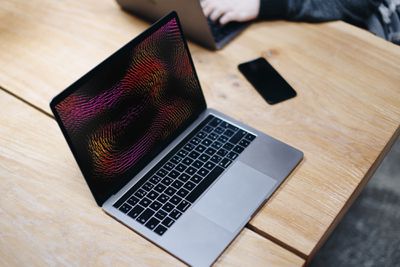
macbook pro screensaver table
In macOS Big Sur, Fast User Switching allows users to quickly switch between user accounts without having to completely log out. Based on posts in the MacRumors forums, Apple Community forums, and on Reddit, however, a screensaver can sometimes take over the screen of Apple Silicon Macs without notice, rendering the desktop workspace completely unavailable.

While the screensaver appears on the screen, the mouse pointer is still on top and moving, but nothing else works, and users have to close and re-open the lid on their MacBook Air or MacBook Pro, or light press the Power/Touch ID key or use the Alt-Command-Q key combination to get back to the login page.

MacRumors forum member drmacnut:

Brand new Mac mini M1, 2nd day using it, Big Sur macOS 11.1 (20C69) with screensaver and screen sleep set to 20 mins. I was actively editing some Calendar entries when all of a sudden the same exact thing happened (screensaver on, user locked out). I ended up using Remote Access from my MBP to get in and log out the user on the Mini. The Mac mini then jumped to the login screen and it's working fine again now. Very weird.

Apple Community forums member Squeaks2369:

I am experiencing the same issue. M1 MacBook Air. Big Sur 11.0.1. Happens on two separate user accounts, both with the screensaver disabled. No way to exit the screensaver but to close then open the lid. Happens a few times a day while actively using the computer. Browsing various forums it appears others are having this issue as well.

Video shared by MacRumors forum member dawideksl

Disabling Fast User Switching prevents the issue from happening, but that obviously leaves the login feature inaccessible. Having the screensaver disabled in System Preferences for all users doesn't seem to make a difference either.

The issue has been reported on ‌M1‌ ‌MacBook Air‌, ‌M1‌ 13-inch ‌MacBook Pro‌, and ‌M1‌ Mac mini models, and occurs on all versions of macOS Big Sur, including the latest 11.1 update. Affected users are advised to submit feedback to Apple to hopefully facilitate a fix.

(Thanks, Chris!)

Related Forum: macOS Big Sur

Popular Stories

iOS 26

iOS 26.4 Adds Two New Features to CarPlay

Tuesday March 24, 2026 1:55 pm PDT by
iOS 26.4 was released today, and it includes a couple of new features for CarPlay: an Ambient Music widget and support for voice-based chatbot apps. To update your iPhone 11 or newer to iOS 26.4, open the Settings app and tap on General → Software Update. CarPlay will automatically offer the new features so long as the iPhone connected to your vehicle is running iOS 26.4 or later....
Apple Business hero

Apple Unveils 'Apple Business' All-in-One Platform

Tuesday March 24, 2026 8:53 am PDT by
Apple today announced Apple Business, a new all-in-one platform that unifies device management, productivity tools, and customer outreach features. The service is designed to be a consolidated replacement for several of Apple's existing business-focused offerings, including Apple Business Essentials, Apple Business Manager, and Apple Business Connect. It provides organizations with a single...
AirPods Pro Firmware Feature

Apple Releases New Firmware for AirPods Pro 3, AirPods Pro 2 and AirPods 4

Tuesday March 24, 2026 12:31 pm PDT by
Apple today released new firmware for the AirPods Pro 2, AirPods Pro 3, and the AirPods 4. The firmware has a version number of 8B39, up from 8B34 on the AirPods Pro 3, 8B28 on the AirPods Pro 2, and 8B21 on the AirPods 4. There is no word on what's included in the firmware, but Apple has a support document with limited notes. Most updates are limited to bug fixes and performance...

Top Rated Comments

68 months ago
I've had the same issue on the 16" Macbook Pro, so I think it's more likely a big sur bug, than an M1 issue.
Score: 35 Votes (Like | Disagree)
68 months ago
I haven't used a screen'saver' since I've switched to LCD screens 25 years ago. So I haven't noticed.
Score: 12 Votes (Like | Disagree)
skardvin Avatar
68 months ago
No wonder when Craig Federighi opened the M1 MacBook Air to show off the spontaneous wake from sleep that it didn't have this issue...🤔🙄 he must have had to disable fast user switching first before filming. 😂
Score: 10 Votes (Like | Disagree)
68 months ago
I'm sure they will fix it soon enough, but things like this are why I never jump on major architecture changes immediately. If you depend on your device for work, you need some level of stability. I'm keen to migrate to Apple Silicon, but will probably wait until 'M2'
Score: 9 Votes (Like | Disagree)
68 months ago
Author of a macOS screensaver here (Aerial), since the introduction of Catalina (which changed a lot of things for screensavers), I've had users report that exact kind of issue. In some cases, ScreenSaverEngine (the "app" that hosts the screensaver) will lose focus and you see those exact symptoms.

You will see your mouse pointer when you move it around (it's not supposed to) and few things short of Cmd + Opt + Shift + Esc will work. You can also use mouse gestures like trigger Exposé, which is really weird. During the Big Sur beta, this used to happen fairly often with no obvious cause.

My best assessment of the issue is that usually, another app will steal the focus. Something like the crash report window for some other program that crashed in the background will steal the focus by being put up to front. It's quite possible that fast user switching triggers this loss of focus more often, but I don't think this is either specific to M1 or Big Sur.

Hopefully they will start looking into this !
Score: 7 Votes (Like | Disagree)
68 months ago

I'm sure they will fix it soon enough, but things like this are why I never jump on major architecture changes immediately. If you depend on your device for work, you need some level of stability. I'm keen to migrate to Apple Silicon, but will probably wait until 'M2'
Its an soft issue not an m1
We had on the 16” mbp also for some weeks now
So if this is not fixed on software level..you will get this with m2 or m30 as well
Score: 5 Votes (Like | Disagree)
















