
Apple Offering Free Battery Replacements for 2016-2017 MacBook Pros That Can't Charge Past 1% - MacRumors
Skip to Content

Apple Offering Free Battery Replacements for 2016-2017 MacBook Pros That Can't Charge Past 1%

Apple today released macOS Big Sur 11.2.1 to address an issue that may prevent the battery from charging in some 2016 and 2017 MacBook Pro models, and the company has since shared a new support document with more details.
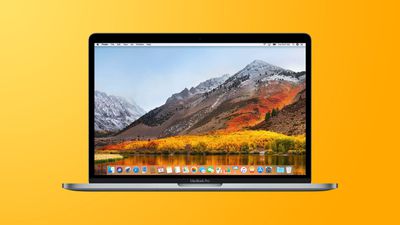
2017 2018 macbook pro yellow feature
Apple says a "very small number of customers" with 2016 and 2017 models of the 13-inch and 15-inch MacBook Pro have experienced an issue with the battery not charging past 1%. The battery health status on affected notebooks will indicate "Service Recommended." To identify your Mac model, click on the Apple logo in the top-left corner of the screen and click on About This Mac. The following models may be impacted by this issue:

- MacBook Pro (13­-inch, 2016, Two Thunderbolt 3 Ports)
- MacBook Pro (13-­inch, 2017, Two Thunderbolt 3 Ports)
- MacBook Pro (13-­inch, 2016, Four Thunderbolt 3 Ports)
- MacBook Pro (13-­inch, 2017, Four Thunderbolt 3 Ports)
- MacBook Pro (15-­inch, 2016)
- MacBook Pro (15-­inch, 2017)

If your MacBook Pro exhibits this behavior, Apple says to contact the company for a battery replacement, free of charge. Apple says it will examine the notebook prior to service to verify that it is eligible for the free replacement.

If your MacBook Pro has not exhibited this issue, updating to macOS Big Sur 11.2.1 as soon as possible is still highly recommended as a precaution. There is also a macOS Catalina 10.15.7 Supplemental Update that prevents the issue.

macOS Big Sur users can determine if their battery needs service by opening the System Preferences app, clicking Battery, selecting Battery in the sidebar, and clicking Battery Health. On macOS Catalina or earlier, users can hold the Option key and click the battery icon in the menu bar to reveal the battery status menu.


Related Roundup: MacBook Pro
Buyer's Guide: MacBook Pro (Buy Now)
Related Forums: MacBook Pro, macOS Big Sur

Popular Stories

iOS 26

iOS 26.4 Adds Two New Features to CarPlay

Tuesday March 24, 2026 1:55 pm PDT by
iOS 26.4 was released today, and it includes a couple of new features for CarPlay: an Ambient Music widget and support for voice-based chatbot apps. To update your iPhone 11 or newer to iOS 26.4, open the Settings app and tap on General → Software Update. CarPlay will automatically offer the new features so long as the iPhone connected to your vehicle is running iOS 26.4 or later....
Apple Business hero

Apple Unveils 'Apple Business' All-in-One Platform

Tuesday March 24, 2026 8:53 am PDT by
Apple today announced Apple Business, a new all-in-one platform that unifies device management, productivity tools, and customer outreach features. The service is designed to be a consolidated replacement for several of Apple's existing business-focused offerings, including Apple Business Essentials, Apple Business Manager, and Apple Business Connect. It provides organizations with a single...
AirPods Pro Firmware Feature

Apple Releases New Firmware for AirPods Pro 3, AirPods Pro 2 and AirPods 4

Tuesday March 24, 2026 12:31 pm PDT by
Apple today released new firmware for the AirPods Pro 2, AirPods Pro 3, and the AirPods 4. The firmware has a version number of 8B39, up from 8B34 on the AirPods Pro 3, 8B28 on the AirPods Pro 2, and 8B21 on the AirPods 4. There is no word on what's included in the firmware, but Apple has a support document with limited notes. Most updates are limited to bug fixes and performance...

Top Rated Comments

JPack Avatar
67 months ago
The issues for the 2016-2017 keep piling on, not that I don't appreciate Apple's support programs.


* Flexgate
* Staingate
* Butterfly keyboard
* SSD failure (non-Touch Bar models)


Now battery failure.
Score: 21 Votes (Like | Disagree)
Tim Windsor Avatar
67 months ago
This is exactly what I experienced today on my m1 MacBook Air. It’s now been sent in for battery replacement under the original warranty. Weird that it’s a hardware fix if it’s across so many Macs and seems to be triggered by Big Sur.

Attachment Image
Score: 9 Votes (Like | Disagree)
67 months ago

A year ago I had to pay $375 to Apple to get this issue fixed. When do I get my $ back?
You'll likely have better results contacting Apple.
Score: 8 Votes (Like | Disagree)
LFC2020 Avatar
67 months ago
You learning Samsung, that’s what you call the best customer service in the industry.
Score: 7 Votes (Like | Disagree)
67 months ago
So if you can charge to 2%, you’re out of luck 😂
Score: 6 Votes (Like | Disagree)
67 months ago

Best customer service? I would imagine making a battery that lasted more than 3-4 years to be a higher priority
customer service and battery durability are two separate things.
Score: 6 Votes (Like | Disagree)















