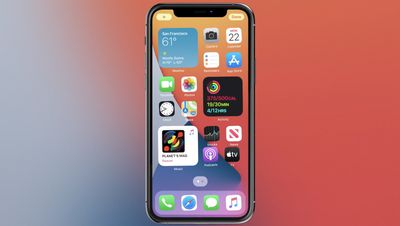
Apple today said that it has discovered an issue that can cause widgets to revert to their default settings after restoring an iPhone or an iPad from backup.
The bug affects "a limited number" of iPhone 13, iPhone 13 mini, iPhone 13 Pro, iPhone 13 Pro Max, iPad 9, and iPad mini 6 devices.
Apple says that those who run into this issue will need to customize their widgets again. Customizing a widget can be done by following these steps:
Touch and hold a widget to open the quick actions menu.
Tap Edit [widget name].
Make your changes, then tap outside of the widget to exit.
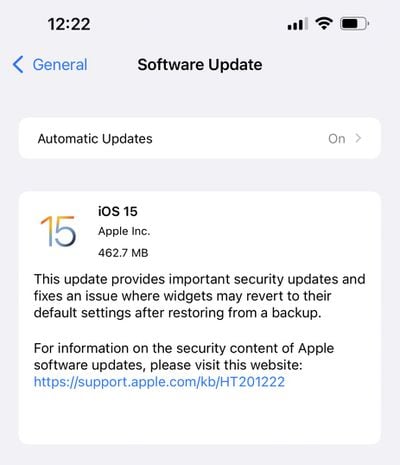
Widgets without an edit option do not have settings that can be modified. Customers who are receiving one of the new iPhone or iPad devices today or tomorrow may already be running into this issue. There is a day one iOS and iPadOS 15 security update available for new iPhones and iPads that mentions a fix for the widget bug.
Apple does not mention the iOS 15 update in its support document, so it may be that the new version of iOS 15 simply fixes the bug going forward while still requiring widgets to be reset after restoring from an initial backup.
iOS 26.4 was released today, and it includes a couple of new features for CarPlay: an Ambient Music widget and support for voice-based chatbot apps.
To update your iPhone 11 or newer to iOS 26.4, open the Settings app and tap on General → Software Update. CarPlay will automatically offer the new features so long as the iPhone connected to your vehicle is running iOS 26.4 or later....
Apple today announced Apple Business, a new all-in-one platform that unifies device management, productivity tools, and customer outreach features.
The service is designed to be a consolidated replacement for several of Apple's existing business-focused offerings, including Apple Business Essentials, Apple Business Manager, and Apple Business Connect. It provides organizations with a single...
Tuesday March 24, 2026 12:31 pm PDT by Juli Clover
Apple today released new firmware for the AirPods Pro 2, AirPods Pro 3, and the AirPods 4. The firmware has a version number of 8B39, up from 8B34 on the AirPods Pro 3, 8B28 on the AirPods Pro 2, and 8B21 on the AirPods 4.
There is no word on what's included in the firmware, but Apple has a support document with limited notes. Most updates are limited to bug fixes and performance...
So the widgets are screwed and they say not to update from backup as music is screwed ad well? WTF is going on
When you get the phone, there is a software update you should apply before restoring from backup. Setup as new, software update, erase all contents, setup and restore from backup.
This is similar to what others experience when they go from one Windows 10 version to another... Like 1809 to 1903 or 1709 to 1803 or anything that has a major build jump...