iOS 15 and iPhone 13 Causing CarPlay Issues for Some Users - MacRumors
Skip to Content

iOS 15 and iPhone 13 Causing CarPlay Issues for Some Users

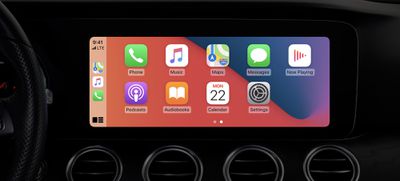
Adding to the list of issues facing iOS 15 and iPhone 13 users, a new, seemingly widespread bug is causing CarPlay to suddenly crash whenever a user attempts to play music, such as through Apple Music or third-party providers like Spotify.
carplay
Dozens of posts on Apple Support [1],[2],[3],[4],[5],[6], the MacRumors Forums [1],[2],[3],[4], and Twitter include users complaining that only on their new iPhone 13 does ‌CarPlay‌ not work correctly. According to users, attempting to play music from any ‌CarPlay‌ app causes the system to crash, but it works just fine when they try on older iPhones. As one MacRumors reader chronicles:

Updated my iPhone 11 to iOS 15, drove to store with no issues with Carplay. While there, I activated my new iPhone 13 mini (and disabled the 11) and now Carplay does not work. Trying to play any music causes it to crash and not come back. Unpaired and re-paired the phone, powered phone off and on a bunch of times, reset the stero/display, tried new cable, nothing works. Now I drive in silence, and it's miserable.

Other users report that the issue persists in either wired and wireless form. If Bluetooth does work, the active music app, such as Spotify, must stay on the screen and will stop playing if the user switches to another app. A user on the Apple Support forums explains:

I had an iPhone 12 with iOS 15, everything was working fine and dandy. I upgraded to iPhone 13 and now music does not play using CarPlay when I am using either Spotify or Apple Music. I have a 2018 Audi and I use lighting to connect to CarPlay. When I click on a song either using Spotify or Apple Music my CarPlay app shuts down. CarPlay works and does not shut down when I use Google maps or Apple podcasts. But as soon as I click on a song Apple CarPlay just shuts down.

Frustrated users have also taken to Twitter to voice their complaints, asking Apple Support for solutions, only to be referred to Apple Support articles that do little to amend the issue. Amid the lack of guidance from Apple Support, users have found that disabling EQ or the equalizer, specifically ensuring that the "Late Night" toggle is turned off within ‌Apple Music‌ settings, fixes the problem, while others have found that resetting all network settings on the iPhone also helps.

One reader of MacRumors claims that Apple Support informed them that this is a widespread issue and could be patched in an upcoming update. The ‌CarPlay‌ issue adds to a growing list of bugs in the initial release of iOS 15, including serious bugs that could cause users' photos to delete from their library, touch screen issues, and storage, ‌Apple Music‌, and widget problems.

Related Roundup: CarPlay

Popular Stories

iOS 26

iOS 26.4 Adds Two New Features to CarPlay

Tuesday March 24, 2026 1:55 pm PDT by
iOS 26.4 was released today, and it includes a couple of new features for CarPlay: an Ambient Music widget and support for voice-based chatbot apps. To update your iPhone 11 or newer to iOS 26.4, open the Settings app and tap on General → Software Update. CarPlay will automatically offer the new features so long as the iPhone connected to your vehicle is running iOS 26.4 or later....
AirPods Pro Firmware Feature

Apple Releases New Firmware for AirPods Pro 3, AirPods Pro 2 and AirPods 4

Tuesday March 24, 2026 12:31 pm PDT by
Apple today released new firmware for the AirPods Pro 2, AirPods Pro 3, and the AirPods 4. The firmware has a version number of 8B39, up from 8B34 on the AirPods Pro 3, 8B28 on the AirPods Pro 2, and 8B21 on the AirPods 4. There is no word on what's included in the firmware, but Apple has a support document with limited notes. Most updates are limited to bug fixes and performance...
apple tv 4k new orange

tvOS 26.4 Adds These New Features to Your Apple TV

Wednesday March 25, 2026 3:33 pm PDT by
Apple this week released tvOS 26.4, and the software update includes a handful of new features and changes for the Apple TV. tvOS 26.4 is compatible with all Apple TV 4K and Apple TV HD models released since 2015. To update your Apple TV, open the Settings app on the device, navigate to System → Software Updates, and select Update Software. Below, we have recapped what is new in tvOS...

Top Rated Comments

59 months ago
Every other day I wake up, we have another iOS bug. What has Craig Federighi and the iOS team was doing during the iOS 15 Beta period?
Do we need to bang their heads together or what?
Score: 35 Votes (Like | Disagree)
TGM85 Avatar
59 months ago
You're driving it wrong.
Score: 23 Votes (Like | Disagree)
59 months ago
Fast-forward five years when Apple has released their electric automobile and users run into software issues that prevent the car from driving and are told "refer to Apple Support articles ."
Score: 21 Votes (Like | Disagree)
59 months ago
Man smartworking really showed things cannot be done remotely.

iOS 15 has been released with missing features and the one not missing are bugged.
Score: 18 Votes (Like | Disagree)
Craiguyver Avatar
59 months ago
I thought you had to opt-in to get beta software.
Score: 15 Votes (Like | Disagree)
59 months ago
What in the wild world of sports is going on over there? Did anyone read the beta test feedback or whatever the procedure is? Is there a procedure?
Score: 14 Votes (Like | Disagree)