
Studio Display Outputs At 1440p Resolution When Connected to 4th-Gen iPad Air and iPad Mini 6 - MacRumors
Skip to Content

Studio Display Outputs At 1440p Resolution When Connected to 4th-Gen iPad Air and iPad Mini 6

Apple's new 5K Studio Display supports the 11-inch iPad Pro, the 12.9-inch iPad Pro (third-generation or later), and the new fifth-generation iPad Air, but it isn't officially compatible with the fourth-generation iPad Air or the new iPad mini because the USB-C ports on these devices can't achieve the required data throughput to output in the native resolution.
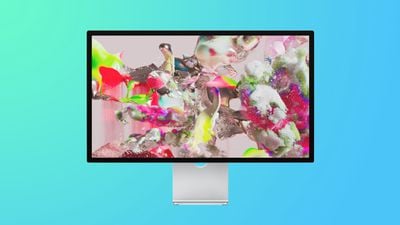
apple studio display blue

That has led some users to wonder what happens, if anything, when a fourth-generation iPad Air or iPad mini 6 is connected to the Studio Display. Apple has now confirmed to MacRumors that these two devices output to the 5K-capable display in a downscaled 1440p resolution. Suffice to say, other older, non-supported iPads with USB-C aren't capable of driving the Studio Display at 5K either.

Apple's new Studio Display is compatible with a range of Macs, according to Apple, including the following:

  • Mac Studio (2022)

  • 16-inch MacBook Pro (2019 or later)

  • 14-inch MacBook Pro (2021)

  • 13-inch MacBook Pro (2016 or later)

  • 15-inch MacBook Pro (2016 or later)

  • MacBook Air (2018 or later)
  • Mac mini (2018 or later)
  • Mac Pro (2019 or later)
  • 24-inch iMac (2021)
  • 27-inch iMac (2017 or later)
  • 21.5-inch iMac (2017 or later)
  • iMac Pro (2017)

Customers can order the Studio Display starting now through Apple's online store, with availability starting March 18, although delivery dates for both the new Mac Studio and its accompanying Studio Display have begun to slip well into April.

In the U.S., the Studio Display is priced at $1,599 with a tilt-adjustable stand and at $1,999 with a tilt- and height-adjustable stand. The monitor can also be configured with nano-texture glass and/or a VESA mount adapter.


Popular Stories

iOS 26

iOS 26.4 Adds Two New Features to CarPlay

Tuesday March 24, 2026 1:55 pm PDT by
iOS 26.4 was released today, and it includes a couple of new features for CarPlay: an Ambient Music widget and support for voice-based chatbot apps. To update your iPhone 11 or newer to iOS 26.4, open the Settings app and tap on General → Software Update. CarPlay will automatically offer the new features so long as the iPhone connected to your vehicle is running iOS 26.4 or later....
Apple Business hero

Apple Unveils 'Apple Business' All-in-One Platform

Tuesday March 24, 2026 8:53 am PDT by
Apple today announced Apple Business, a new all-in-one platform that unifies device management, productivity tools, and customer outreach features. The service is designed to be a consolidated replacement for several of Apple's existing business-focused offerings, including Apple Business Essentials, Apple Business Manager, and Apple Business Connect. It provides organizations with a single...
AirPods Pro Firmware Feature

Apple Releases New Firmware for AirPods Pro 3, AirPods Pro 2 and AirPods 4

Tuesday March 24, 2026 12:31 pm PDT by
Apple today released new firmware for the AirPods Pro 2, AirPods Pro 3, and the AirPods 4. The firmware has a version number of 8B39, up from 8B34 on the AirPods Pro 3, 8B28 on the AirPods Pro 2, and 8B21 on the AirPods 4. There is no word on what's included in the firmware, but Apple has a support document with limited notes. Most updates are limited to bug fixes and performance...

Top Rated Comments

Pakaku Avatar
53 months ago

Why does anyone hook a laptop to a bigger display? To get more screen RE and/or to get more done. There are those who use iPads as their computer. Even the biggest iPad Pro offers a relatively tiny screen. Hook one to a bigger screen much like linking a laptop for the same general purpose.
Hooking it up for more desktop real-estate is a good reason, yet last I checked, the iPad doesn't get any extra real-estate and just mirrors its screen. Not comparable to a laptop in the slightest.
Score: 8 Votes (Like | Disagree)
53 months ago

I would legitimately consider buying one with the stand to connect to my 2021 12.9 iPad Pro, but because the iPadOS only outputs a mirror image of the iPad display, it’s wasteful. I use my iPad Pro all day everyday and study quite a bit at home and would love the large screen size. I wonder, however, is it not more sensible to get a base iMac 24” at that point.
Technically iPadOS does support using a monitor as a second display, but it’s app to the apps themselves to support this so it only works with a handful of them (last time I checked)
Score: 4 Votes (Like | Disagree)
Sebosz Avatar
53 months ago
Why would anyone want to mirror iPadOS on Studio Display?
Score: 4 Votes (Like | Disagree)
HobeSoundDarryl Avatar
53 months ago

Why would anyone want to mirror iPadOS on Studio Display?
Why does anyone hook a laptop to a bigger display? To get more screen RE and/or to get more done. There are those who use iPads as their computer. Even the biggest iPad Pro offers a relatively tiny screen. Hook one to a bigger screen much like linking a laptop for the same general purpose.
Score: 3 Votes (Like | Disagree)
53 months ago
I really hope that Apple specifically mentioning iPad compatibility for the Studio Display is a harbinger of better external display support in iPadOS. But I feel like I've become Captain Ahab hunting the white whale on this - iPads have had the technical capability to use external displays for ages now, without any sign of better software support.

It's become like the iPad Pro people hoping for Final Cut Pro (and other Pro apps) on the iPad - it makes a certain amount of a sense, but is this actually Apple's vision for the iPad? Do they really envisage the iPad as a Viticci's modular computer ('https://www.macstories.net/stories/modular-computer/'), or do they still imagine it as a much simpler device?
Score: 3 Votes (Like | Disagree)
HobeSoundDarryl Avatar
53 months ago

as has been mentioned, there are ipad apps that support dual displays. like lumafusion for example.
and iMovie... and Keynote... and Netflix, etc. It seems there's a lot of pessimists about this topic that could learn a bunch of new iPad tricks by doing a few Internet searches. Mouse work? Yes. Keyboard? Yes. Apps able to scale to larger screens? Yes, some with inevitably more to follow. Some simple searches will reveal all.

And then there's stuff like this...

Score: 2 Votes (Like | Disagree)















