
Parallels Desktop for Mac Updated With Support for ProMotion Displays and M1 Ultra Chip

Parallels for Mac has announced Parallels Desktop 18, a new update that brings full support for the ProMotion displays in the 14-inch and 16-inch MacBook Pros, improved performance on the M1 Ultra chip, easier Windows 11 setup, and more.
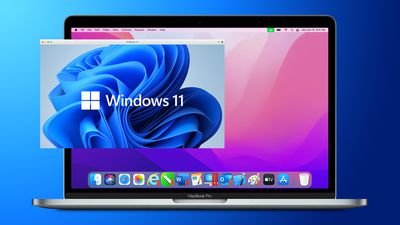
Windows 11 Parallels Feature Blue
Parallels Desktop 18 is designed to take full advantage of the latest Mac hardware, including the highest-end ‌M1 Ultra‌ Apple silicon chip. With the ‌M1 Ultra‌ in the Mac Studio, Parallels Desktop 18 "delivers up to 96% faster Windows 11" performance compared to previous versions of Parallels.

Full support for Apple's ProMotion display with automatic refresh rate changes and unleashed Apple M1 Ultra performance allowing users to assign more resources and get up to 96% faster Windows 11.

Parallels Desktop 18 also brings with it an improved Windows 11 installation experience and the ability to use a game controller on Windows 11 on the Mac.

Enhanced Windows game-play experience on a Mac: Users can now simply connect a game controller to their Mac, switch to Windows, and start playing. Enjoy smooth Windows UI and video playback, a higher frame rate, and much more.

Ahead of release later this fall, Parallels Desktop 18 includes support for new macOS Ventura features and functionalities. Additional new features include improved USB 3.0 support, improved compatibility of Intel (x86) applications, and more.


The Standard Edition of Parallels 18 for Mac is priced at $99.99 per year or $129.99 for a one-time perpetual license to the current version, with students eligible for a discounted price of $49.99 per year. The Pro Edition is priced at $119.99 per year, while the Business Edition is priced at $149.99 per year.


Popular Stories

Apple Logo Zoomed

Tim Cook Teases Plans for Apple's Upcoming 50th Anniversary

Thursday February 5, 2026 12:54 pm PST by
Apple turns 50 this year, and its CEO Tim Cook has promised to celebrate the milestone. The big day falls on April 1, 2026. "I've been unusually reflective lately about Apple because we have been working on what do we do to mark this moment," Cook told employees today, according to Bloomberg's Mark Gurman. "When you really stop and pause and think about the last 50 years, it makes your heart ...
wwdc sans text feature

Apple Rumored to Announce New Product on February 19

Thursday February 5, 2026 12:22 pm PST by
Apple plans to announce the iPhone 17e on Thursday, February 19, according to Macwelt, the German equivalent of Macworld. The report, citing industry sources, is available in English on Macworld. Apple announced the iPhone 16e on Wednesday, February 19 last year, so the iPhone 17e would be unveiled exactly one year later if this rumor is accurate. It is quite uncommon for Apple to unveil...
Finder Siri Feature

Why Apple's iOS 26.4 Siri Upgrade Will Be Bigger Than Originally Promised

Friday February 6, 2026 3:06 pm PST by
In the iOS 26.4 update that's coming this spring, Apple will introduce a new version of Siri that's going to overhaul how we interact with the personal assistant and what it's able to do. The iOS 26.4 version of Siri won't work like ChatGPT or Claude, but it will rely on large language models (LLMs) and has been updated from the ground up. Upgraded Architecture The next-generation...
iOS 26

iOS 26.3 and iOS 26.4 Will Add These New Features to Your iPhone

Tuesday February 3, 2026 7:47 am PST by
While the iOS 26.3 Release Candidate is now available ahead of a public release, the first iOS 26.4 beta is likely still at least a week away. Following beta testing, iOS 26.4 will likely be released to the general public in March or April. Below, we have recapped known or rumored iOS 26.3 and iOS 26.4 features so far. iOS 26.3 iPhone to Android Transfer Tool iOS 26.3 makes it easier...
maxresdefault

Apple Shows Off a Key Reason to Upgrade to the iPhone 17

Saturday February 7, 2026 9:26 am PST by
Apple today shared an ad that shows how the upgraded Center Stage front camera on the latest iPhones improves the process of taking a group selfie. "Watch how the new front facing camera on iPhone 17 Pro takes group selfies that automatically expand and rotate as more people come into frame," says Apple. While the ad is focused on the iPhone 17 Pro and iPhone 17 Pro Max, the regular iPhone...

Top Rated Comments

snnrman Avatar
46 months ago
I love Parallels business model. Whole year they did nothing with 17 version and now they give us 18 version with M1 Ultra support only for $99,99. For real? They couldn't just add M1 Ultra support in 17 version?
Score: 9 Votes (Like | Disagree)
steve62388 Avatar
46 months ago

price of the update has increased by 40%, I pass
Fusion is free for personal use.
Score: 8 Votes (Like | Disagree)
Larsvonhier Avatar
46 months ago

Can anyone who uses this software on m1 confirm if it can emulate standard x86 windoze? I need to run proprietary software that is windows only and it’s the reason I’m clinging to my Intel macbook for as long as I have.
The other way round: Windows on ARM emulates x86 instructions (just like Rosetta 2 does on macOS for Apple Silicon).
I have successfully run even complex commercial software like Altium Designer (ECAD) and simulation software for engineering tasks.
Score: 8 Votes (Like | Disagree)
tobybrut Avatar
46 months ago
It seems to work pretty well. I already had an insider preview edition of Windows 11 ARM installed on Parallels 17. Upgrading to 18 had no issues. I tried out the easy install for Windows 11 just to see how it worked. Surprisingly, it worked pretty well. It downloads a version that seems older than the Insider Preview (not sure if there's a public release version) but it installed nicely.

There was a point where I thought the install froze, but it didn't. It's at the part where Windows shows Getting Ready and there's a rotating circle of dots. The rotating circle freezes. I couldn't get it to continue, so I killed it and the whole install vanished.

I tried the install again and it froze at the same spot. But instead of killing it, I kept clicking to free up the mouse and then clicked back into the install window and the install resumed. Odd. Apparently if the mouse isn't in the installer, it freezes until you click back into it.

I used my Windows 10 code that I've had for a long time and it worked great. Just remember to select which version of Windows 11 to install before you tell the install to start. I forgot the first time and started installing Home when my key is for Pro. There's a popup window to let you select the version.

So far, it seems to run great. I'm going to try to install some x64 apps and see how well they run. TBC...
Score: 7 Votes (Like | Disagree)
JokoWidodo Avatar
46 months ago

Can anyone who uses this software on m1 confirm if it can emulate standard x86 windoze? I need to run proprietary software that is windows only and it’s the reason I’m clinging to my Intel macbook for as long as I have.
Yes, im actually surprised how well windows 11 ARM handles x86 (32 and 64 bit) emulation
Score: 5 Votes (Like | Disagree)
tobybrut Avatar
46 months ago

Would be nice but I doubt that is high on Apple’s priorities.
It's not really up to Apple, though. Microsoft has an exclusive contract with Qualcomm to use only their processors, so running ARM Windows on Mac isn't really licensed, which is why we have to settle for technological previews, instead of shipping OS'es. Once that agreement runs out, MS will be free to let Apple do a Boot Camp for ARM Windows. Federighi has said as much. Apple is ready to implement it, but they have to get the OK from Microsoft first.
Score: 4 Votes (Like | Disagree)















