
Apple Details What to Do If You Can't Update HomePod When Advanced Data Protection Is Enabled - MacRumors
Skip to Content

Apple Details What to Do If You Can't Update HomePod When Advanced Data Protection Is Enabled

Apple has published a new support document explaining what to do if users are unable to set up or update a HomePod when Advanced Data Protection for iCloud is enabled.
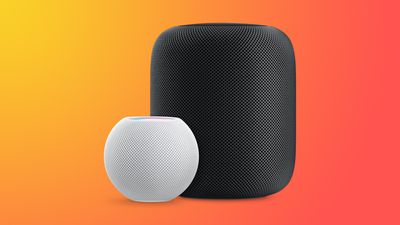
HomePodandMini feature orange
To use Advanced Data Protection for iCloud, all the devices logged into your Apple ID require a minimum software version. That includes HomePod speakers, which must be running at least HomePod software 16.2.

However, according to Bloomberg's Mark Gurman, there is a bug in the Home app that prevents HomePods running older versions of the software from being updated if iCloud end-to-end encryption has been turned on.

This means anyone buying a HomePod that ships with an OS older than 16.2 won't be able to set it up, because doing so first requires an update.

Apple's support document explains what options are available to customers facing this predicament. If the speaker in question is a HomePod mini, users can connect it to a Mac via the USB-C cable and update it through Finder (or iTunes on a PC) by selecting the HomePod in the Finder sidebar and clicking the Restore HomePod option. This will update the speaker to the latest software, after which it can be properly set up.

The full-size first-generation HomePod and the new 2023 HomePod have no USB-C port, so unless Apple includes a fix in iOS 16.3, which is expected to be released next week, owners of these speakers will have to temporarily turn off Advanced Data Protection to update the HomePod software. Apple outlines how to do that in the following way:

  1. Turn off Advanced Data Protection in iCloud settings on your iPhone, iPad, or Mac: In Settings or System Settings, tap your name, then tap iCloud. Scroll to Advanced Data Protection and turn off Advanced Data Protection.
  2. If you received an error message when you previously tried to set up your HomePod, you may need to reset your HomePod. Then set up your HomePod.
  3. Update your HomePod to the latest software using the Home app.
  4. Turn on Advanced Data Protection in iCloud settings on your iPhone, iPad, or Mac: In Settings or System Settings, tap your name, then tap iCloud. Scroll to Advanced Data Protection and turn on Advanced Data Protection.

Apple advises anyone who temporarily turns off Advanced Data Protection to turn it back on immediately after their HomePod software is updated.


Related Roundups: HomePod, HomePod mini

Popular Stories

iCloud General Feature Redux

Apple Faces £3 Billion UK Trial Over iCloud Lock-In Claims

Thursday May 7, 2026 1:56 pm PDT by
Apple was not able to narrow the scope of a UK lawsuit accusing it of locking 40 million UK consumers into iCloud, to the detriment of third-party cloud storage providers. British consumer group Which? first filed the lawsuit in late 2024, and is asking for £3 billion for UK Apple customers. Apple wanted to exclude non-paying iCloud users from the lawsuit, but the tribunal denied Apple's...
Apple Event Logo

Apple's Next Era Begins September 1

Thursday May 7, 2026 10:36 am PDT by
Apple recently announced that Tim Cook will be stepping down as CEO later this year, after 15 years of leading the company. Effective September 1, Apple's hardware engineering chief John Ternus will become the company's next CEO, while Cook will become executive chairman of Apple's board of directors. In his new role, Apple said Cook will assist with "certain aspects" of the company,...
Four iPhone 18 Pro Colors Mock Feature

iPhone 18 Pro Launching in September With These 10 New Features

Saturday May 9, 2026 6:03 am PDT by
While the iPhone 18 Pro and iPhone 18 Pro Max are not launching until September, there are already plenty of rumors about the devices. It was initially reported that the iPhone 18 Pro models would have fully under-screen Face ID, with only a front camera visible in the top-left corner of the screen. However, the latest rumors indicate that only one Face ID component will be moved under the...

Top Rated Comments

cashville2400 Avatar
43 months ago
This is ridiculously embarrassing! I miss the old Apple.
Score: 16 Votes (Like | Disagree)
contacos Avatar
43 months ago
It just works …

if you research. That value preposition of Apple is long gone unfortunately
Score: 15 Votes (Like | Disagree)
43 months ago

The full-size first-generation HomePod and the new 2023 HomePod have no USB-C port
Why don’t they just standardize on USB-C?

The product lineup is becoming too fragmented.
Score: 13 Votes (Like | Disagree)
43 months ago
Oops. But I'm not surprised. This is the new Apple.
Score: 12 Votes (Like | Disagree)
MacWiz_007 Avatar
43 months ago
Here's what I'll do, I won't buy a HomePod...for the second time around.
Score: 7 Votes (Like | Disagree)
Menel Avatar
43 months ago

It just works …

if you research. That value preposition of Apple is long gone unfortunately
It's an optional security layer.
The more security layers you heap on, the more issues you're going to have, in general.
Score: 6 Votes (Like | Disagree)













