

Apple today released the iOS 16.4, iPadOS 16.4, macOS Ventura 13.3, watchOS 9.4, and tvOS 16.4 updates to developers after a three week wait for new beta content. The software adds a number of new features, ranging from fresh emoji characters to web push notifications on iOS devices.
New Emoji Characters
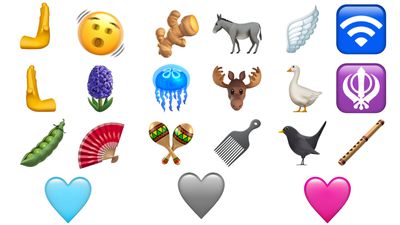
iOS 16.4 and its sister updates include new Unicode 15 emoji characters that were first approved in September 2022. The new emoji options include shaking head, pink heart, blue heart, gray heart, donkey, moose, black bird, goose, wing, jellyfish, hyacinth, pea pod, ginger, fan, comb, flute, maracas, and a number of left and right facing hand options.
Safari Web Push Notifications on iPhone and iPad
Websites that are added to the Home Screen on an iPhone or iPad as a web app can send Web Push notifications in iOS 16.4/iPadOS 16.4, just like on the Mac.
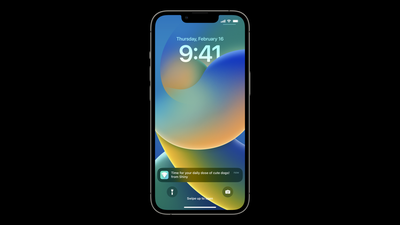
This is a feature that Apple first announced at WWDC with the introduction of iOS 16, and it is now ready to start rolling out. Web apps added to a user's home screen can request permission to receive push notifications through a "subscribe" button or another similar direct interaction.
As on the Mac, the iPhone or iPad will prompt the user to give the web app permission to send notifications, and the notifications can be managed on a per web app basis in the Notifications section of the Settings app. Notifications from web apps work exactly like notifications from other apps, showing up on the Lock Screen, in Notification Center, and on a paired Apple Watch.
Note that to receive push notifications for a website, you will need to add it to the Home Screen. Web developers also must implement support for this feature, so it may not be working on iOS 16.4 and iPadOS 16.4 right away.
Focus Support for Web Push Notifications
Notifications for Home Screen web apps can be incorporated into Focus, so they can be rolled into Daily Summaries and there are options for configuring where and how to receive the web notifications.
Users who add the same web app to their Home Screen on more than one iPhone or iPad will see Focus mode automatically apply to all of them.
Badges for Home Screen Web Apps
Web apps added to the Home Screen can display badges to make users aware of alerts and notifications, similar to badges for regular apps. Badges are shown after a user gives permission to allow notifications, with web apps displaying the current badge count.
Add to Home Screen for Third-Party Browsers
Third-party browsers like Chrome can now let users add websites and web apps to the Home Screen from the Share menu.
Beta Opt-In Changes
With the iOS 16.4 and iPadOS 16.4 betas, those who are enrolled in Apple's developer program are able to turn on developer betas directly from the Software Update section in the Settings app.
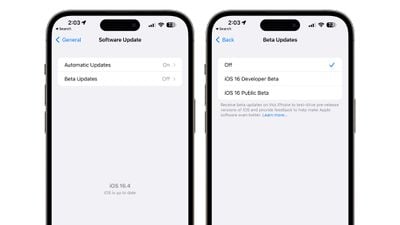
This will eliminate the need to install a profile from the Developer Center in order to get developer betas, simplifying the beta downloading process. There is also an option for public beta testers as well who want to install updates with less hassle.
Note that this will put an end to the public sharing of developer beta profiles as installing a developer beta will require each person to be signed into an Apple ID linked to a developer account.
HomeKit Architecture Upgrade
iOS 16.4, iPadOS 16.4, and macOS Ventura 13.3 reintroduce the HomeKit architecture update that was pulled from iOS 16.2 due to a wide range of HomeKit bugs that it added.
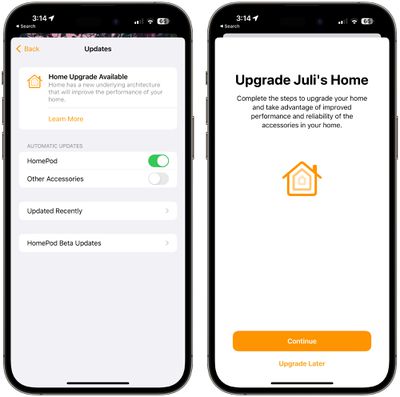
In the Software Update section of the Home app, iPhone and iPad users who have not yet upgraded to the new architecture are seeing a "Home Upgrade Available" option after updating to iOS 16.4.
The new HomeKit architecture is meant to improve the reliability and efficiency of communication between smart home accessories and Apple devices.
The initial launch caused some HomeKit devices to go missing from HomeKit setups or to be stuck with a "configuring/updating" status. It also resulted in invitations to share the Home with others failing, and it broke HomeKit Secure video recording for some.
Podcasts
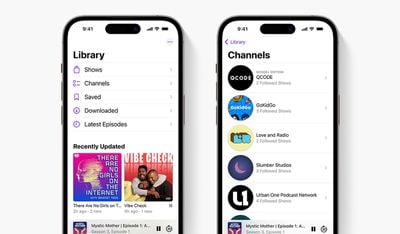
Apple made several updates to the Podcasts app. Channels access is available in the Library section, and Up Next now lets you resume episodes, start saved episodes, and remove episodes you want to skip.
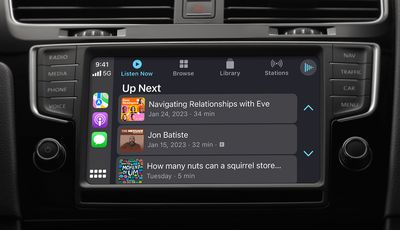
For CarPlay, there's now an option to pick up where you left off on a podcast with Up Next, or find new podcast options in Browse.
Apple Music App Profile
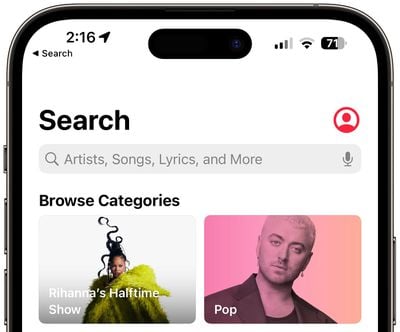
There's now a prominent button for accessing your profile in the Apple Music app, which makes it easier to get to profile settings.
AppleCare Coverage Overview
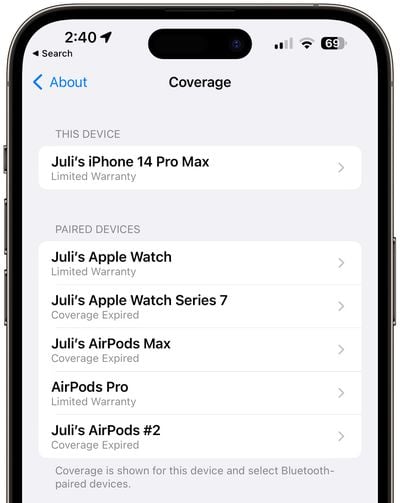
In the Settings app, there's now an updated "Coverage" interface that shows you the warranty information of your iPhone and connected devices like Apple Watches and AirPods.
Shortcuts
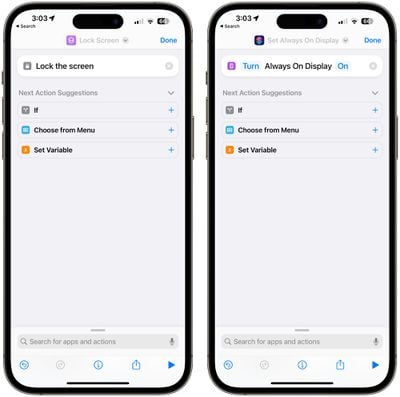
There are options in Shortcuts for creating workflows that lock a device's screen and control the always-on display, plus there is an option to automatically enable or disable Stage Manager on the iPad. Apple has also added an option to have Siri announce Notifications as an action that can be incorporated into a Shortcut.
Content Previews for Mastodon in Messages
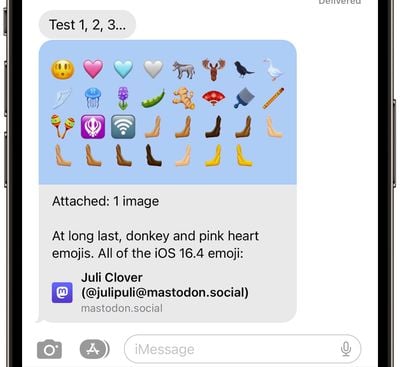
When you send a link to a Mastodon post to someone in the Messages app, it now displays a preview of the content that was shared rather than simply a link with an image.
5G for Turkey
5G support has been enabled in Turkey with iOS 16.4.
Tips User Guides
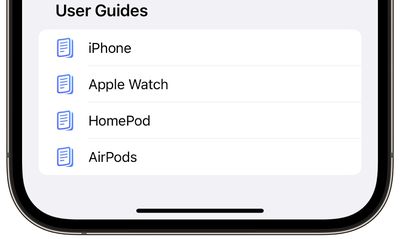
The Tips app now displays user guides for the iPhone and other devices that you might use with an iPhone, including Apple Watch, AirPods, and HomePod. In previous versions of iOS, the Tips app only offered up the iPhone User Guide.
Focus Mode
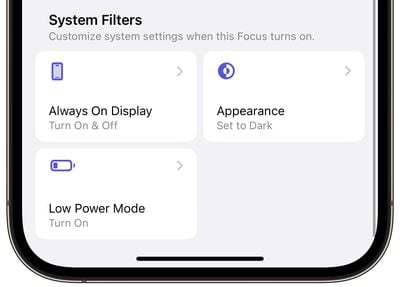
There's an always-on display filter that can be enabled for a Focus mode.
5G Standalone Support for T-Mobile
5G iPhone owners who use T-Mobile can turn on a new 5G option that allows them to connect to the carrier's 5G Standalone network.
As 9to5Mac points out, the 5G Standalone network from T-Mobile launched last November and is expected to allow for connection speeds up to 3Gb/s on Samsung smartphones. T-Mobile could soon expand the faster connectivity option to other devices like the iPhone.
More Granular Timing on Satellite Availability for Emergency SOS
For the Emergency SOS via Satellite feature, Apple will now inform users of when the next satellite will be passing by in more detail. Apple used to provide an "Available Soon" and Available in X amount of time options for the feature, but now will give specific hour and minute timelines.
- Next Satellite Available in [x]Hour(s) and [x]Minute(s)
- Next Satellite Available in [x]Hour(s)
- Next Satellite Available in [x]Minute(s)
- Next Satellite Available in Less Than 1 Minute
Apple Card High-Yield Savings Account
The iOS 16.4 update lays the groundwork for the high-yield savings account for Apple Card owners, which Apple announced back in October. Code in iOS 16.4 has references to routing and account numbers, current balance, interest earned, data management, funds available for withdrawal, and more.
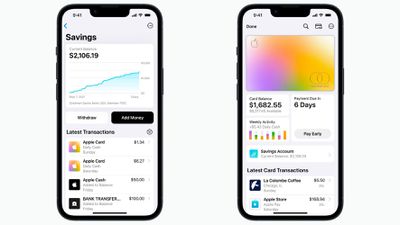
Apple will encourage customers to sign up for a savings account by providing a message that says "Transfer your Apple Cash balance to your savings account and start earning interest today" and "You can transfer up to [amount] from Apple Cash to your savings account in a single transaction and start earning interest today.
As with the Apple Card, the high-yield savings account will be offered through Goldman Sachs. Apple Card owners will be able to opt-in to having their Daily Cash deposited automatically so that it can earn interest. The savings account could be introduced alongside iOS 16.4, but it is not yet available in the Wallet app.
Launch Date
iOS 16.4, iPadOS 16.4, and macOS Ventura 13.3 will be released in the spring, according to Apple. Spring begins on March 20 and lasts through June 20.




















