Apple Seeds Updated Third Beta of macOS 14 Sonoma to Developers

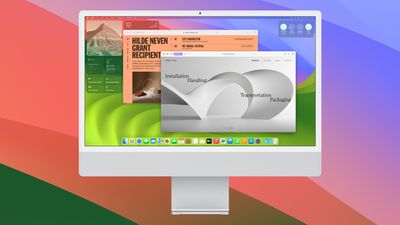
Apple today seeded an updated version of the third beta macOS 14 Sonoma to developers for testing purposes. The beta comes one week after the launch of the initial third beta.
macos sonoma 4
Registered developers can download the beta through the Apple Developer Center and after the appropriate profile is installed, with the betas available through the Software Update mechanism in System Settings.

It is not clear why Apple is releasing a second version of the third macOS Sonoma beta, but it could be in preparation for a public beta. Apple said that it planned to release a public beta of macOS Sonoma in July.

Related Forum: macOS Sonoma

Popular Stories

Apple Logo Zoomed

Tim Cook Teases Plans for Apple's Upcoming 50th Anniversary

Thursday February 5, 2026 12:54 pm PST by
Apple turns 50 this year, and its CEO Tim Cook has promised to celebrate the milestone. The big day falls on April 1, 2026. "I've been unusually reflective lately about Apple because we have been working on what do we do to mark this moment," Cook told employees today, according to Bloomberg's Mark Gurman. "When you really stop and pause and think about the last 50 years, it makes your heart ...
wwdc sans text feature

Apple Rumored to Announce New Product on February 19

Thursday February 5, 2026 12:22 pm PST by
Apple plans to announce the iPhone 17e on Thursday, February 19, according to Macwelt, the German equivalent of Macworld. The report, citing industry sources, is available in English on Macworld. Apple announced the iPhone 16e on Wednesday, February 19 last year, so the iPhone 17e would be unveiled exactly one year later if this rumor is accurate. It is quite uncommon for Apple to unveil...
Finder Siri Feature

Why Apple's iOS 26.4 Siri Upgrade Will Be Bigger Than Originally Promised

Friday February 6, 2026 3:06 pm PST by
In the iOS 26.4 update that's coming this spring, Apple will introduce a new version of Siri that's going to overhaul how we interact with the personal assistant and what it's able to do. The iOS 26.4 version of Siri won't work like ChatGPT or Claude, but it will rely on large language models (LLMs) and has been updated from the ground up. Upgraded Architecture The next-generation...
iOS 26

iOS 26.3 and iOS 26.4 Will Add These New Features to Your iPhone

Tuesday February 3, 2026 7:47 am PST by
While the iOS 26.3 Release Candidate is now available ahead of a public release, the first iOS 26.4 beta is likely still at least a week away. Following beta testing, iOS 26.4 will likely be released to the general public in March or April. Below, we have recapped known or rumored iOS 26.3 and iOS 26.4 features so far. iOS 26.3 iPhone to Android Transfer Tool iOS 26.3 makes it easier...
maxresdefault

Apple Shows Off a Key Reason to Upgrade to the iPhone 17

Saturday February 7, 2026 9:26 am PST by
Apple today shared an ad that shows how the upgraded Center Stage front camera on the latest iPhones improves the process of taking a group selfie. "Watch how the new front facing camera on iPhone 17 Pro takes group selfies that automatically expand and rotate as more people come into frame," says Apple. While the ad is focused on the iPhone 17 Pro and iPhone 17 Pro Max, the regular iPhone...

Top Rated Comments

Realityck Avatar
34 months ago
Comparison of original DB3 and this 2nd DB3 release (nothing changed aside from build from these 3 parameters)

macOS 14 beta 3 (23A5286i)

* Safari Version 17.0 (19616.1.20.11.3)
* System Firmware Version: 10151.0.172.0.3 (M1 based Macs)
* Darwin Kernel Version 23.0.0: Fri Jun 30 17:48:23 PDT 2023; root:xnu-10002.0.168.505.3~1/RELEASE_ARM64_T8103 arm64

macOS 14 beta 3 (23A5286g)

* Safari Version 17.0 (19616.1.20.11.3)
* System Firmware Version: 10151.0.172.0.3 (M1 based Macs)
* Darwin Kernel Version 23.0.0: Fri Jun 30 17:48:23 PDT 2023; root:xnu-10002.0.168.505.3~1/RELEASE_ARM64_T8103 arm64

So aside from security patch incorporated looks like a prelude to PB.
Score: 3 Votes (Like | Disagree)
Realityck Avatar
34 months ago

I'm suspecting with only surface features, this might launch earlier this fall than past releases, which could suggest M3 iMac is close by.
You need to use MacOS 14 before trying to spin that rumor. :D
Score: 3 Votes (Like | Disagree)
patearrings Avatar
34 months ago
I'm assuming this just containts the RSR from yesterday.
Score: 3 Votes (Like | Disagree)
applepotato666 Avatar
34 months ago

Guys, is it snappier than Ventura?
There's something very weird going on in the background - M1 MacBook Pro I'm testing on is HOT all the time and the battery drains 100 to 0 in about an hour which is insane for it. Restarts don't fix it and Activity Monitor shows kernel_task taking many thousands CPU% constantly. Which makes it very laggy. This has been on all betas of this version. Could be a rare thing affecting me, but I don't think it's stable if that's happening.
Score: 2 Votes (Like | Disagree)
Motawa Avatar
34 months ago
only got iOS beta 3 (again)
Score: 2 Votes (Like | Disagree)
Realityck Avatar
34 months ago

There's something very weird going on in the background - M1 MacBook Pro I'm testing on is HOT all the time and the battery drains 100 to 0 in about an hour which is insane for it. Restarts don't fix it and Activity Monitor shows kernel_task taking many thousands CPU% constantly. Which makes it very laggy. This has been on all betas of this version. Could be a rare thing affecting me, but I don't think it's stable if that's happening.
Have you booted up in safe mode?

[HEADING=1]Start up your Mac with Apple silicon in safe mode[/HEADING]
[LIST=1]
* On your Mac, choose Apple menu > Shut Down.
Wait for your Mac to shut down completely. A Mac is completely shut down when the screen is black and any lights (including in the Touch Bar) are off.
* Press and hold the power button on your Mac until “Loading startup options” appears.
* Select a volume.
* Press and hold the Shift key, then click Continue in Safe Mode.
The computer restarts automatically. When the login window appears, you should see “Safe Boot” in the menu bar.

I don't like that the laptop is running hot all the time. Sounds like some kind of hardware failure more than software. have you also ran diagnostics? If backed up you can also take this to the Apple store and have a DFU restore done to it.

[HEADING=2]Apple silicon[/HEADING]
[LIST=1]
* Press and hold the power button on your Mac. (Every Mac has a power button. On laptop computers that have Touch ID, press and hold Touch ID.)
* As you continue to hold the power button, your Mac turns on and loads startup options ('https://support.apple.com/kb/HT211873'). When you see Options, release the power button.
* Press and hold Command (⌘)-D on your keyboard.
Score: 2 Votes (Like | Disagree)

















