
Apple Vision Pro Onboarding Videos Unearthed in visionOS Beta 6 - MacRumors
Skip to Content

Apple Vision Pro Onboarding Videos Unearthed in visionOS Beta 6

Apple on Tuesday seeded a sixth beta of visionOS, the software designed to run on the Vision Pro headset, and it includes two new tutorial videos shown to the user during the setup process.
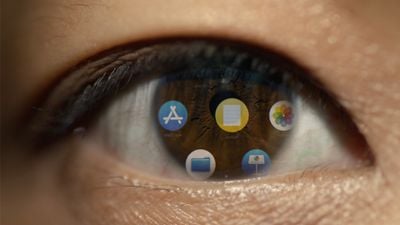
apple vision pro eye
The first 36-second onboarding video, shared by @M1Astra, is called "Input Training" and demonstrates how the user interacts with visionOS by looking at UI elements and selecting them using a double-tap gesture. The narrator says the following:

Your eyes and hands are how you navigate Apple Vision Pro. You browse the system by looking, and it responds to your eyes. Simply look at an element and tap your fingers together to select it. It's like a click on your Mac. To scroll, pinch your fingers together, and gently flick. You can keep your hands where they're comfortable, such as resting on your lap.


With the Apple Vision Pro headset, the built-in cameras create a customized "Persona" that resembles the user, and this Persona is used in video chat apps like FaceTime. In a second, 50-second video also shared by @M1Astra, "Persona Enrollment," Apple demonstrates how Personas are set up by using the EyeSight display to guide the user:

To set up your Persona, you'll remove Apple Vision Pro to capture your appearance. Take your time getting ready, and ensure nothing is covering your face. To start capturing, hold Apple Vision Pro at eye level. Keep your arms and shoulders relaxed. Then, follow the instructions.

Turn your head to the right, to the left, and tilt up, and down. Then you'll capture your facial expressions. Smile with your mouth closed, smile showing your teeth, raise your eyebrows, and close your eyes. When you're done, put Apple Vision Pro back on to see your Persona.


As we previously reported, the 3D capture process requires users to remove anything that covers the face, such as glasses. There does not appear to be any kind of secondary scanning mechanism to separately capture a user's glasses, and instead, Apple will allow users to "Select Eyewear" from a variety of options.

Personas are one aspect of ‌visionOS‌ that Apple is working on perfecting before the launch of the Vision Pro headset. In September, Apple began surveying developers who have the Vision Pro about their Personas, soliciting opinions on facial expressions, appearance matching, and more.

The Vision Pro headset is set to launch in early 2024 in the United States, and it will be priced at $3,500. The headset will likely be released in the UK and Canada later the same year.


Related Roundup: Apple Vision Pro
Buyer's Guide: Vision Pro (Buy Now)
Related Forum: Apple Vision Pro

Popular Stories

iOS 26

iOS 26.4 Adds Two New Features to CarPlay

Tuesday March 24, 2026 1:55 pm PDT by
iOS 26.4 was released today, and it includes a couple of new features for CarPlay: an Ambient Music widget and support for voice-based chatbot apps. To update your iPhone 11 or newer to iOS 26.4, open the Settings app and tap on General → Software Update. CarPlay will automatically offer the new features so long as the iPhone connected to your vehicle is running iOS 26.4 or later....
Apple Business hero

Apple Unveils 'Apple Business' All-in-One Platform

Tuesday March 24, 2026 8:53 am PDT by
Apple today announced Apple Business, a new all-in-one platform that unifies device management, productivity tools, and customer outreach features. The service is designed to be a consolidated replacement for several of Apple's existing business-focused offerings, including Apple Business Essentials, Apple Business Manager, and Apple Business Connect. It provides organizations with a single...
AirPods Pro Firmware Feature

Apple Releases New Firmware for AirPods Pro 3, AirPods Pro 2 and AirPods 4

Tuesday March 24, 2026 12:31 pm PDT by
Apple today released new firmware for the AirPods Pro 2, AirPods Pro 3, and the AirPods 4. The firmware has a version number of 8B39, up from 8B34 on the AirPods Pro 3, 8B28 on the AirPods Pro 2, and 8B21 on the AirPods 4. There is no word on what's included in the firmware, but Apple has a support document with limited notes. Most updates are limited to bug fixes and performance...

Top Rated Comments

HobeSoundDarryl Avatar
31 months ago

These tutorials feel… weird? I don’t know how to explain it, it just gives me an odd feeling.
Probably what that first guy said when handed a cellular phone and told to roam around the area to make and take calls. Where's the cord? But where do I put in the quarter? There's no way this big hunk of tech is every going to be popular with the masses. Solution in search of a problem. If I want to make phone calls, I'll use the phones I already have... or a pay phone on every corner when out and about.

Probably what the first guy said when he sat down at a PC. Where's the room full of hardware? Where's do the punch cards go into this thing?

Probably what most said when they took their first flight. Cars, trains & boats get me to my destinations just fine. If God wanted man to fly...

Probably what many people said when they encountered that first automobile. How do you hook the horses to this thing? Where's the reigns? Wait, you want me to pour highly flammable liquid into this area right in front of where me and the family sit and then this- what do you call it- 'engine' is going to trigger explosions over and over to make it go? I've seen explosions sonny...

Imagine all of the people in their first exposure to a keyboard: "ummmm, this is 'merica... and in these parts, the alphabet starts with A, not Q. How is anyone supposed to find the right letter when they're all mixed up like this? At least you got the numbers mostly right... except zero comes before 1, not after 9. The funny thing is, over here on the keypad to the right, the zero is below the 1 instead of above the 9. So they got it right in one place and wrong in another. Must be some kind of metric keyboard.

Probably what many thought of the first lightbulb. So where does the kerosene go in this thing? How does the match get inside this chamber to light that little wick? My candles and lanterns work perfectly fine and don't require a monthly subscription to this electricity nonsense.

All "brand new" anything triggers "odd feelings." Fear of change is as old as mankind. It's perhaps the most normal feeling humans can feel short of the fundamentals: hunger, fear, lust, greed, anger, love, etc.

This thing is new and very different from the Apple tech we know. We should feel "odd" about it. We just had months of people quite familiar with USB-C on their other Apple devices ranting, raving, freaking, etc about USB-C replacing Lightning in iPhone. I can't even count how many posts I read with the words lint magnet, wobbly, broken tongues, etc in them. And then Apple actually launched it and that whole wall a trepidation seemed to evaporate.

And there's still some lint. And we're not tripping over all of the broken tongues everywhere. And a massive industry of USB-C repair shops hasn't popped up to handle all of the anticipated wobbly/broken port repairs.
Score: 12 Votes (Like | Disagree)
31 months ago

I know its first gen and everything but I was hoping for something more than 'floating iPad windows strapped to your face. With proper AR I want the room around me to become the interface, like every surface becomes an infinite whiteboard and monitor and I can pin things to physical spaces, eg my shopping list is just naturally floating on my fridge for me to add to. That would be proper spatial computing because it uses actual space.
You're not gonna walk to your fridge every time to read your shopping list though? That eliminates the entire advantage the digital world has over the physical world.

And even if you're in your kitchen you need to wear the Vision Pro, the only benefit over physical notes here is that you could have photos and interactive content — but that's hardly necessary for a shopping list.
Score: 12 Votes (Like | Disagree)
vegetassj4 Avatar
31 months ago
Meanwhile, actual people Air Typing / gesturing will look like this:


Attachment Image
Score: 11 Votes (Like | Disagree)
31 months ago
I know its first gen and everything but I was hoping for something more than 'floating iPad windows strapped to your face. With proper AR I want the room around me to become the interface, like every surface becomes an infinite whiteboard and monitor and I can pin things to physical spaces, eg my shopping list is just naturally floating on my fridge for me to add to. That would be proper spatial computing because it uses actual space.
Score: 10 Votes (Like | Disagree)
jonnysods Avatar
31 months ago
Wow, this device is going to be pretty amazing. May take a few generations to iron out the bugs and drop some prices for it to get anywhere near a level I could buy one for. As an entertainment device, or gigantic external monitor, it's slightly compelling.
Score: 10 Votes (Like | Disagree)
XboxEvolved Avatar
31 months ago
I like how the person that they use on the videos looks incredibly smug and looks like they are someone that would smugly let you know that they are one of the first people to experience the “spatial-computing(tm) revolution” while they are looking at you with creepy dead fake eyes while wearing their stupid VR space goggles.
Score: 9 Votes (Like | Disagree)















