Gurman: iPhone 16's Capture Button Will Be Used for Taking Video

MacRumors has shared multiple details on the iPhone 16's design, including the unveiling of a new button that is planned for the devices, the Capture Button. While we've known the name and location of the button, the internal information that we've obtained does not detail what it will be used for.
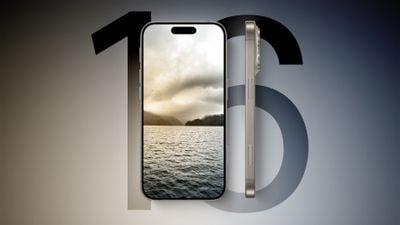
iPhone 16 Side Feature
According to Bloomberg's Mark Gurman, the Capture Button will be able to record video. In this week's Power On newsletter, Gurman says that the iPhone 16 models will include a "new dedicated button for taking video." The Capture Button's function is, of course, hinted at in the name, but this is the first time we've heard confirmation of its purpose.

As we explained in a recent look at early iPhone 16 prototypes, the Capture Button will be located on the bottom right side of the ‌iPhone 16‌. It will replace the mmWave antenna on U.S. iPhone models, with the mmWave antenna to be relocated to the left side of the device below the volume and Action buttons. Non-U.S. models do not have a mmWave antenna that needs to be relocated in order to accommodate the Capture Button.

The Capture Button will be a capacitive button with haptic feedback rather than a mechanical button, and it is expected to include a force sensor that can recognize pressure. The location of the button may make it easy to trigger, but if it is activated via pressure, it could be that holding it down will launch into the camera and allow video recording to start. The different pressure levels could also open up the camera for either a photo or a video (specifically a spatial video), but that's just speculation at this point.

The Capture Button is coming to all four ‌iPhone 16‌ models, and with spatial video and the Vision Pro headset, it makes sense for Apple to make video recording quicker and more accessible. The Vision Pro headset can play 3D spatial videos that can be recorded with the ‌iPhone‌.

Right now, the ‌iPhone‌ 15 Pro and ‌iPhone‌ 15 Pro Max can record spatial video using the Wide and Ultra Wide cameras in tandem, with this functionality added in iOS 17.2. The standard ‌iPhone 16‌ models will feature a new vertical lens arrangement that will allow them to capture spatial video as well, so the feature won't be limited to the Pro models in the future. Spatial video can only be viewed on the Vision Pro headset, and it is meant to make users feel immersed in their memories.

For more on what's expected for the ‌iPhone 16‌ lineup, we have dedicated iPhone 16 and iPhone 16 Pro roundups that aggregate all of the rumors we've heard to date.


Related Roundup: iPhone 16
Related Forum: iPhone

Popular Stories

maxresdefault

Apple Shows Off a Key Reason to Upgrade to the iPhone 17

Saturday February 7, 2026 9:26 am PST by
Apple today shared an ad that shows how the upgraded Center Stage front camera on the latest iPhones improves the process of taking a group selfie. "Watch how the new front facing camera on iPhone 17 Pro takes group selfies that automatically expand and rotate as more people come into frame," says Apple. While the ad is focused on the iPhone 17 Pro and iPhone 17 Pro Max, the regular iPhone...
wwdc sans text feature

Apple Rumored to Announce New Product on February 19

Thursday February 5, 2026 12:22 pm PST by
Apple plans to announce the iPhone 17e on Thursday, February 19, according to Macwelt, the German equivalent of Macworld. The report, citing industry sources, is available in English on Macworld. Apple announced the iPhone 16e on Wednesday, February 19 last year, so the iPhone 17e would be unveiled exactly one year later if this rumor is accurate. It is quite uncommon for Apple to unveil...
Apple Logo Zoomed

Tim Cook Teases Plans for Apple's Upcoming 50th Anniversary

Thursday February 5, 2026 12:54 pm PST by
Apple turns 50 this year, and its CEO Tim Cook has promised to celebrate the milestone. The big day falls on April 1, 2026. "I've been unusually reflective lately about Apple because we have been working on what do we do to mark this moment," Cook told employees today, according to Bloomberg's Mark Gurman. "When you really stop and pause and think about the last 50 years, it makes your heart ...
Finder Siri Feature

Why Apple's iOS 26.4 Siri Upgrade Will Be Bigger Than Originally Promised

Friday February 6, 2026 3:06 pm PST by
In the iOS 26.4 update that's coming this spring, Apple will introduce a new version of Siri that's going to overhaul how we interact with the personal assistant and what it's able to do. The iOS 26.4 version of Siri won't work like ChatGPT or Claude, but it will rely on large language models (LLMs) and has been updated from the ground up. Upgraded Architecture The next-generation...
iOS 26

iOS 26.3 and iOS 26.4 Will Add These New Features to Your iPhone

Tuesday February 3, 2026 7:47 am PST by
While the iOS 26.3 Release Candidate is now available ahead of a public release, the first iOS 26.4 beta is likely still at least a week away. Following beta testing, iOS 26.4 will likely be released to the general public in March or April. Below, we have recapped known or rumored iOS 26.3 and iOS 26.4 features so far. iOS 26.3 iPhone to Android Transfer Tool iOS 26.3 makes it easier...

Top Rated Comments

Nimoy Avatar
28 months ago
Is the current state for starting a video so cumbersome that they need to build a new physical button to make it easier? I can understand the idea of making two assignable quick-action buttons, but a dedicated video button seems a bit strange.
Score: 22 Votes (Like | Disagree)
brofkand Avatar
28 months ago
When they run out of ideas, they make new colors and add useless features like more buttons.

For those following along at home, these things are your cue to skip the generation.
Score: 18 Votes (Like | Disagree)
surfzen21 Avatar
28 months ago
Seems like a good deal of re-engineering to accomplish very little and probably very very low on anyone's Apple iPhone want list.
Score: 16 Votes (Like | Disagree)
Bearxor Avatar
28 months ago
*Looks at the way I’m holding my phone while reading this*

Oh boy….
Score: 11 Votes (Like | Disagree)
HobeSoundDarryl Avatar
28 months ago
A quicker "record video" option seems like a good thing to me. Conceptually, this is ONE step instead of up to a few to start capturing video.

But how about either:

* Showing an info screen to teach people that shooting video with phone in landscape means future playback that fills their TV screen instead of being a tall, thin strip of video in the middle and huge black bars to the left & right? OR
* Advance the camera capture so that one can hold the phone vertical but shoot landscape anyway... and then crop it "skinny" if that's the desired end goal by the user? If someone actually likes all of their video shot tall & skinny, default the playback that way when they are watching with phone in portrait (an "auto crop" for playback if you will).

There seems to be no amount of oral education about this topic that can move those listening to change the well-established habit of holding the phone vertical to shoot video. So, either make a little phone effort to re-educate everyone or make the phone capture landscape when camera is held portrait so that later- when the person who shot it that way is wanting it to "fill my TV screen"- one does not have to explain yet again that they must rotate their phone when capturing the video.

Does vertical skinny have a place in rendered videos? Sure, there are some applications where it works nicely. But I bet the vast majority of video capturing people would prefer landscape default if they could only know- and then recall when they want to capture new video- to rotate that phone... or have it go ahead and capture the left & right extra when they shoot in portrait so that they can see much more when they play back on any wider screen in the future.
Score: 9 Votes (Like | Disagree)
sviato Avatar
28 months ago
More buttons? Seems backwards. I haven’t seen people complain about accessing primary camera functions, is there an issue?
Score: 9 Votes (Like | Disagree)