Apple Seeds Release Candidate Version of macOS Sonoma 14.3 - MacRumors
Skip to Content

Apple Seeds Release Candidate Version of macOS Sonoma 14.3

Apple today seeded a release candidate version of the upcoming macOS Sonoma 14.3 update to developers and public beta testers, with the software coming a week after the release of the third macOS Sonoma 14.3 beta.
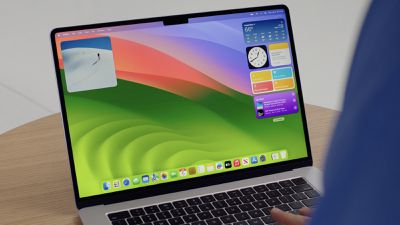
sonoma desktop wwdc
Registered developers can opt-in to the beta through the Software Update section of the System Settings app. Under Beta updates, toggle on the macOS Sonoma Developer Beta. Note that an Apple ID associated with an Apple Developer account is required to get the beta.

Release candidate versions of macOS 13.6.4 and macOS 12.7.3 with security fixes are also available.

Apple plans to release macOS Sonoma 14.3 to the public next week.

Full release notes are below:

macOS Sonoma 14.3 introduces enhancements to Apple Music, as well as other features, bug fixes, and security updates for your Mac.

- Collaborate on playlists in Apple Music allows you to invite friends to join your playlist and everyone can add, reorder, and remove songs
- Emoji reactions can be added to any track in a collaborative playlist in Apple Music
- AppleCare & Warranty in Settings shows your coverage for all devices signed in with your Apple ID

Popular Stories

iOS 26

iOS 26.4 Adds Two New Features to CarPlay

Tuesday March 24, 2026 1:55 pm PDT by
iOS 26.4 was released today, and it includes a couple of new features for CarPlay: an Ambient Music widget and support for voice-based chatbot apps. To update your iPhone 11 or newer to iOS 26.4, open the Settings app and tap on General → Software Update. CarPlay will automatically offer the new features so long as the iPhone connected to your vehicle is running iOS 26.4 or later....
Apple Business hero

Apple Unveils 'Apple Business' All-in-One Platform

Tuesday March 24, 2026 8:53 am PDT by
Apple today announced Apple Business, a new all-in-one platform that unifies device management, productivity tools, and customer outreach features. The service is designed to be a consolidated replacement for several of Apple's existing business-focused offerings, including Apple Business Essentials, Apple Business Manager, and Apple Business Connect. It provides organizations with a single...
AirPods Pro Firmware Feature

Apple Releases New Firmware for AirPods Pro 3, AirPods Pro 2 and AirPods 4

Tuesday March 24, 2026 12:31 pm PDT by
Apple today released new firmware for the AirPods Pro 2, AirPods Pro 3, and the AirPods 4. The firmware has a version number of 8B39, up from 8B34 on the AirPods Pro 3, 8B28 on the AirPods Pro 2, and 8B21 on the AirPods 4. There is no word on what's included in the firmware, but Apple has a support document with limited notes. Most updates are limited to bug fixes and performance...


Top Rated Comments

29 months ago
Build number 23D56

Also the Ventura 13.6.4 RC 4 is build 22G513 and Monterey 12.7.3 RC 4 is build 23H1015

Other new builds:

audioOS 17.3 RC build 21K646

tvOS 17.3 RC build 21K646

watchOS 10.3 RC build 21S644

iOS and iPadOS 17.3 RC build 21D50

iOS and iPadOS 16.7.5 RC build 20H307

iOS and iPadOS 15.8.1 RC build 19H380

3rd gen AirPods build 6A321 - this one is not an RC - it is a public release

ipsws available for all of these except watchOS, audioOS, Ventura and Monterey, airpods

Full installers not available. Although older Ventura and Monterey RCs are available they probably won't be this time.

The full installers for Sonoma, Ventura and Monterey will however be available upon public release, potentially but not necessarily with the same build numbers as the new RCs.
Score: 5 Votes (Like | Disagree)
29 months ago

Y’all might want to wait this one out.

45 minutes and counting. 🥲


I had it hanging like that too for quite a long time. I force restarted it, redownloaded and the second time it installed without stalling.
Score: 3 Votes (Like | Disagree)
Realityck Avatar
29 months ago
Comparison of 14.3 RC to previous 14.3 beta 3

macOS 14.3 RC (23D56)

* Safari Version 17.3 (19617.2.4.11.8)
* System Firmware Version: 10151.81.1 (M1 based Macs)
* Darwin Kernel Version 23.3.0: Wed Dec 20 21:30:27 PST 2023; root:xnu-10002.81.5~7/RELEASE_ARM64_T8103 arm64

macOS 14.3 beta 3 (23D5051b)

* Version 17.3 (19617.2.4.11.5)
* System Firmware Version: 10151.81.1 (M1 based Macs)
* Darwin Kernel Version 23.3.0: Thu Jan 4 13:53:24 PST 2024; root:xnu-10002.81.5~13/RELEASE_ARM64_T8103 arm64

* Apple Music/TV unchanged still 1.4.3.27

Note they went back to using an older kernel with RC then beta 3, Safari is newer, FW the same.

To devs today

* iOS 17.3 Release Candidate (21D50) - January 17, 2024
* iPadOS 17.3 Release Candidate (21D50) - January 17, 2024
* macOS 14.3 Release Candidate (23D56) - January 17, 2024
* watchOS 10.3 Release Candidate (21S644) - January 17, 2024
* tvOS 17.3 Release Candidate (21K646) - January 17, 2024
Score: 3 Votes (Like | Disagree)
29 months ago
I had it hanging like that too for quite a long time. I force restarted it, redownloaded and the second time it installed without stalling.
I had to do the same thing. I seem to recall having to the same thing on a build last year.

At least it was not the now infamous Apple Boot Loop.
Score: 2 Votes (Like | Disagree)
star-affinity Avatar
29 months ago

The bug where the mouse cursor is not changing form based on what it's hovering over, is still not fixed.
This has been a thing in MacOS (and OS X) for decades...
Happens in Windows too, but less frequently for sure. But I think what you mean, in Electron based apps it has since Sonoma been more common to see the text selection pointer instead of the arrow pointer when doing a right-click in a text to bring up the contextual menu.
Score: 2 Votes (Like | Disagree)
Realityck Avatar
29 months ago

Although it has improved in time, the Magic Trackpad on the M3 iMac occasionally pauses/jumpy still. Not smooth.
I see no console crash reports showing with RC, also looking at Activity Monitor, both CPU usage and Memory processes usage on M1 iMac is running OK, but yours is a new M3 iMac. Since that is a Bluetooth device, anything else that interferes being detected on the iMac besides the keyboard? Like another close Apple device with bluetooth? You can also check operation in safe mode.
Score: 2 Votes (Like | Disagree)

















