
Google Lens Now Supports Video Search and Voice Input - MacRumors
Skip to Content

Google Lens Now Supports Video Search and Voice Input

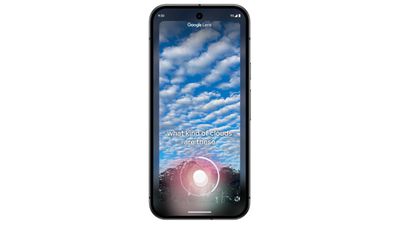
Google today shared several updates to the Google Lens search feature that's available in the Google app for iOS. Google is adding support for asking questions about videos, so that users can get information about moving objects.
google lens update
For example, if you're at an aquarium and want to learn more, you can use Google Lens to capture a short video of a fish and get details about it. According to Google, Lens can interpret the video and the question, using the information to provide an AI Overview with additional web links to learn more.

The video feature can be used by opening Lens in the Google app and holding down the shutter button to record a video while also asking a question out loud.

Google has also added support for asking a voice-based question when taking an image with Lens. Users can point the camera, hold the shutter button, and ask a question.

For those who use Google Lens to find visually similar images for shopping purposes, Google says results will be "dramatically more helpful" with information about the product you want to buy, including price info across retailers and where to get it.

In addition to these Google Lens changes, Google is rolling out search results pages organized by AI in the United States. AI results will show first for recipes and meal inspiration on mobile devices, with research results showing relevant results organized by different recipe options, ingredients, and more.

A new look for AI Overviews is rolling out, with the updated design showing prominent links to supporting webpages within the text of an AI Overview. Google says that this layout better drives traffic to supporting websites. Google is also adding ads to AI Overviews, and the company says that people find ads in AI Overviews helpful because "they can quickly connect with relevant businesses, products and services."

The updated Google Lens features are rolling out to iOS devices starting today, as are the search changes.


Tag: Google

Popular Stories

iOS 26

iOS 26.4 Adds Two New Features to CarPlay

Tuesday March 24, 2026 1:55 pm PDT by
iOS 26.4 was released today, and it includes a couple of new features for CarPlay: an Ambient Music widget and support for voice-based chatbot apps. To update your iPhone 11 or newer to iOS 26.4, open the Settings app and tap on General → Software Update. CarPlay will automatically offer the new features so long as the iPhone connected to your vehicle is running iOS 26.4 or later....
Apple Business hero

Apple Unveils 'Apple Business' All-in-One Platform

Tuesday March 24, 2026 8:53 am PDT by
Apple today announced Apple Business, a new all-in-one platform that unifies device management, productivity tools, and customer outreach features. The service is designed to be a consolidated replacement for several of Apple's existing business-focused offerings, including Apple Business Essentials, Apple Business Manager, and Apple Business Connect. It provides organizations with a single...
AirPods Pro Firmware Feature

Apple Releases New Firmware for AirPods Pro 3, AirPods Pro 2 and AirPods 4

Tuesday March 24, 2026 12:31 pm PDT by
Apple today released new firmware for the AirPods Pro 2, AirPods Pro 3, and the AirPods 4. The firmware has a version number of 8B39, up from 8B34 on the AirPods Pro 3, 8B28 on the AirPods Pro 2, and 8B21 on the AirPods 4. There is no word on what's included in the firmware, but Apple has a support document with limited notes. Most updates are limited to bug fixes and performance...

Top Rated Comments

coffeemilktea Avatar
19 months ago
So for those who don't have an iPhone 15 Pro or newer, I guess the Google app is the best alternative if you want AI features on your phone...? 🤔
Score: 5 Votes (Like | Disagree)
cicalinarrot Avatar
19 months ago
I can't wait for it to become as good as their faked Gemini demo.
Score: 2 Votes (Like | Disagree)
19 months ago

If you import the attached photo of a Chinese Tallow into your photo library, does your iPhone recognise it? Does Photos on the Mac?

My old iPhone recognised it, and so did Photos in a previous macOS version. I know because I took the picture for the purpose of identifying the plant.

The iPhone 16 Pro shows no information now, and Photos in Sequoia shows nothing under Get Info, but strangely offers "Look Up Chinese Tallow" upon right-click...


Yes it does.

Attachment Image
Score: 1 Votes (Like | Disagree)
19 months ago
Will try this out. Will be very useful if it works as advertised.
Score: 1 Votes (Like | Disagree)
dotnet Avatar
19 months ago

So for those who don't have an iPhone 15 Pro or newer, I guess the Google app is the best alternative if you want AI features on your phone...? 🤔
Whatever happened to the iOS feature for recognising objects (plants, animals, landmarks etc.) in photographs? The info button would have some sparkly stars on it whenever something of note was identified in a photo. On my new iPhone 16 Pro and iOS 18 I don't get that anymore. Is that a temporary regression until Apple Intelligence takes over, or what's going on?
Score: 1 Votes (Like | Disagree)














