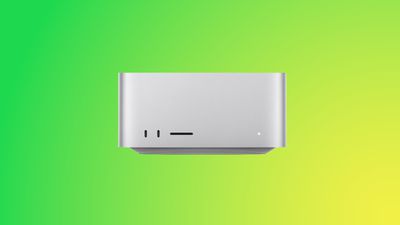
If you have a Mac Studio with an M3 Ultra chip and can't get macOS Tahoe to install, you're not alone. There is a bug that is preventing the update from installing properly on machines that have the M3 Ultra.
Affected users go to install macOS Tahoe, wait through the installation process and see the Mac Studio reboot, and then end up with macOS Sequoia 15.7 still running instead of macOS Tahoe. The macOS Tahoe update fails again and again.
A discussion thread on the Apple Support Communities suggests that the bug is impacting all Mac Studios with an M3 Ultra chip, and we have a Mac Studio that is unable to be upgraded. A Mac user who dug into the error messages suggests that the installer loads the macOS Tahoe driver for the Apple Neural Engine, but then a hardware check fails, and the installation process is aborted.
Mac Studio owners say that attempting to install via standard software update, safe mode, and recovery mode have all failed. There is no known fix right now, and M3 Ultra Mac Studio users will need to wait for Apple to release a fix to solve the issue.
Apple is aware of the problem, so hopefully the problem will be resolved shortly.
iOS 26.4 was released today, and it includes a couple of new features for CarPlay: an Ambient Music widget and support for voice-based chatbot apps.
To update your iPhone 11 or newer to iOS 26.4, open the Settings app and tap on General → Software Update. CarPlay will automatically offer the new features so long as the iPhone connected to your vehicle is running iOS 26.4 or later....
Apple today announced Apple Business, a new all-in-one platform that unifies device management, productivity tools, and customer outreach features.
The service is designed to be a consolidated replacement for several of Apple's existing business-focused offerings, including Apple Business Essentials, Apple Business Manager, and Apple Business Connect. It provides organizations with a single...
Tuesday March 24, 2026 12:31 pm PDT by Juli Clover
Apple today released new firmware for the AirPods Pro 2, AirPods Pro 3, and the AirPods 4. The firmware has a version number of 8B39, up from 8B34 on the AirPods Pro 3, 8B28 on the AirPods Pro 2, and 8B21 on the AirPods 4.
There is no word on what's included in the firmware, but Apple has a support document with limited notes. Most updates are limited to bug fixes and performance...
Yeah not upgrading for 2-3 months. My m3 ultra is a photo production machine. Can't have any issues. You should never upgrade to first release on machines that make you Money