
macOS Tahoe Bug Causes Studio Display Flickering Issues - MacRumors
Skip to Content

macOS Tahoe Bug Causes Studio Display Flickering Issues

macOS Tahoe introduced a bug that causes a Studio Display connected to a Mac to flicker every so often, and subsequent updates only seem to have made the issue worse.
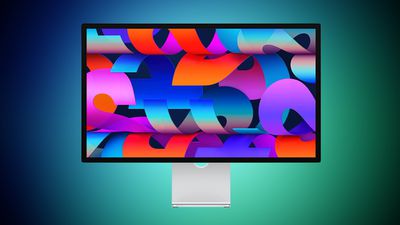
studio display blue green
Mac users with the ‌Studio Display‌ have been complaining about intermittent flickering since the update launched in September. There are also complaints from users who have other kinds of displays, so it might be a bug that is affecting more than one type of external monitor.

We have experienced this issue with a MacBook Pro running ‌macOS Tahoe‌ connected to a ‌Studio Display‌, and the ‌macOS Tahoe‌ 26.1 and ‌macOS Tahoe‌ 26.2 updates haven't improved the situation at all. In fact, the flickering seems to be getting worse in recent days.

Flickering happens most often when switching between apps that feature stark white backgrounds, or scrolling through webpages on light backgrounds. Any app can cause the flickering, and sometimes it just seems to be random. When flickering occurs, it's typically a brief flicker, but the display can also flicker several times in a row for a few seconds at a time. Switching from dark content to light content can almost always trigger a flicker on affected machines.

It's not clear what is causing the issue, but given that multiple ‌Studio Display‌ owners are experiencing it, it's likely some kind of software issue that could be addressed with new ‌Studio Display‌ firmware rather than a hardware problem.

Related Roundups: Studio Display, macOS Tahoe
Buyer's Guide: Displays (Buy Now)
Related Forums: Mac Accessories, macOS Tahoe

Popular Stories

iOS 26

iOS 26.4 Adds Two New Features to CarPlay

Tuesday March 24, 2026 1:55 pm PDT by
iOS 26.4 was released today, and it includes a couple of new features for CarPlay: an Ambient Music widget and support for voice-based chatbot apps. To update your iPhone 11 or newer to iOS 26.4, open the Settings app and tap on General → Software Update. CarPlay will automatically offer the new features so long as the iPhone connected to your vehicle is running iOS 26.4 or later....
Apple Business hero

Apple Unveils 'Apple Business' All-in-One Platform

Tuesday March 24, 2026 8:53 am PDT by
Apple today announced Apple Business, a new all-in-one platform that unifies device management, productivity tools, and customer outreach features. The service is designed to be a consolidated replacement for several of Apple's existing business-focused offerings, including Apple Business Essentials, Apple Business Manager, and Apple Business Connect. It provides organizations with a single...
AirPods Pro Firmware Feature

Apple Releases New Firmware for AirPods Pro 3, AirPods Pro 2 and AirPods 4

Tuesday March 24, 2026 12:31 pm PDT by
Apple today released new firmware for the AirPods Pro 2, AirPods Pro 3, and the AirPods 4. The firmware has a version number of 8B39, up from 8B34 on the AirPods Pro 3, 8B28 on the AirPods Pro 2, and 8B21 on the AirPods 4. There is no word on what's included in the firmware, but Apple has a support document with limited notes. Most updates are limited to bug fixes and performance...

Top Rated Comments

Apple Knowledge Navigator Avatar
14 weeks ago
That’s what happens when you pour liquid behind glass
Score: 36 Votes (Like | Disagree)
Reason077 Avatar
14 weeks ago
Every day I'm grateful for sticking with Sequoia. macOS 15.7.3 is fantastic!
Score: 22 Votes (Like | Disagree)
14 weeks ago
This means that apple is preparing for Studio Display 2
Score: 21 Votes (Like | Disagree)
14 weeks ago
The entire Liquid Ass crp is the bug. It's not one issue. It's the entire thing. It's decomposing garbage.
Score: 20 Votes (Like | Disagree)
Dirk Pieters Avatar
14 weeks ago
2 Studio Displays connected to an M4 15” Air running Tahoe.

No issues here.
Score: 14 Votes (Like | Disagree)
14 weeks ago
I’ve always wondered why these types posts are written in a way to make it seem like every user is experiencing the issue. Strange.

Anywho, no flicker with my Mac Mini + Studio Display on the latest macOS.
Score: 11 Votes (Like | Disagree)
















