Apple Gives Final Warning to Home App Users
In 2022, Apple introduced a new Apple Home architecture that is "more reliable and efficient," and the deadline to upgrade and avoid issues is fast approaching.
In an email this week, Apple gave customers a final reminder to upgrade their Home app by February 10, 2026. Apple says users who do not upgrade may experience issues with accessories and automations, or lose access to their smart home in the app entirely. In addition, users who do not upgrade will miss out on newer features like robot vacuum cleaner support, and they will not receive important security fixes and performance improvements.
Apple explains how to upgrade the Home app on the iPhone, iPad, or Mac:
- Open the Home app
- Tap or click on the three dots in the upper-right and navigate to Home Settings
- Tap or click on Software Update
- Tap or click Update Now, then follow the prompts. All of the homes that you own are updated at the same time.
If you see "This home and all accessories are up to date," then you are on the current version of the app and no further action is required.
Notably, the new version of Apple Home requires a minimum of iOS 16.2, iPadOS 16.2, macOS 13.1, tvOS 16.2, and watchOS 9.2.
Popular Stories
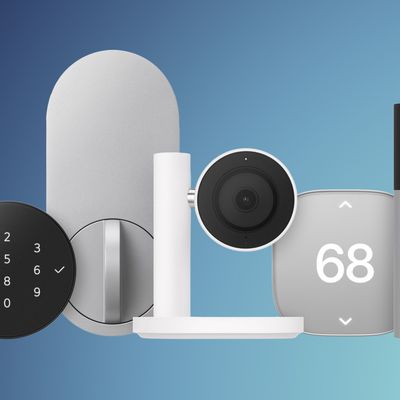
Apple today debuted the "Apple Home Collection," an accessory lineup it developed with LG Electronics and Schneider Electric. The collection includes cameras, thermostats, temperature sensors, and a door lock.
All of the home devices are designed to work with the HomeView, Apple's new home hub. Apple says each one is made from premium materials with a minimal aesthetic. The accessories are...
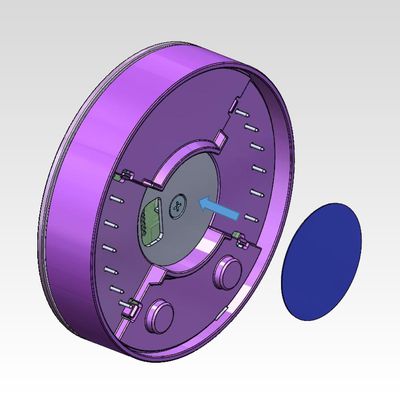
FCC filings reveal the designs of three upcoming LG smart home accessories that Apple reportedly helped develop, including a thermostat, a temperature sensor, and a deadbolt lock.
Yesterday, Bloomberg reported that Apple is working with LG Electronics on accessories for its upcoming home hub and other home products, citing regulatory documents without sharing the filings. FCC records MacRumor...
Apple's all-new smart home hub, the HomeView, will ship around mid-November, roughly a month after its unveiling at Apple's "Welcome home" October 13 event, according to Bloomberg's Mark Gurman.
HomeView concept image
Writing in the latest edition of his Power On newsletter, Gurman said the HomeView, "at least as of now," will follow the launch of the new Apple TV 4K and new HomePod mini...


























![Apple Pulls Keynote, Pages and Numbers From App Store [Update: Back]](https://images.macrumors.com/t/Okb7kitB_gNr6qe5Pex9nQIysD8=/112x112/article-new/2026/01/Apple-Creator-Studio-iWork-suite.jpg)





















