
Apple TV 4K Buyer's Guide: Comparing the Generations - MacRumors
Skip to Content

Apple TV 4K Buyer's Guide: Comparing the Generations

The Apple TV may not be the most obvious Apple device to consider upgrading – but with a series of minor upgrades in recent years, when should you consider buying a new one?
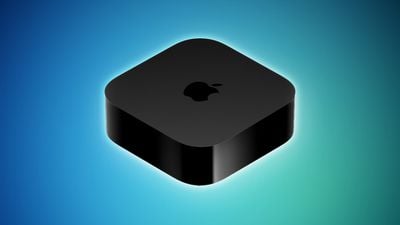
Apple TV 2022 Feature Blue
In terms of its set-top box offerings, Apple now only sells the ‌Apple TV‌ 4K (third-generation). The company launched its first modern ‌Apple TV‌ that runs tvOS, the ‌Apple TV‌ HD, in 2015. Since then, it has launched three new versions, each adding several new features and improvements over its predecessor, with some models offering more significant upgrades than others.

With a lower, $129 starting price and only one model year to choose from, new ‌Apple TV‌ buyers no longer face the same conundrum as in recent years when Apple offered multiple Apple TVs from different generations. Even so, first-time ‌Apple TV‌ customers may be able to obtain an older model second-hand or from a third-party retailer, so it will be important to weigh up exactly what was added with each new model.

See the detailed breakdown below for each new feature, change, and improvement that was added with each ‌Apple TV‌ model compared to its direct predecessor:

Apple TV 4K (Third-Generation, 2022)

  • A15 Bionic chip (3.23 GHz, 6-core), 50 percent faster CPU performance and 30 percent faster GPU performance
  • 4GB memory, 33 percent more
  • Passive cooling with fanless design
  • "" logo replaces "tv" logo
  • Height of 1.2 inches
  • Weight of 208/214 grams, 50 percent reduction
  • Support for HDR10+
  • Gigabit Ethernet port available with 128GB model only
  • Thread support available with 128GB model only
  • 64GB or 128GB storage
  • Second-generation Siri Remote (USB-C charging port) included

Apple TV 4K (Second-Generation, 2021)

  • A12 Bionic chip (2.49 GHz, 6-core)
  • Support for high-framerate HDR content up to 60 fps
  • ARC and eARC support
  • HDMI 2.1 port
  • Wi-Fi 6
  • Bluetooth 5.0
  • Thread support
  • Second-generation ‌Siri‌ Remote (Lightning charging port) included, featuring complete redesign with circular clickpad

Apple TV 4K (First-Generation, 2017)

  • A10X Fusion chip (2.38 GHz, 6-core)
  • 3GB memory, 50 percent more
  • Active cooling with internal fan
  • Support for up to 2160p (4K) resolution
  • Support for SDR, HDR10, and Dolby Vision
  • Support for audio output with 7.1.4 surround sound channels with Dolby Atmos
  • HDMI 2.0a port
  • Gigabit Ethernet port
  • First-generation ‌Siri‌ Remote (white ring around Menu button) included

Apple TV HD (2015)

  • Apple A8 chip (1.5 GHz, 2-core)
  • 2GB memory
  • "tv" logo
  • Height of 1.4 inches
  • Weight of 425 grams
  • Support for up to 1080p resolution
  • Support for SDR
  • Support for audio output with 7.1 surround sound channels
  • HDMI 1.4 port
  • 10/100 Ethernet port
  • Wi-Fi 5
  • Bluetooth 4.0
  • 32GB or 64GB of storage
  • First-generation ‌Siri‌ Remote included

Unlike many other Apple devices, the ‌Apple TV‌ offers a lot of specific technical features that not all users can take advantage of due to reliance on the specifications of other connected hardware like TVs and speakers. As such, this should be the main criteria you use to determine if you need to upgrade to a new ‌Apple TV‌.

In other words, if you do not see features like high-framerate content, improved HDMI port specifications, more advanced HDR formats, and Thread support as worthwhile upgrades, it is unlikely that it will be worth buying a new model. Keen home cinema enthusiasts, audiophiles, and gamers that can use features like Dolby Atmos support, Gigabit Ethernet, and ARC and eARC support stand to benefit more from upgrading.

If you do not have a 4K HDR TV, it is probably that not much will be gained by upgrading to the latest model, but it may still be worth it if you can take advantage of better performance and more storage. If you have the first-generation ‌Apple TV‌ 4K, it will only be worth upgrading if you want features like high framerate HDR, Thread support, and more power for gaming.

Unless you specifically want HDR10+ support or 128GB of storage, there is little reason to upgrade from the second-generation ‌Apple TV‌ 4K to the third-generation ‌Apple TV‌ 4K.

It is important to note that the latest version of the ‌Siri‌ Remote, the second-generation model with a USB-C charging port, is available from Apple separately for $59. It works with all of the above ‌Apple TV‌ models, so the ‌Siri‌ Remote should not be a major factor in deciding to upgrade.

Related Roundup: Apple TV
Buyer's Guide: Apple TV (Don't Buy)

Popular Stories

iOS 26

iOS 26.4 Adds Two New Features to CarPlay

Tuesday March 24, 2026 1:55 pm PDT by
iOS 26.4 was released today, and it includes a couple of new features for CarPlay: an Ambient Music widget and support for voice-based chatbot apps. To update your iPhone 11 or newer to iOS 26.4, open the Settings app and tap on General → Software Update. CarPlay will automatically offer the new features so long as the iPhone connected to your vehicle is running iOS 26.4 or later....
Apple Business hero

Apple Unveils 'Apple Business' All-in-One Platform

Tuesday March 24, 2026 8:53 am PDT by
Apple today announced Apple Business, a new all-in-one platform that unifies device management, productivity tools, and customer outreach features. The service is designed to be a consolidated replacement for several of Apple's existing business-focused offerings, including Apple Business Essentials, Apple Business Manager, and Apple Business Connect. It provides organizations with a single...
AirPods Pro Firmware Feature

Apple Releases New Firmware for AirPods Pro 3, AirPods Pro 2 and AirPods 4

Tuesday March 24, 2026 12:31 pm PDT by
Apple today released new firmware for the AirPods Pro 2, AirPods Pro 3, and the AirPods 4. The firmware has a version number of 8B39, up from 8B34 on the AirPods Pro 3, 8B28 on the AirPods Pro 2, and 8B21 on the AirPods 4. There is no word on what's included in the firmware, but Apple has a support document with limited notes. Most updates are limited to bug fixes and performance...

Top Rated Comments

45 months ago
This article overlooked the genuine 1st generation Apple TV (2007). I still have two of these....

Attachment Image
Score: 13 Votes (Like | Disagree)
HobeSoundDarryl Avatar
45 months ago

My problem with the Apple TV hardware is that there is no audio output jacks. Like how the F are you supposed to connect it to some external speakers?

Seriously don't understand why Apple continues to disregard those users who just want to use this with a TV and set external speakers...

Insane...
I agree that it should at least have one analog AUX jack like the earlier generations did. The one often overlooked benefit of an analog jack is easy compatibility with Zone 2 inputs of most modern receivers. They pretty much NEED analog in to work. Prime use is using AppleTV as a music source to "throw" music to zone 2 or zone 3 speakers elsewhere around a wired home. For example, my Zone 2 is wired to speakers outside on a deck (where self powered speakers would be at higher risk of damage by rain/humidity and don't have easy access to electrical sockets).

As is though, HDMI carries the audio:

* HDMI out into a Receiver/Amplifier. Connect any speakers to Receiver/Amplifier. OR
* HDMI out into HDMI audio extractor (to create analog audio jacks). Connect powered speakers to the appropriate jack. This option should cost below about $50 MAX if you have the powered speakers. OR
* HDMI out into HDMI in on some Soundbars. Soundbar HDMI out to HDMI IN on TV. Soundbar then extracts the audio to play and forwards the video to the TV screen. OR
* HDMI out into HDMI in on most TVs. HDMI ARC on TV OUT to HDMI in on Soundbar. TV extracts video for screen and passes through the audio to the soundbar. OR
* HDMI out into HDMI in on most TVs. Optical out of TV to optical in on Soundbar. TV extracts video for screen and passes through audio to the soundbar. This usually results in Stereo only audio but a few TVs will pass through surround sound too. I consider this the least desirable option in this list myself, as all of the other options will likely yield better sound and/or fuller sound mostly due to pass through of the fuller signal vs/ chopping it down to stereo only as this option often does.

Personally, I go with the Receiver option myself. The flexibility that comes with a Receiver makes it the central "hub" of a great home theater even if starting one from scratch with only a speaker or two at first.
Score: 7 Votes (Like | Disagree)
45 months ago

Smart TVs already have most of these capabilities right? 🤔
They do, until the apps age out. I wish I could buy a great dumb OLED panel to use with my ATV.

I have many ATVs, usually upgrading my main ones and the moving the older one to the kids or guest room. But as I am now covered with 4K models I don’t see the need to upgrade this cycle.
Score: 6 Votes (Like | Disagree)
kiranmk2 Avatar
45 months ago

Apple TV 4K (Second-Generation, 2021)


* A12 Bionic chip (2.49 GHz, 6-core)
* Support for high-framerate HDR content up to 60 fps
* ARC and eARC support
* [B]HDMI 2.1 port[/B]
* Wi-Fi 6
* Bluetooth 5.0
* Thread support
* Second-generation Siri Remote (Lightning charging port) included, featuring complete redesign with circular clickpad


The HDMI 2.1 port information is wrong. No AppleTV has what most people would describe as and HDMI 2.1 port. Instead, the Apple TV 4k (2021, 2022) has one HDMI 2.1 feature (which is eARC). The port itself is still an 18 Gbps port which supports a max 4k@60 Hz. The rules around marketing HDMI state that version numbers can only be used in marketing regarding features, not the port/bandwidth - this is why the specifications have a footnote that clarifies that eARC is the HDMI 2.1 feature.
Score: 5 Votes (Like | Disagree)
45 months ago

This is one product where I do not get the need to upgrade. If you have apple tv 4K, then what each new version will add?
I have the first gen 4K model. I'm only upgrading it because I kind of want one in the bedroom too now. So the new one will go in the Theater room and my first gen 4K model will move to the bedroom. If it wasn't for that I would not see any reason to upgrade either.
Score: 4 Votes (Like | Disagree)
Mrjoedot Avatar
45 months ago

I ordered a 128GB to replace a buggy Roku Ultra. I had a 2015 Apple TV that now lives in a bedroom, moved to a Fire TV Cube, then to the Roku. The Fire TV Cube was BY FAR the worst experience, The buggy Roku won’t activate Dolby Vision and the audio gets out of sync every couple of days requiring a reboot. Can’t wait to finally get back to Apple TV, a platform with which I never had an issue.
same here. once into Apple, I never wanna go backward
Score: 4 Votes (Like | Disagree)
















